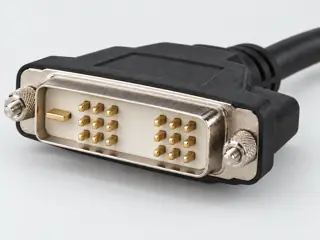
Three-quarter view Computer-generated illustration with prior AI visual review. Not a photograph, measurement or compatibility check. Independent technical and rights review pending.
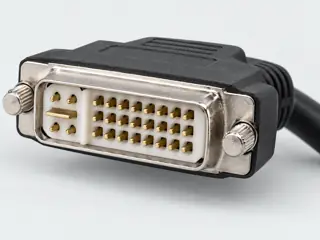
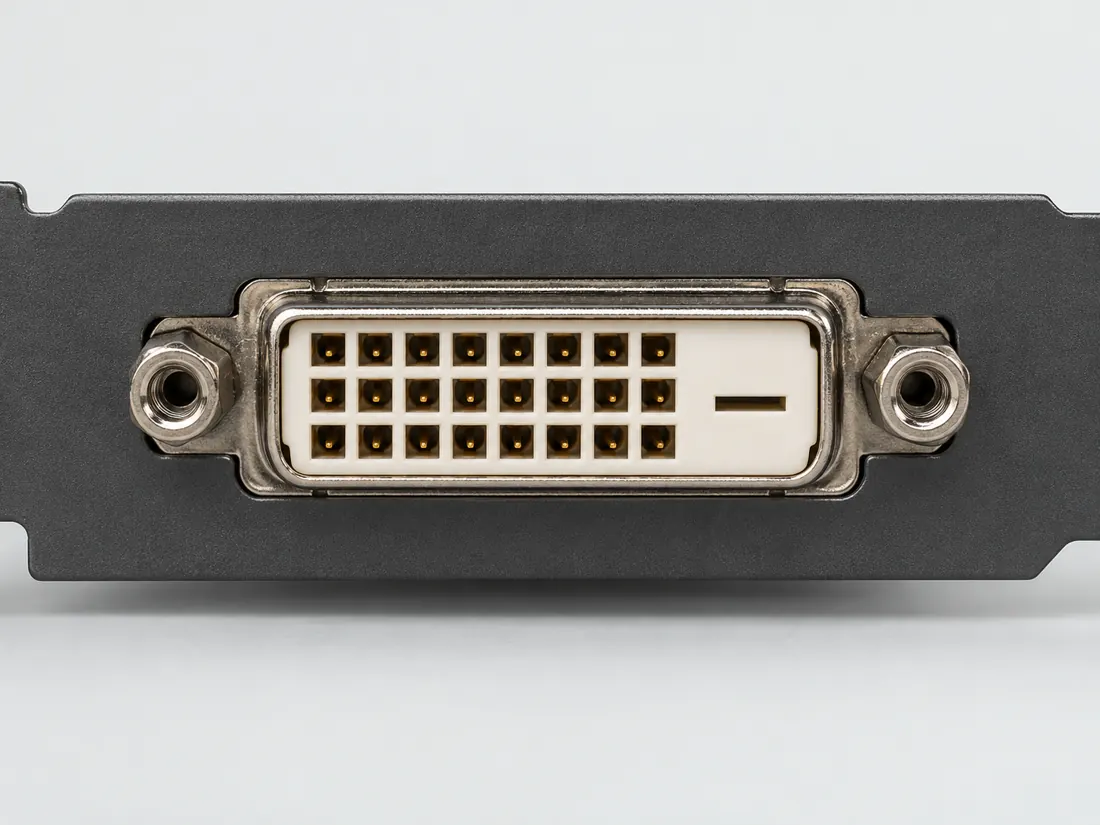
Mating face Computer-generated illustration with prior AI visual review. Not a photograph, measurement or compatibility check. Independent technical and rights review pending.
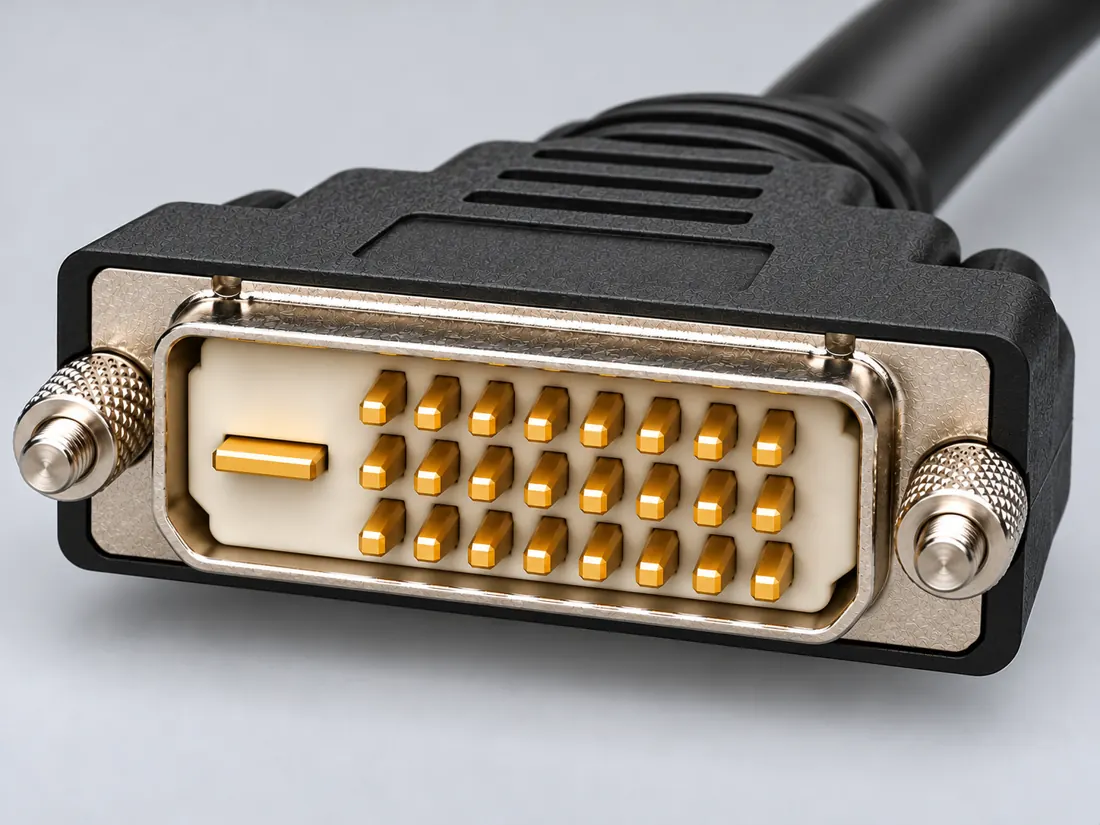
Fitted in place Computer-generated illustration with prior AI visual review. Not a photograph, measurement or compatibility check. Independent technical and rights review pending.
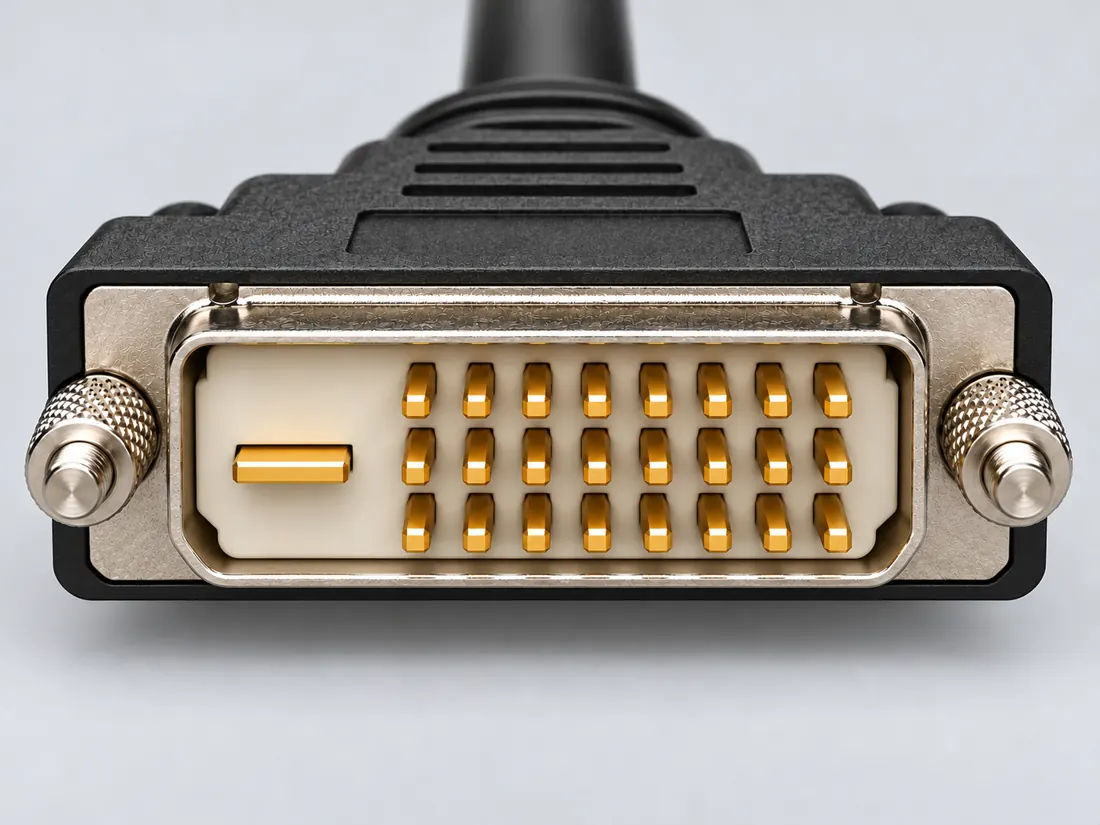
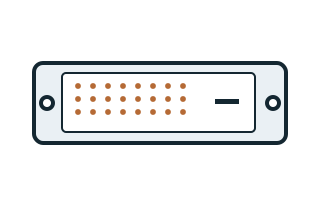
Recognition drawing Original schematic, not to scale. Drawing review pending.
Image inspection / P014
See the view. Check its scope.
1 registered view for this reference. Different part examples are not automatically mates; all remain not to scale and independently unapproved.
(private workspace)
P014 / Source-observed physical study
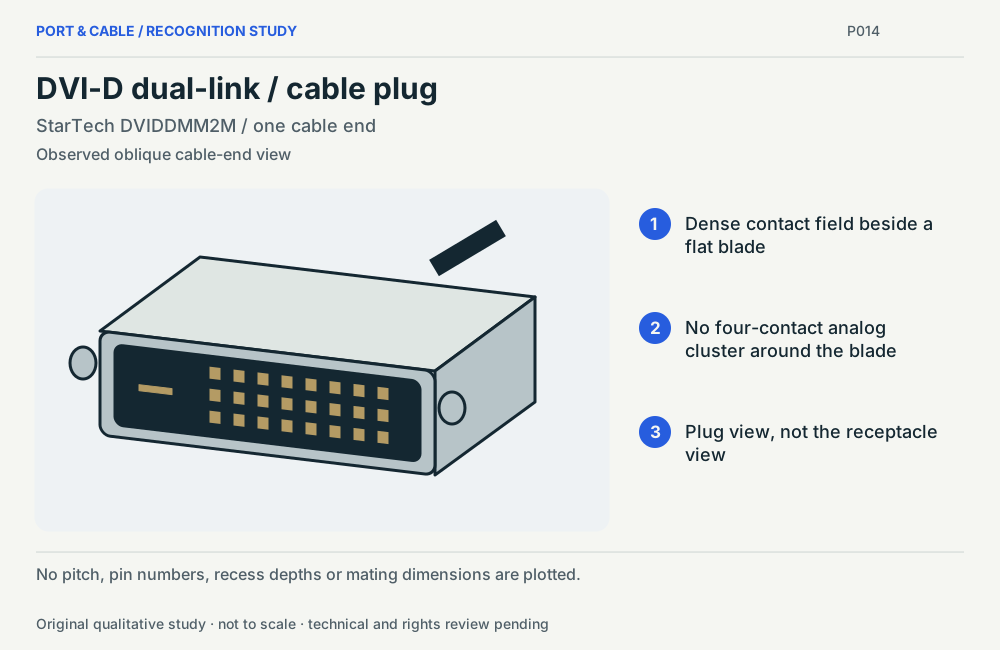
DVI-D dual-link / cable plug
StarTech DVIDDMM2M / one cable end
Observed oblique cable-end view · Cable plug / cable end
Not to scale. Technical and rights review pending.
Inspect view & provenance ↗ (private workspace)
Application notes / Legacy video / P014
Will a passive DVI-to-VGA adapter make a picture?
FIELD NOTES 04
The named passive DVIVGAMF is specified for DVI-I, not DVI-D. DVI2VGAE instead documents an active digital-DVI-to-VGA path.
Identify first
Read the part and the device.
Confirm the source’s DVI signal type before interpreting the adapter’s shell.
Still unresolved
Keep this requirement open.
Supported timing, power availability and the exact source/display pair remain separate requirements.
Explicit source exclusion · named example only
Is DVIVGAMF documented for the DVI-D-to-VGA job?
No: this passive model is specified for DVI-I; its note directs DVI-D users to a converter.
Boundary. An active conversion path is a different product and still needs equipment checks.
Next check. Check input signal, converter direction and display timing.
Source interpretation is not independent engineering review, hardware testing, wiring advice or a public-release approval.
V117 / READER FIELD GUIDE / AV & LEGACY
Before you connect or replace
Dual-link is not a universal speed guarantee
The additional DVI-D dual-link contacts identify an interface provision, not a tested display path. Timing support depends on source, cable and display electronics.
Editorial decision guidance only. A connector identity or nominal pitch does not establish approved mating, safe wiring or a supported device combination.
Inspect the illustrationContact-pattern sketch · larger view & look-alikes
View Contact-pattern sketchDepiction Role not specifiedNot to scale · independent drawing review pending
Read the view
Dual-link grid with a flat blade
The blade is shown at the right in this illustration. Do not mirror it to invent an assignment.
What it cannot establish: A cable layout does not prove that an adapter generates dual-link video.
Enlargement changes display size only. It does not reveal measured geometry, a pin assignment or an approved mating combination.
DVI-D dual-link uses a fuller digital contact grid than single-link DVI-D. [C014A]
DDWG DVI 1.0 Table 5-1 defines 24 numbered digital-only positions. Pin 8 is not connected in that table; positions 4/5, 12/13 and 20/21 carry the additional TMDS data pairs. [C014B]
Dell SE2416HM documentation shows a numbered 24-position DVI-D grid but labels positions 4, 5, 12, 13, 20 and 21 Floating. Its implementation must not be substituted into a universal dual-link pinout. [C014C]
Dell documents E-Port docks with DVI connectors accepting dual-link-shaped cables but wired for single-link operation. It also identifies the source, cable, display and any adapter as separate dual-link requirements. [C014D]
StarTech DVI2VGAE is an active adapter with DVI-D input and VGA output; the hardware table lists no audio. [C014E]
Identify the documented form
Distinguish a full DVI-D grid from an actually active dual-link path.
Read the numbered digital grid separately from the flat blade; the blade is outside this profile’s numbered-position count. S411
A documented Dell implementation marks several positions Floating; its assignment is not the universal dual-link map. S413
A dock accepting a dual-link-shaped cable can still be wired for single-link operation. S414
Documented identity facts; exact part and variant scope remains with each value
Nominal contacts
24S411 · S413 · S414Numbered grid positions only; flat blade excluded from this count.; nominal engineering count, not automatically positions, population or a device wiring map. Numbered grid positions only; flat blade excluded from this count.
Positions / cavity span
24 (Claim C014C)S413Recorded source-scoped values; named examples do not describe every family variant or establish compatibility. Exact manual table, page 44. Other source-specific labels remain separate from the DDWG table.
Populated contacts
Not recordedNot recorded in a normalized source-scoped field. Consult the exact part/revision; no value inferred from illustrations.
Connector role
socket (74320-4004)S866 · S873Separate exact examples; retain each value’s source, role, axis and part scope. Exact named example 74320-4004: DVI digital right-angle receptacle. Exact example only; no universal geometry, electrical compatibility, fabrication approval or wiring instruction. 1.90mm is the current part-page mating-interface value as displayed; source drawing refers users to DDWG for mating dimensions. No unobserved diagram dimension is interpreted.
Rows, pitch, dimensions, keying and view limits
Additional scoped facts; not a fabrication drawing or a mating approval
Contact rows
3 (74320-4004)S866 · S873Separate exact examples; retain each value’s source, role, axis and part scope. Exact named example 74320-4004: DVI digital right-angle receptacle. Exact example only; no universal geometry, electrical compatibility, fabrication approval or wiring instruction. 1.90mm is the current part-page mating-interface value as displayed; source drawing refers users to DDWG for mating dimensions. No unobserved diagram dimension is interpreted.
Contact pitch
1.9 mm manufacturer-reported centerline or mating-interface pitch (74320-4004)S866 · S873Separate exact examples; retain each value’s source, role, axis and part scope. Exact named example 74320-4004: DVI digital right-angle receptacle. Exact example only; no universal geometry, electrical compatibility, fabrication approval or wiring instruction. 1.90mm is the current part-page mating-interface value as displayed; source drawing refers users to DDWG for mating dimensions. No unobserved diagram dimension is interpreted.
Dimensions / axis
2.34 mm PCB tail length (74320-4004)S866 · S873Separate exact examples; retain each value’s source, role, axis and part scope. Exact named example 74320-4004: DVI digital right-angle receptacle. Exact example only; no universal geometry, electrical compatibility, fabrication approval or wiring instruction. 1.90mm is the current part-page mating-interface value as displayed; source drawing refers users to DDWG for mating dimensions. No unobserved diagram dimension is interpreted.
Coupling / latch
Not recordedNot recorded in a normalized source-scoped field. Consult the exact part/revision; no value inferred from illustrations.
Keying / polarization
manufacturer reports keyed and polarized to mating part (74320-4004)S866 · S873Separate exact examples; retain each value’s source, role, axis and part scope. Exact named example 74320-4004: DVI digital right-angle receptacle. Exact example only; no universal geometry, electrical compatibility, fabrication approval or wiring instruction. 1.90mm is the current part-page mating-interface value as displayed; source drawing refers users to DDWG for mating dimensions. No unobserved diagram dimension is interpreted.
View convention
DDWG Rev. 1.0 Tables 5-1/5-2 and Figures 5-1/5-3; receptacle viewed from its mating front, numbered grid on the left, position 1 upper-left and position 24 lower-right. The plug front is mirrored (Figure 5-5). Molex explicitly labels its combined diagram as a receptacle front view. Not a solder-side or PCB map.S411 · S413 · S414Recorded source-scoped values; named examples do not describe every family variant or establish compatibility. Existing engineering orientation text; source/part/view remains controlling.
Contact gender / arrangement
Not recordedNot recorded in a normalized source-scoped field. Consult the exact part/revision; no value inferred from illustrations.
Mounting
Not recordedNot recorded in a normalized source-scoped field. Consult the exact part/revision; no value inferred from illustrations.
Shell / form
Not recordedNot recorded in a normalized source-scoped field. Consult the exact part/revision; no value inferred from illustrations.
Manufacturer
Molex (74320-4004)S866 · S873Separate exact examples; retain each value’s source, role, axis and part scope. Exact named example 74320-4004: DVI digital right-angle receptacle. Exact example only; no universal geometry, electrical compatibility, fabrication approval or wiring instruction. 1.90mm is the current part-page mating-interface value as displayed; source drawing refers users to DDWG for mating dimensions. No unobserved diagram dimension is interpreted.
Series
74320 DVI digital (74320-4004)S866 · S873Separate exact examples; retain each value’s source, role, axis and part scope. Exact named example 74320-4004: DVI digital right-angle receptacle. Exact example only; no universal geometry, electrical compatibility, fabrication approval or wiring instruction. 1.90mm is the current part-page mating-interface value as displayed; source drawing refers users to DDWG for mating dimensions. No unobserved diagram dimension is interpreted.
Exact part / implementation
74320-4004 (74320-4004)S866 · S873Separate exact examples; retain each value’s source, role, axis and part scope. Exact named example 74320-4004: DVI digital right-angle receptacle. Exact example only; no universal geometry, electrical compatibility, fabrication approval or wiring instruction. 1.90mm is the current part-page mating-interface value as displayed; source drawing refers users to DDWG for mating dimensions. No unobserved diagram dimension is interpreted.
Recorded markings
Not recordedNot recorded in a normalized source-scoped field. Consult the exact part/revision; no value inferred from illustrations.
Keep this limit: Source, cable, display and any adapter must all support the required link; pin presence alone is insufficient. S414
Make the next check
Confirm the exact source/display link support and adapter function, not just the cable’s pin field.
Existing source inspection and AI review remain distinct from independent technical review. A matching form does not establish a safe connection.
Recorded variant and source limits
The flat digital blade is not an invented numbered signal 25. Different vendor counts can include or exclude it.
No housing dimensions, tolerances, insertion depth, PCB layout or fabrication approval is established.
Full receptacle contact presence is not evidence that a source, cable or receiver operates both links.
Do not apply voltage or modify connector pins based on a reference table. Exact device wiring and operating requirements remain separate.
DVI 1.0 digital-only connector, all 24 contacts (both TMDS links): Receptacle mating face, pin 1 upper left (Figure 5-1).
DDWG DVI 1.0 digital-only connector (Table 5-1), both TMDS links: DDWG DVI 1.0 Fig. 5-1 (p. 45), receptacle mating face: pin 1 top-left; pins 1-8 top row, 9-16 middle row, 17-24 bottom row, left to right; pin 24 bottom-right; flat-blade / micro-cross area to the right. Fig. 5-5 (p. 47) shows the plug face mirrored: pin 1 top-right, blade on the left.
Not included. Check exact device and accessory documentation.
A boundary, not an omission to guess around.
This record is an identification starting point. It does not provide measured mating tolerances, electrical approval, or a list of verified device models. Use the original device and accessory documentation to resolve the remaining requirements.
Before you connect
What to check
Identify the exact DVI variant at both ends.
Check whether the source and any converter support the requested timing.
Do not equate a passive HDMI-to-DVI adapter with a dual-link converter.
Choose the exact wiring. Pin numbers follow its stated view; a schematic does not establish physical positions. Check your exact device before wiring.
What the status labels mean
Confirmed
Recorded research passes agree within this variant; this is not independent human review or hardware validation.
Single source
Only one underlying document, or one pass, supports this assignment.
Device-specific
Supported for the named equipment or wiring only. Check your device’s manual.
Unverified
Missing or conflicting evidence. Do not wire from this row.
Not connected
The source explicitly says NC, no contact or no pin for this wiring.
DVI count, assignment and implementation
Use the DVI reference guides to distinguish grid positions from the blade/analog group and to keep full standard assignments separate from exact device wiring. Read the source view before applying a number; never remove contacts to force a fit.
AI-assisted inspection is not independent engineering review. Source scope and access limitations are disclosed below. Procedural checklists are editorial requirements, not hardware measurements.
Locator: HD15, HDMI, HDMI Mini, HDMI Micro, DVI-D and RCA sections Access: public page. The old DisplayPort technology/speed description on this page is not relied on.
DDWG DVI 1.0 Table 5-1 defines 24 numbered digital-only positions. Pin 8 is not connected in that table; positions 4/5, 12/13 and 20/21 carry the additional TMDS data pairs.
Locator: Printed/PDF pp. 43–47; Tables 5-1 and 5-2; Figures 5-1, 5-3 and 5-5. Access: public pdf text. Mirror hosting is not an official live DDWG publication channel. No independent authentication, fabrication approval, current product conformance, universal PCB layout or timing guarantee.
Claim scope: Full digital-only interface assignment from the named specification; not a guarantee that an exact device implements every signal.. Next review due 2027-01-05.
Dell SE2416HM documentation shows a numbered 24-position DVI-D grid but labels positions 4, 5, 12, 13, 20 and 21 Floating. Its implementation must not be substituted into a universal dual-link pinout.
Locator: PDF/printed p. 44: numbered DVI-D view and 24-position assignment table. Access: public pdf text. Labels belong to this manual. Do not substitute its Self test or supply labels for the DDWG standard; no voltage application, hardware measurement, or universal DVI implementation is established.
Dell documents E-Port docks with DVI connectors accepting dual-link-shaped cables but wired for single-link operation. It also identifies the source, cable, display and any adapter as separate dual-link requirements.
Locator: Article 000052929, version 13; modified 17 April 2026. First FAQ on dual link, E-Port dock note, and active/passive adapter definitions. Access: public page. General article includes simplified descriptions and a broad conversion chart; those are not adopted as universal compatibility rules. E-Port wording is not an inventory of every dock revision.
Claim scope: Named legacy dock example and documentation checklist, not a universal resolution limit or all-dock inventory.. Next review due 2027-01-05.
Locator: PDF pages 1–2: direction, low-powered-port note, Hardware / AV Input / AV Output / Audio; page 2 visually inspected. Access: public pdf text. Named example only. No universal compatibility or publication approval. Raw-byte acquisition status is recorded separately.
Claim scope: Named direction and video-only conversion. The pictured DVI connector is a dual-link form; pin loading is not a resolution guarantee.. Next review due 2027-01-09.
Assessment 2026-10-22 · earliest scheduled source review 2026-12-30. This is a recorded-date assessment, not a live source check. Page-level independent review is not established by this panel.
Digital Display Working Group (DDWG) · Unclassified publisher domain · inspected 2026-10-07 · due 2027-01-05
Within inspection window
Scoped support: Primary DDWG specification authored in 1999, read from an explicitly third-party document mirror. Digital-only and combined assignments, interface grouping and numbered receptacle/plug views.
Not established / limitations: Mirror hosting is not an official live DDWG publication channel. No independent authentication, fabrication approval, current product conformance, universal PCB layout or timing guarantee.
Locator: Printed/PDF pp. 43–47; Tables 5-1 and 5-2; Figures 5-1, 5-3 and 5-5.
Scoped support: Exact SE2416HM manual example. Positions 4, 5, 12, 13, 20 and 21 are labeled Floating despite the full numbered grid.
Not established / limitations: Labels belong to this manual. Do not substitute its Self test or supply labels for the DDWG standard; no voltage application, hardware measurement, or universal DVI implementation is established.
Locator: PDF/printed p. 44: numbered DVI-D view and 24-position assignment table.
Scoped support: Bounded use: 18 versus 24 grid positions; source/cable/display requirements; named E-Port single-link wiring despite accepting dual-link-shaped cables; active versus passive circuitry.
Not established / limitations: General article includes simplified descriptions and a broad conversion chart; those are not adopted as universal compatibility rules. E-Port wording is not an inventory of every dock revision.
Locator: Article 000052929, version 13; modified 17 April 2026. First FAQ on dual link, E-Port dock note, and active/passive adapter definitions.
Scoped support: Named active DVI-D source to VGA display path. Reverse operation is not established. Conflicting resolution labels are not used.
Not established / limitations: Named example only. No universal compatibility or publication approval. Raw-byte acquisition status is recorded separately.
Locator: PDF pages 1–2: direction, low-powered-port note, Hardware / AV Input / AV Output / Audio; page 2 visually inspected.
Trace 5 claims to their source records
C014A · P014
DVI-D dual-link uses a fuller digital contact grid than single-link DVI-D.
Claim scope: Consumer identification / documented standard or product class only
DDWG DVI 1.0 Table 5-1 defines 24 numbered digital-only positions. Pin 8 is not connected in that table; positions 4/5, 12/13 and 20/21 carry the additional TMDS data pairs.
Claim scope: Full digital-only interface assignment from the named specification; not a guarantee that an exact device implements every signal.
Dell SE2416HM documentation shows a numbered 24-position DVI-D grid but labels positions 4, 5, 12, 13, 20 and 21 Floating. Its implementation must not be substituted into a universal dual-link pinout.
Claim scope: Exact manual table, page 44. Other source-specific labels remain separate from the DDWG table.
Dell documents E-Port docks with DVI connectors accepting dual-link-shaped cables but wired for single-link operation. It also identifies the source, cable, display and any adapter as separate dual-link requirements.
Claim scope: Named legacy dock example and documentation checklist, not a universal resolution limit or all-dock inventory.
Recorded evidence only. An inspection date, publisher label, source link or generated packet is not independent technical review, hardware testing, fabrication approval or a compatibility verdict.

 (private workspace)