
Connection question / Display and video
Can I connect DVI-D to HDMI?
Documented cable class - check exact equipment.
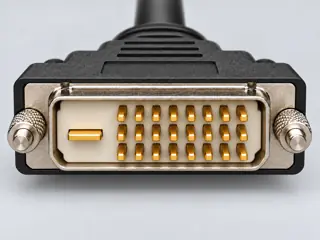
FromDVI-D
Cable classThe sheet explicitly documents DVI source to HDMI display and HDMI source to DVI display.
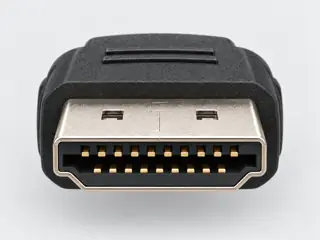
ToHDMI
The answer
Short answer Yes, with a DVI-D-to-HDMI cable or adapter for video. Audio needs a separate path, for example an adapter documented to add USB audio.
What you need
The cable or adapter class
- The sheet explicitly documents DVI source to HDMI display and HDMI source to DVI display.
- Documented DVI-D computer output to HDMI display; the separate USB connection supplies the optional audio path.
Before you buy
What must be true
- Bidirectional digital-video use is documented; a particular timing or audio mode is not.
- DVI-D video input to HDMI output; the performance table states 1920 × 1080p at 60 Hz.
- Native USB audio from the documented Windows computer example; not USB video or general-purpose USB bridging.
Watch out
Direction and exact products matter
Connectors that fit do not prove a connection works. Check that the exact cable or adapter is documented for DVI-D → HDMI, and that both devices support what you need.
Identify the ends
The connectors
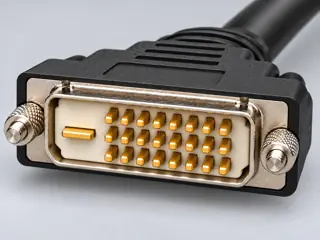
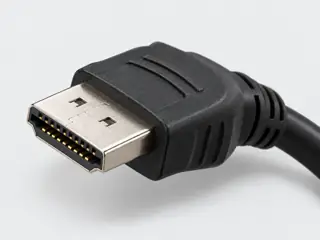
Evidence
Where this answer comes from
Cable and adapter profiles: CA034, CA035.
S418StarTech.comStarTech HDMIDVIMM6 — 6 ft HDMI to DVI-D single-link bidirectional cable (manufacturer datasheet)S419StarTech.comStarTech DVI2HD — DVI-D to HDMI adapter with separate USB audio and power (manufacturer datasheet)
Independent review pending. This page summarizes documented requirements; it is not a compatibility guarantee.