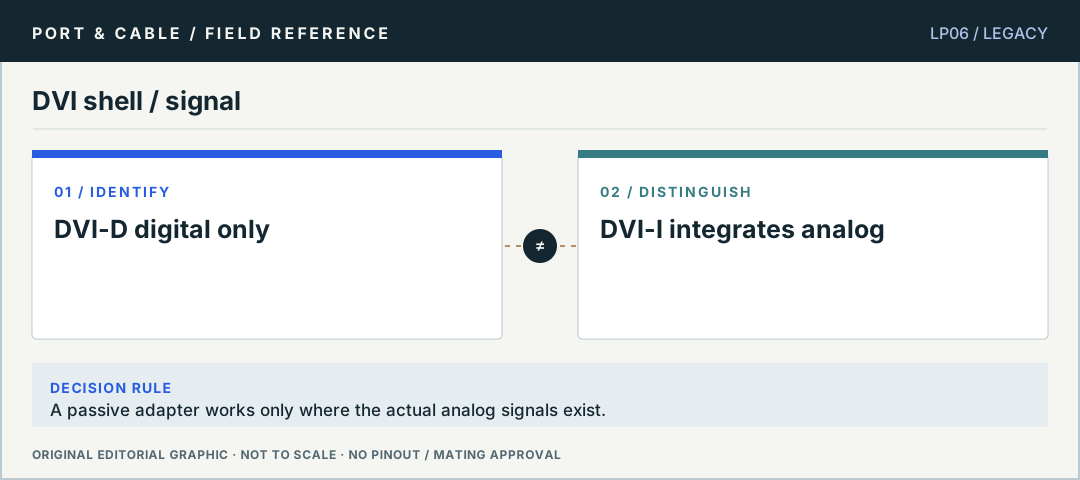
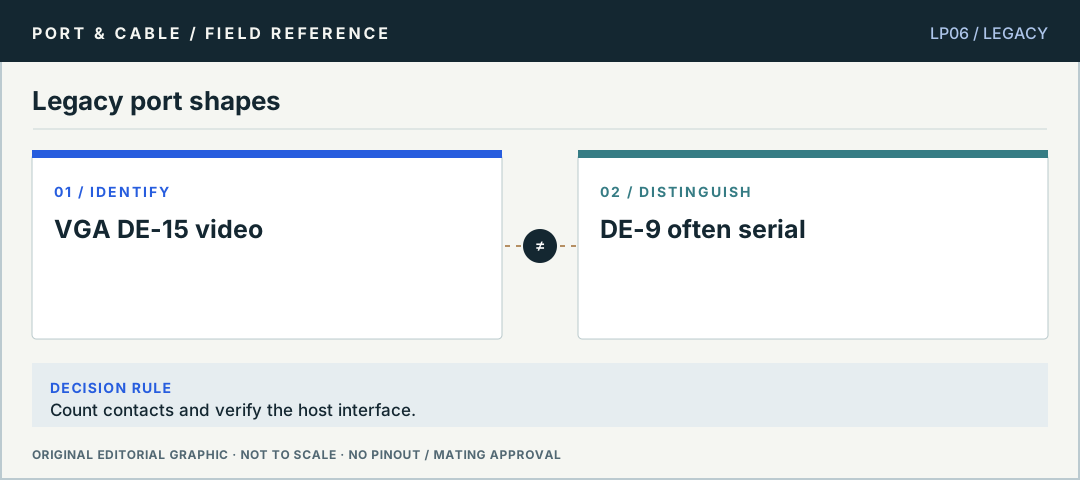
DVI shell / signalA passive adapter works only where the actual analog signals exist. Original editorial logic plate, not verified mating geometry or a physical pinout.Legacy port shapesCount contacts and verify the host interface. Original editorial logic plate, not verified mating geometry or a physical pinout.
03 / TASK NOTES
Questions you can answer before buying a cable
Direct answers, consequences of getting it wrong, exact next checks and links to the registered canonical evidence.
01 / P013
DVI-D and DVI-I differ in signals
Can I use a passive DVI-D to VGA adapter?
ANSWER FIRST
DVI-D is a digital-only DVI connector type; DVI-I can include analog contacts. A passive mechanical transition cannot invent an analog video signal that a source does not output.
Only the narrow canonical source claims listed below are registered evidence. The cautionary next checks are educational method, not a field safety approval.
C013A — DVI-D single-link uses a digital-only contact layout distinct from dual-link and DVI-I.
C013B — Dell distinguishes 18 grid contacts in single-link DVI cables from 24 in dual-link cables. The flat blade is a separate visual feature and is not included in this numbered-grid count.
C013C — Molex distinguishes digital single-link, digital dual-link and analog cable families and states that plug contacts may be partially loaded according to the signal set.
Does the fuller DVI pin grid guarantee a high-resolution mode?
ANSWER FIRST
The additional DVI-D dual-link contacts identify an interface provision, not a tested display path. Timing support depends on source, cable and display electronics.
Only the narrow canonical source claims listed below are registered evidence. The cautionary next checks are educational method, not a field safety approval.
C014A — DVI-D dual-link uses a fuller digital contact grid than single-link DVI-D.
C014B — DDWG DVI 1.0 Table 5-1 defines 24 numbered digital-only positions. Pin 8 is not connected in that table; positions 4/5, 12/13 and 20/21 carry the additional TMDS data pairs.
C014C — Dell SE2416HM documentation shows a numbered 24-position DVI-D grid but labels positions 4, 5, 12, 13, 20 and 21 Floating. Its implementation must not be substituted into a universal dual-link pinout.
A typical VGA DE-15 has three rows of five positions; the common DE-9 form has five and four in two rows. The shell family alone does not define the carried interface.
Three checks before deciding
Count positions and inspect row pattern.
Identify the port by equipment labeling.
Check the interface and signal direction before using an adapter.
Only the narrow canonical source claims listed below are registered evidence. The cautionary next checks are educational method, not a field safety approval.
C016A — The familiar VGA-style HD15 connector has three rows of five contact positions.
C016C — The NEC VT37 manual, page 55, differs from the Dell P2016 example: pin 5 is ground rather than self-test, pin 9 is not connected rather than a computer-supply label, and pin 11 is SCART sync rather than ground.
No. DE-9 describes a common nine-position shell; RS-232 is only one possible application. Read the actual equipment pin assignment and signalling convention.
Only the narrow canonical source claims listed below are registered evidence. The cautionary next checks are educational method, not a field safety approval.
C114A — The guide lists the common DB9 form as nine positions in rows of five and four.
FireWire 4-pin and 6-pin do not carry identical power
Why will a 4-pin FireWire connection not power a device?
ANSWER FIRST
The cited 4-pin FireWire form carries data without the bus-power conductors provided by the documented 6-pin form. Shape and contact count reflect a real capability distinction.
Three checks before deciding
Identify the host and device FireWire generation.
Check whether independent device power is required.
Only the narrow canonical source claims listed below are registered evidence. The cautionary next checks are educational method, not a field safety approval.
C105A — The FireWire 4-pin connector has four contacts and a notched rectangular housing.
C105C — Sony identifies VMC-IL4415 as a four-to-four-pin i.LINK cable and VMC-IL4615 as a four-to-six-pin cable, directing selection to the device manuals.
RCA color is a hint, not an interface specification
Is every RCA jack with the same color carrying the same signal?
ANSWER FIRST
RCA-style connectors appear in multiple analog and digital audio/video roles. An equipment manual determines the port function; a red/white/yellow/orange color cue by itself does not.
Three checks before deciding
Read the source and destination port labels.
Check signal format and direction.
Select a cable or active converter as appropriate.
Only the narrow canonical source claims listed below are registered evidence. The cautionary next checks are educational method, not a field safety approval.
C023A — RCA connectors are used in multiple audio and video applications.
C023B — Neutrik NF2C-B/2 assembly instruction BDA 236 V3 shows a center-conductor path and a separate cable-shield path terminating in the concentric phono plug contacts. This reference counts two conducting paths, not component solder lugs or switched-socket terminals.
C023C — Denon AVR-1507 page 10 distinguishes RCA-style pin-plug uses: white/left and red/right analog audio, a separate mono subwoofer connection, orange coaxial digital audio, yellow composite video, and green Y / blue PB-CB / red PR-CR component video.