FIELD GUIDESource-led reference

P053 / Video / Guide

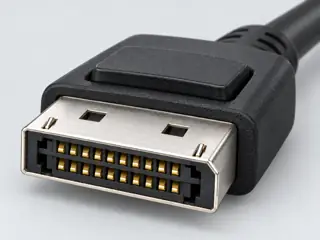
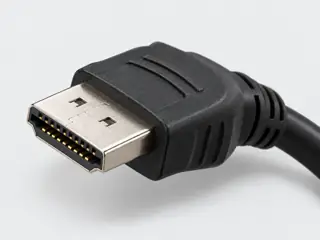
DisplayPort and HDMI: how to choose a connection

Choose the documented path for your task, not a universal winner.

The useful distinction

Write the target resolution, refresh rate, color depth, chroma and any required HDR or VRR features. Identify the exact computer output and display input. Prefer an explicitly supported path over inferring success from aggregate bandwidth.

Claim inspection dates: 2026-10-01 · Independent review pending

Guide note · not an individual product specification

The useful distinction

Understand the requirement.

HDMI and DisplayPort capabilities depend on the features implemented by the actual devices and cable path. [C053A]

HDMI version labeling does not establish every optional feature implemented in a port. [C053B]

Bounded facts, visible unknowns

Specifications and limits

DisplayPort and HDMI: how to choose a connection facts and limitations
Decision basisSpecific workflow and complete path [C053A] [C053B]
Not suppliedUniversal brand or interface winner [C053A] [C053B]
Verified device listNot included. Check exact device and accessory documentation.
A boundary, not an omission to guess around.

This is a scoped requirements guide, not an interoperability certification. It does not test hardware, calculate an arbitrary display timing, or replace the exact product documentation. A missing capability stays unknown.

Before you connect

What to check

  1. Check a direct matching interface before introducing conversion.
  2. Record every converter or dock as a separate component.
  3. Verify supported timings and optional features at both ends.
  4. Use the checker to expose missing evidence, not to simulate unknown hardware.
Trace a supported connection class →

Your next step

Move from the form to the requirement.

The source trail

Evidence for this page

AI-assisted inspection is not independent engineering review. Source scope and access limitations are disclosed below. Procedural checklists are editorial requirements, not hardware measurements.

C053ASource checked · pending review

HDMI and DisplayPort capabilities depend on the features implemented by the actual devices and cable path.

VESA · DisplayPort FAQ ↗

Locator: DP 2.1b requirements; how to know device features; DisplayPort over USB-C
Access: public page.

S015: full source recordInspect review dependencies → (private workspace)

Claim scope: Consumer identification / documented standard or product class only. Next review due 2026-12-30.

C053BSource checked · pending review

HDMI version labeling does not establish every optional feature implemented in a port.

HDMI Licensing Administrator · HDMI 2.1 feature implementation FAQ ↗

Locator: FAQ about HDMI 2.1 supporting TMDS without FRL
Access: public page.

S012: full source recordInspect review dependencies → (private workspace)

Claim scope: Narrowly stated supporting distinction; not an end-to-end device guarantee. Next review due 2026-12-30.

Suggest a correction to this field note →

Evidence behind this page

Scope first. Source second. Approval separate.

2 linked sources · 2 scoped claims · 0 sources with inspection/access flags.

Page scope: consumer_pilot

Assessment 2026-10-22 · earliest scheduled source review 2026-12-30. This is a recorded-date assessment, not a live source check. Page-level independent review is not established by this panel.

Inspect 2 source scopes, access limits and dates

S012 · HDMI 2.1 feature implementation FAQ

HDMI Licensing Administrator · Standards-organization domain · inspected 2026-10-01 · due 2026-12-30

Within inspection window

Scoped support: A version number alone does not identify implemented features.

Not established / limitations:

Locator: FAQ about HDMI 2.1 supporting TMDS without FRL

S015 · DisplayPort FAQ

VESA · Standards-organization domain · inspected 2026-10-01 · due 2026-12-30

Within inspection window

Scoped support: Version labels do not require the maximum UHBR rate. Check documented device capabilities.

Not established / limitations:

Locator: DP 2.1b requirements; how to know device features; DisplayPort over USB-C

Trace 2 claims to their source records

C053A · P053

HDMI and DisplayPort capabilities depend on the features implemented by the actual devices and cable path.

Claim scope: Consumer identification / documented standard or product class only

Source links: S015 · Evidence trail → (private workspace)

C053B · P053

HDMI version labeling does not establish every optional feature implemented in a port.

Claim scope: Narrowly stated supporting distinction; not an end-to-end device guarantee

Source links: S012 · Evidence trail → (private workspace)

Prepare this page for review → (private workspace)Read the evidence method →

Recorded evidence only. An inspection date, publisher label, source link or generated packet is not independent technical review, hardware testing, fabrication approval or a compatibility verdict.