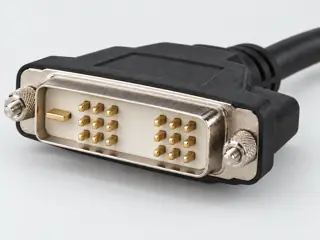
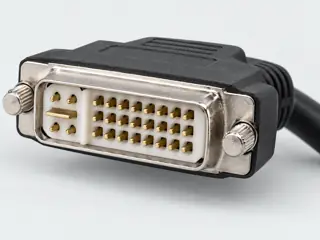
The useful distinction
Recognize it. Then verify it.
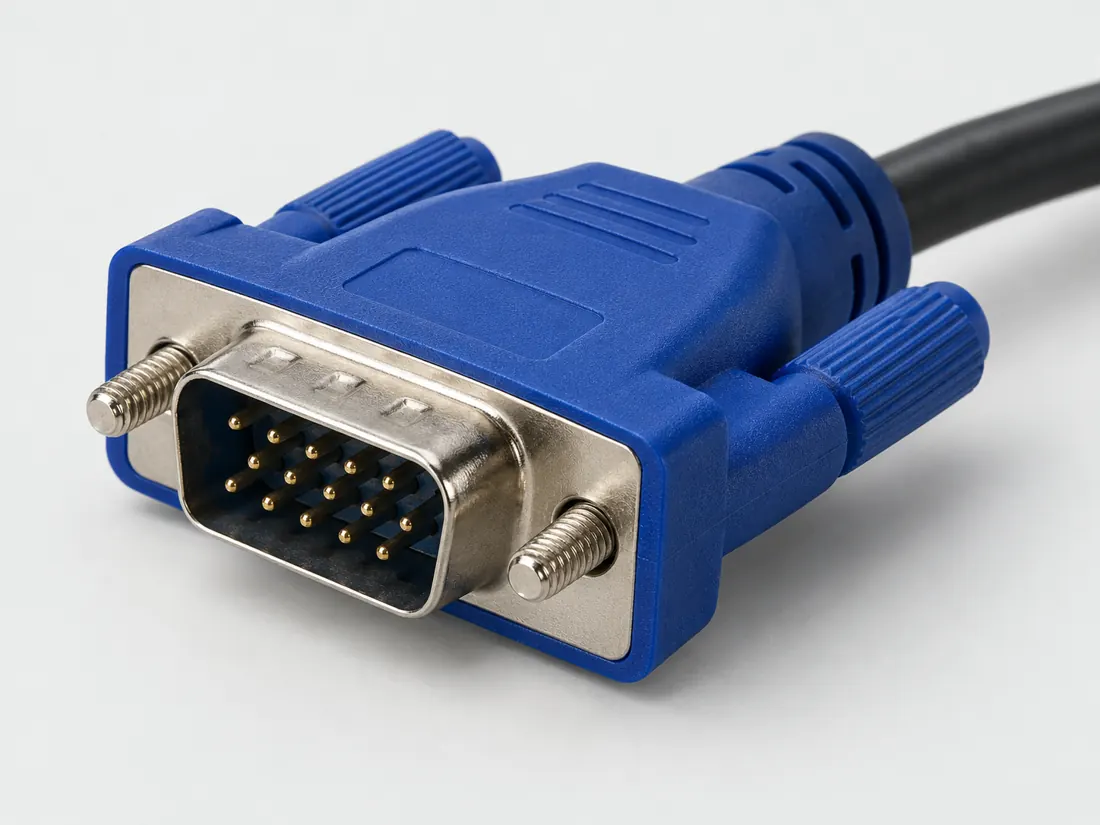
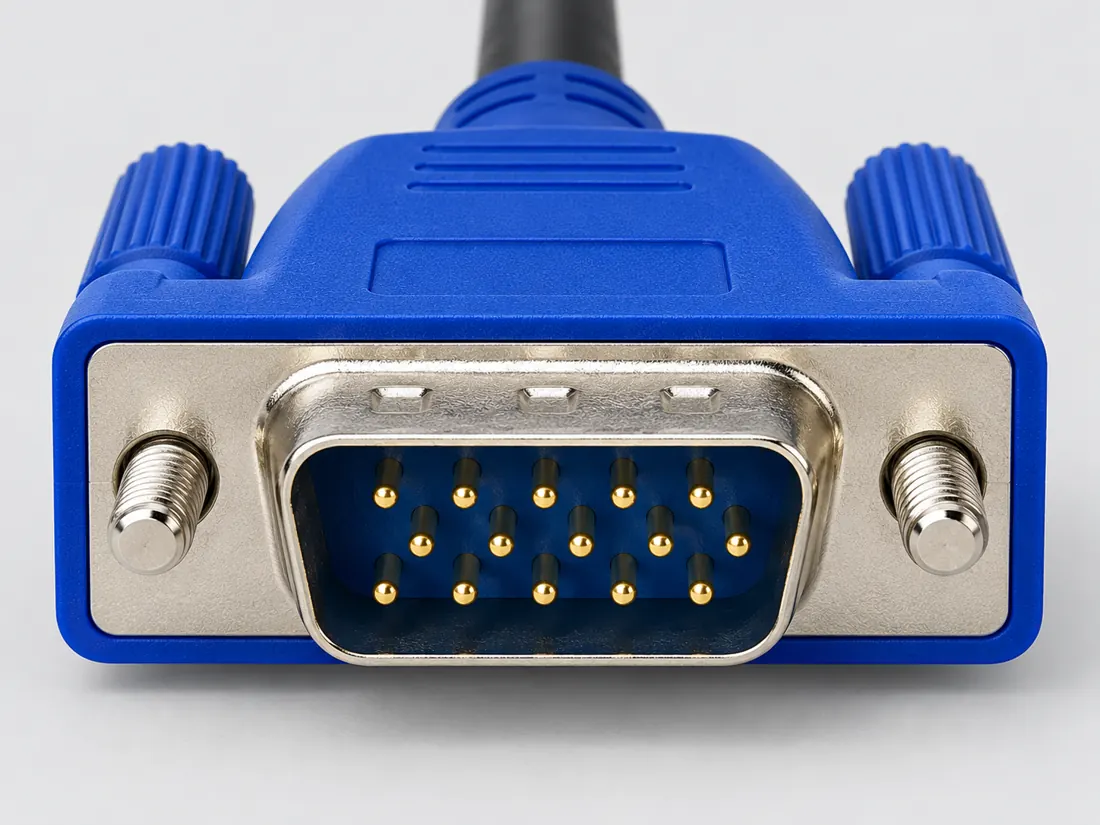
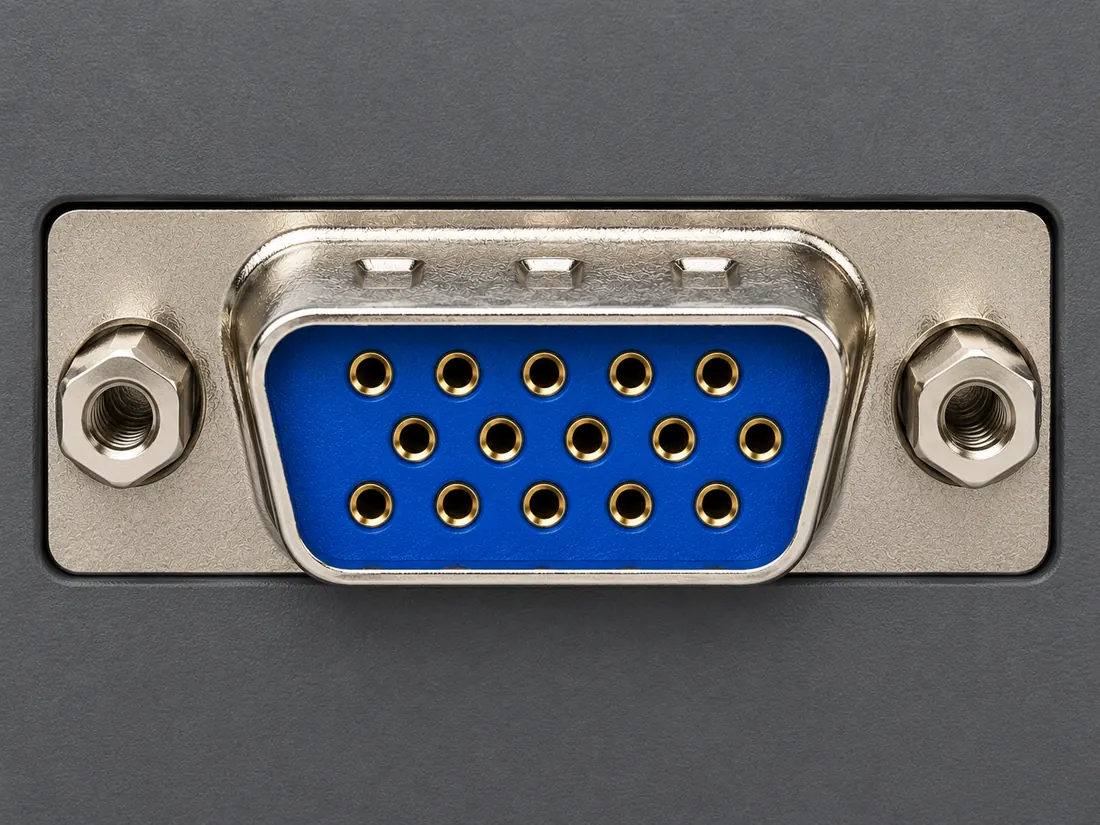
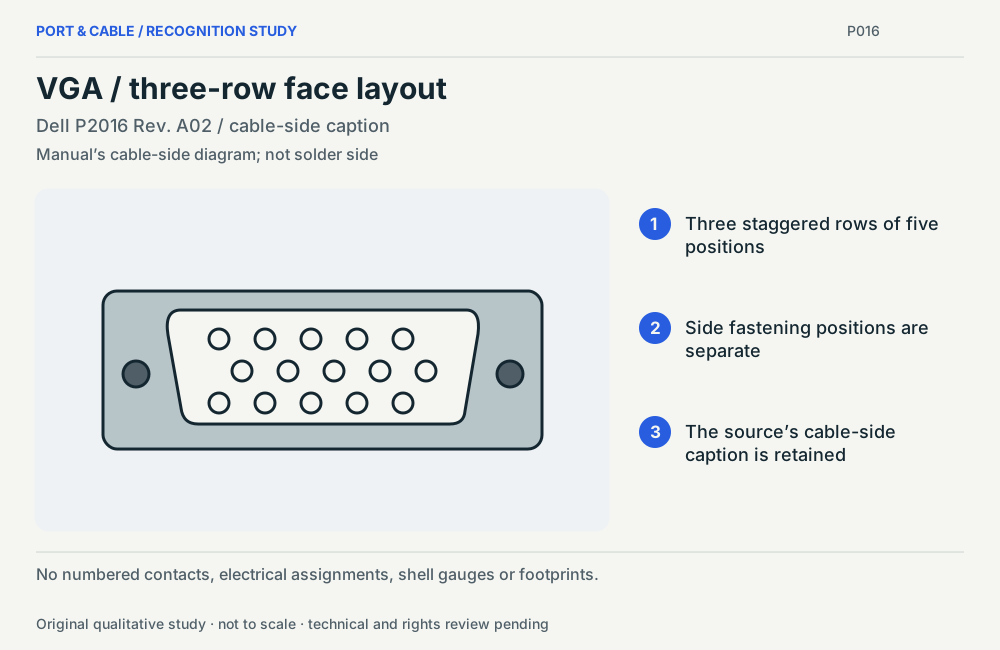
The familiar VGA-style HD15 connector has three rows of five contact positions. [C016A]
Dell P2016 Rev. A02, page 15, assigns its VGA example as follows: 1 red video, 2 green video, 3 blue video, 4 ground, 5 self-test, 6 red return, 7 green return, 8 blue return, 9 computer 5 V / 3.3 V, 10 sync ground, 11 ground, 12 DDC data, 13 horizontal sync, 14 vertical sync, 15 DDC clock. [C016B]
The NEC VT37 manual, page 55, differs from the Dell P2016 example: pin 5 is ground rather than self-test, pin 9 is not connected rather than a computer-supply label, and pin 11 is SCART sync rather than ground. [C016C]
NEC VT37 page 14 documents separate RGB/VGA and audio cables for its computer connection. Its page-55 COMPUTER connector table contains video, sync and control assignments rather than an audio channel. [C016D]
NEC VT37 page 16 documents a component source connected to its COMPUTER input through the ADP-CV1 15-pin-to-three-RCA adapter and a three-RCA component cable. The manual separately identifies composite VIDEO input and audio connections. [C016E]
The DVI2VGAE instructions describe a DVI source feeding a VGA monitor or projector and include USB power support for low-powered DVI ports. [C016F]
Bounded facts, visible unknowns
Specifications and limits
A boundary, not an omission to guess around.This record is an identification starting point. The engineering reference provides a source-scoped contact example, not measured mating tolerances, fabrication approval or a verified compatibility result. Use the exact device and accessory documentation for signal role, pin assignments and operating limits.
The source trail
Evidence for this page
AI-assisted inspection is not independent engineering review. Source scope and access limitations are disclosed below. Procedural checklists are editorial requirements, not hardware measurements.
Back to first citation ↑C016ASource checked · pending review
The familiar VGA-style HD15 connector has three rows of five contact positions.
C2G / Legrand · Video connector guide ↗Locator: HD15, HDMI, HDMI Mini, HDMI Micro, DVI-D and RCA sections
Access: public page. The old DisplayPort technology/speed description on this page is not relied on.
S018: full source recordInspect review dependencies → (private workspace)Claim scope: Consumer identification / documented standard or product class only. Next review due 2026-12-30.
Back to first citation ↑C016BSource checked · pending review
Dell P2016 Rev. A02, page 15, assigns its VGA example as follows: 1 red video, 2 green video, 3 blue video, 4 ground, 5 self-test, 6 red return, 7 green return, 8 blue return, 9 computer 5 V / 3.3 V, 10 sync ground, 11 ground, 12 DDC data, 13 horizontal sync, 14 vertical sync, 15 DDC clock.
Dell Inc. · Dell P2016 Monitor User’s Guide — September 2015, Rev. A02 ↗Locator: Printed page 15 (PDF page 15), VGA port pin assignments and numbered connector view; revision on PDF page 2.
Access: public pdf text. An exact-device example, not a universal HD15 assignment. Pin 9 wording is retained as a source label, not an instruction to apply a voltage. No PCB footprint or fabrication tolerances.
S393: full source recordInspect review dependencies → (private workspace)Claim scope: Exact manual assignment and numbered source view only; not a universal VGA wiring map, supply instruction or authorization to modify a cable.. Next review due 2027-01-05.
Back to first citation ↑C016CSource checked · pending review
The NEC VT37 manual, page 55, differs from the Dell P2016 example: pin 5 is ground rather than self-test, pin 9 is not connected rather than a computer-supply label, and pin 11 is SCART sync rather than ground.
Dell Inc. · Dell P2016 Monitor User’s Guide — September 2015, Rev. A02 ↗Locator: Printed page 15 (PDF page 15), VGA port pin assignments and numbered connector view; revision on PDF page 2.
Access: public pdf text. An exact-device example, not a universal HD15 assignment. Pin 9 wording is retained as a source label, not an instruction to apply a voltage. No PCB footprint or fabrication tolerances.
S393: full source recordNEC Viewtechnology, Ltd. (Sharp NEC official archive) · NEC VT37 Portable Projector User’s Manual — 2005 ↗Locator: Printed pages 14, 16 and 55 (PDF pages 21, 23 and 62): separate audio, component-input example and COMPUTER input assignments.
Access: public pdf text. The inspected device has extra modes. Its SCART and component functions do not transfer to another VGA port. No universal conversion, adapter wiring, mode-selection or timing guarantee.
S394: full source recordInspect review dependencies → (private workspace)Claim scope: Comparison of two named device manuals only. Differences are not reconciled into one universal pinout or a manufacturing defect diagnosis.. Next review due 2027-01-05.
Back to first citation ↑C016DSource checked · pending review
NEC VT37 page 14 documents separate RGB/VGA and audio cables for its computer connection. Its page-55 COMPUTER connector table contains video, sync and control assignments rather than an audio channel.
NEC Viewtechnology, Ltd. (Sharp NEC official archive) · NEC VT37 Portable Projector User’s Manual — 2005 ↗Locator: Printed pages 14, 16 and 55 (PDF pages 21, 23 and 62): separate audio, component-input example and COMPUTER input assignments.
Access: public pdf text. The inspected device has extra modes. Its SCART and component functions do not transfer to another VGA port. No universal conversion, adapter wiring, mode-selection or timing guarantee.
S394: full source recordInspect review dependencies → (private workspace)Claim scope: Conventional RGB/VGA role illustrated by this exact device; do not infer that a proprietary combined cable has no separate audio conductors.. Next review due 2027-01-05.
Back to first citation ↑C016ESource checked · pending review
NEC VT37 page 16 documents a component source connected to its COMPUTER input through the ADP-CV1 15-pin-to-three-RCA adapter and a three-RCA component cable. The manual separately identifies composite VIDEO input and audio connections.
NEC Viewtechnology, Ltd. (Sharp NEC official archive) · NEC VT37 Portable Projector User’s Manual — 2005 ↗Locator: Printed pages 14, 16 and 55 (PDF pages 21, 23 and 62): separate audio, component-input example and COMPUTER input assignments.
Access: public pdf text. The inspected device has extra modes. Its SCART and component functions do not transfer to another VGA port. No universal conversion, adapter wiring, mode-selection or timing guarantee.
S394: full source recordInspect review dependencies → (private workspace)Claim scope: Named component-capable input example, not evidence that arbitrary VGA outputs generate component or composite video, or that a connector-only adapter converts signal formats.. Next review due 2027-01-05.
Back to first citation ↑C016FSource checked · pending review
The DVI2VGAE instructions describe a DVI source feeding a VGA monitor or projector and include USB power support for low-powered DVI ports.
StarTech.com · DVI2VGAE active DVI-D to VGA datasheet ↗Locator: PDF pages 1–2: direction, low-powered-port note, Hardware / AV Input / AV Output / Audio; page 2 visually inspected.
Access: public pdf text. Named example only. No universal compatibility or publication approval. Raw-byte acquisition status is recorded separately.
S493: full source recordInspect review dependencies → (private workspace)Claim scope: Named conversion direction. VGA-source-to-DVI-display operation and audio carriage are not established.. Next review due 2027-01-09.
Suggest a correction to this field note →

 (private workspace)