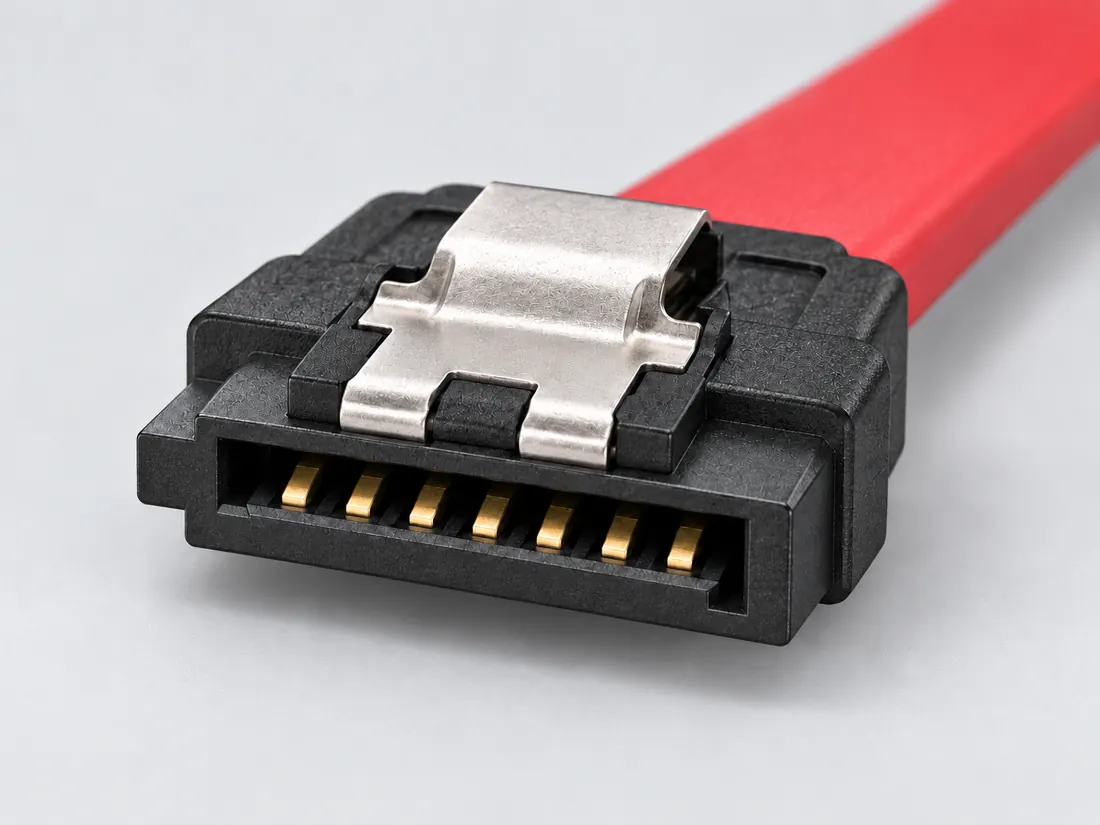
SATA data cables use a seven-contact connector distinct from the separate power connection.
Also calledSATA dataSATA 7 pinSerial ATA
A data connector is not a power connector.
Look for
Look for the narrow, keyed data connection. Read the device service guidance before opening equipment; the atlas provides recognition, not a repair procedure.
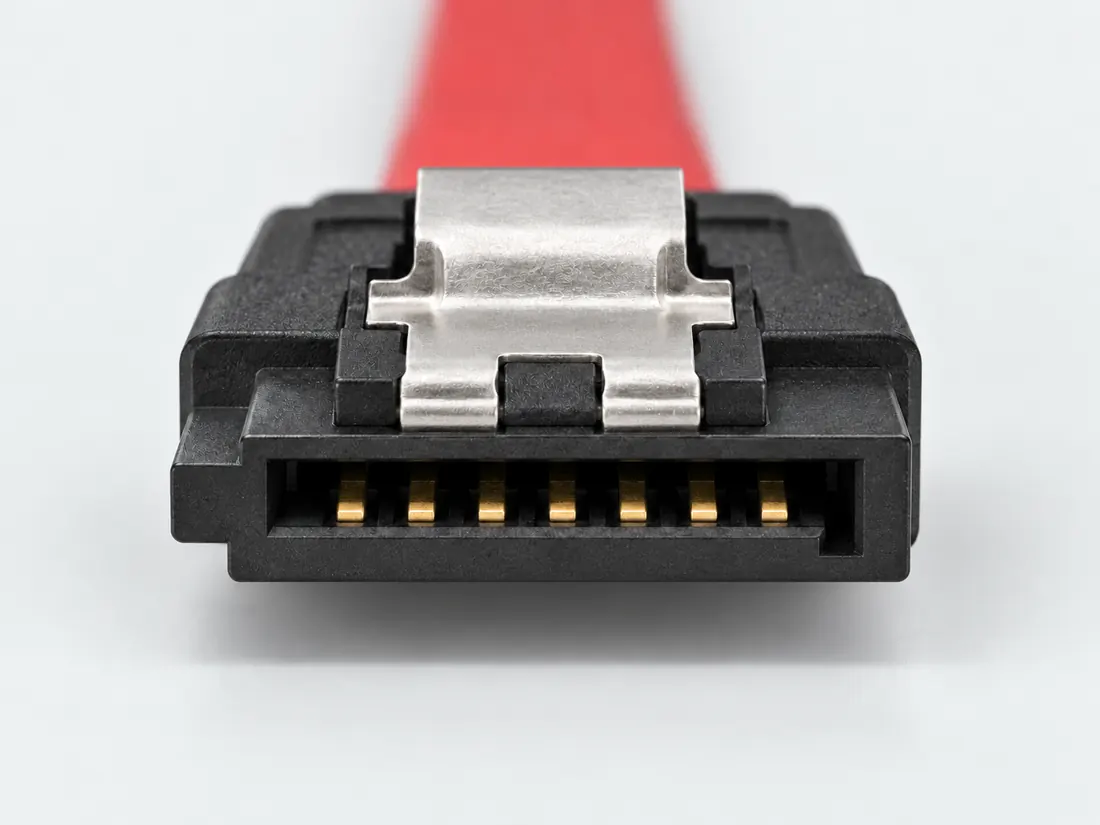
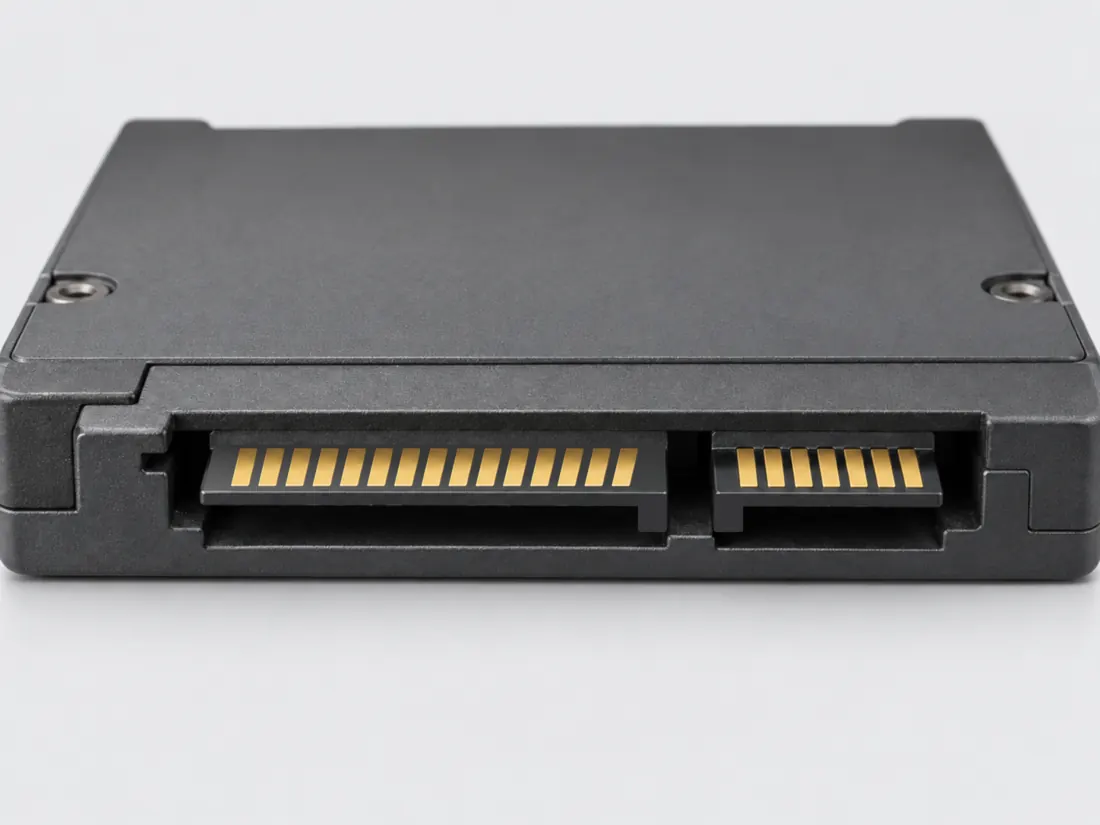
Three-quarter view Computer-generated illustration with prior AI visual review. Not a photograph, measurement or compatibility check. Independent technical and rights review pending.
Mating face Computer-generated illustration with prior AI visual review. Not a photograph, measurement or compatibility check. Independent technical and rights review pending.
Fitted in place Computer-generated illustration with prior AI visual review. Not a photograph, measurement or compatibility check. Independent technical and rights review pending.
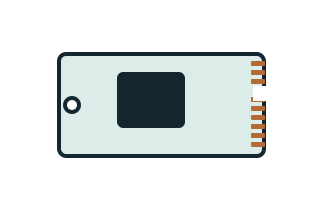
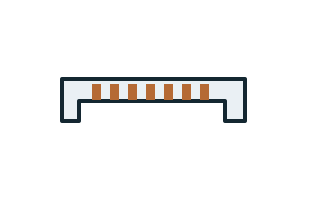
Recognition drawing Original schematic, not to scale. Drawing review pending.
Field answer / P029 · Source-checked, human review pending
Can this seven-contact SATA cable power a storage drive?
First answerSATA data cables use a seven-contact connector distinct from the separate power connection.
Next observation: Trace the host data path and the power feed independently, then read the exact controller, enclosure and drive requirements.
Original identification schematic; not to scale. Contact marks are illustrative, unnumbered, and not a wiring or manufacturing drawing.
What this does not establish
The seven-contact SATA data interface is not the separate SATA power connection. A named USB-to-SATA product or motherboard storage limitation is not a blanket promise that other enclosures, drives or ports will work.
Verify before choosing a cable or part
Confirm the data connector and power arrangement separately.
Check the controller and drive interface specifications.
Follow device instructions for shutdown and handling; do not infer hot-plug safety.
Inspect the 3 inherited evidence claims and source limits
These are the existing, individually scoped observations—not fresh source inspections, a universal pinout, approved geometry or a device-specific compatibility verdict.
Consumer identification / documented standard or product class only · source checked; independent sign-off pending.
C029C / canonical evidence anchor — The PRIME B550-PLUS AC-HES manual states that populating M.2_2 disables the SATA6G_56 ports. Its condition is not limited in that note to installing a SATA-mode M.2 SSD.
E18712 printed vii, exact board, M.2_2 and SATA6G_56 labels; not a rule for other boards or other slots. · source checked; independent sign-off pending.
C029D / canonical evidence anchor — StarTech USB3S2SAT3CB supports 2.5-inch SATA SSD/HDD use and explicitly excludes 3.5-inch hard drives.
Named USB-to-SATA adapter. Do not generalize this product limitation to every powered SATA dock or infer SAS support. · source checked; independent sign-off pending.
Not to scale. Technical and rights review pending.
Inspect view & provenance ↗ (private workspace)
Application notes / Storage / P029
Will this adapter read the drive I removed?
FIELD NOTES 04
Read the drive label and the complete adapter model. A SATA data connector is not the whole drive connection; the USB3S2SAT3CB example also has a documented drive-size limit.
Identify first
Read the part and the device.
Separate the data interface from power and the drive form factor.
Still unresolved
Keep this requirement open.
An unknown drive’s interface, power requirement, health and file-system access remain unresolved.
Explicit source exclusion · named example only
Use USB3S2SAT3CB with a 3.5-inch HDD?
No for this adapter: its datasheet excludes 3.5-inch drives.
Boundary. Do not turn a product-specific exclusion into a rule about every SATA dock.
Next check. Find an adapter explicitly supporting the exact drive and its power needs.
Source interpretation is not independent engineering review, hardware testing, wiring advice or a public-release approval.
INTERNAL SYSTEMS / DRIVES
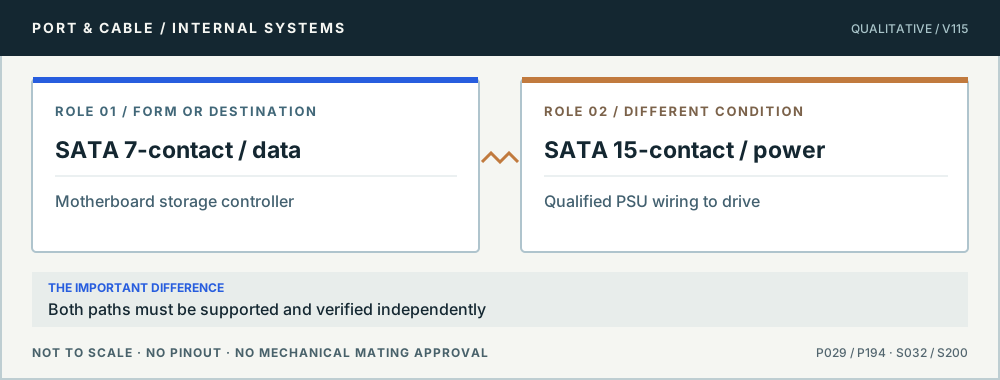
A seven-contact SATA lead carries drive data, not drive power
The documented SATA 7-contact cable/header belongs to the serial data route from controller to drive. A separately sourced supply cable powers the drive through its distinct wider connector or a product-qualified combination. A plugged-in data cable alone is not evidence that the drive is energized, detected or bootable.
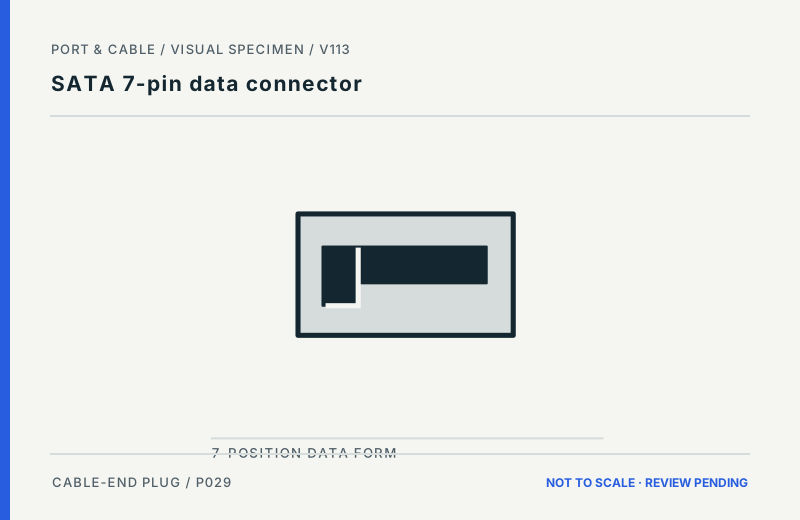
SATA uses two distinct paths. Original qualitative role diagram; not mechanical artwork, not to scale or a wiring map. Source context S032 · S200.
Three checks before proceeding
Identify the narrower data and wider power receptacles without forcing either.
Check both original cables, host-port availability and power supply labels.
Use the motherboard service manual to verify active SATA controllers and port-sharing.
One mistake to avoid
Confusing SATA data and power, or assuming a passive cable changes an NVMe/M.2 device into SATA.
Claim-specific evidence remains in the canonical record. Concept diagrams do not show any safe wiring or mechanical mating geometry.
Flagship atlas / STORAGE / CONNECTIONS
SATA: data, power and shared ports
SATA data and power are different connectors. If a SATA drive disappears after installing an M.2 card, check the motherboard’s shared-resource rules before replacing a cable.
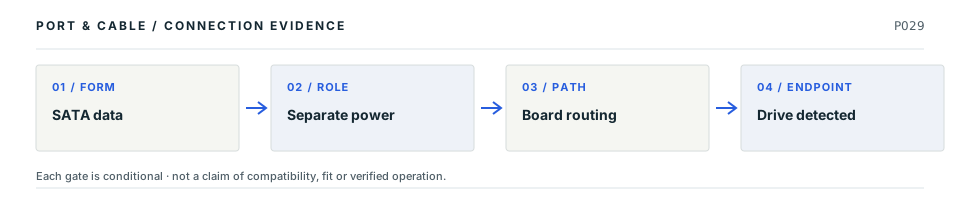
LP01 P029Decision map, not a plug drawing or electrical wiring diagram. The original connector specimen remains above; this sequence shows what needs proof after shape identification.
Four facts to keep separate
01
Data cable
A SATA data connector has seven contacts and is not the drive’s power connector. Evidence: C029A
02
Power
The SATA 15-position power form is distinct; its correct PSU or system wiring is a separate requirement. Evidence: C194A
03
Motherboard
The ASUS PRIME B550-PLUS AC-HES manual states M.2_2 use disables its SATA6G_56 ports. Evidence: C029C
04
Applicability
That disabling rule belongs to the named ASUS board, not to every motherboard with an M.2 slot. Evidence: C029C
Common wrong conclusion
A dark/missing drive after an SSD upgrade is not proof that the 7-contact SATA data cable is defective.
What to check next
Identify the exact board model and its SATA-port numbers, controller and M.2 resource chart.
Verify drive power and SATA data are both connected using approved cabling with power off.
Check whether a newly occupied M.2 slot disables the named SATA ports, then follow the manual.
Why these statements are qualified · claim and source context
This is an original editorial decision study tied to existing source-checked claims. The following source inspections have not been renewed by this new page presentation, and none is independent engineering or model-by-model qualification.
S032 · StarTech.comPDF p. 1: two seven-contact data receptacles; p. 3: Connector(s) table, visually inspected. · source reviewed 2026-10-07 · Seven-contact SATA data connector, not the separate power connector.
S200 · MolexProduct-family overview · source reviewed 2026-10-05 · Identifies Serial ATA signal/power, combo, Micro SATA, Slimline SATA, SAS and SlimSAS connector families.
S429 · ASUSE18712, First Edition, July 2021; specification summary printed vi–vii and layout 1-2. PDF pages 2, 6, 7 and 12 visually inspected. · source reviewed 2026-10-08 · Selected storage and PCIe slot roles for PRIME B550-PLUS AC-HES only, with CPU, slot population and SATA-sharing conditions.
Unresolved: Actual device fit, required physical tolerances, pinouts, negotiations, electrical safety and hardware interoperability still require the identified manufacturer's documentation and any necessary independent review.
Flagship reference
Practical answers for SATA 7-pin data connector
Start with the answer. Follow the real distinction, then the source-scoped next check. All evidence dates and publication blockers remain unchanged.
V102Q08 / Practical reference
A SATA drive disappeared after installing an M.2 SSD. Is the SATA cable defective?
Short answer Not necessarily. One ASUS PRIME B550-PLUS AC-HES motherboard manual explicitly states that using its M.2_2 slot disables SATA6G_56 ports. That is a named-board resource-sharing rule, not a universal M.2 behavior.
Which distinction matters?
What you are checking
What the cited evidence establishes
Seven-contact SATA cable
Data connection, separate from drive power
ASUS PRIME B550-PLUS AC-HES M.2_2
Manufacturer documents a SATA-port disabling condition
Other boards and slots
Need their own port-sharing map; this ASUS rule cannot be copied
Next checks, in order
Read the motherboard manual for exact model, slot and shared-port rules.
Compare the occupied M.2 socket with the SATA port number used by the drive.
Check SATA data, separate power, firmware visibility and safe service instructions only after resolving the documented resource map.
Still unresolved: The rule does not diagnose a drive, prove a failed cable, or establish all motherboards’ M.2/SATA sharing.
Existing evidence claims: C029A · C029C · C030F · C030G. These are editorial field answers over inherited source records, not newly approved specifications.
S032 · StarTech.com — PDF p. 1: two seven-contact data receptacles; p. 3: Connector(s) table, visually inspected.. Recorded inspection 2026-10-07; Exact SATA18 product description only. Seven-contact data receptacles do not establish separate SATA power wiring. No universal rate, length, dimensional or mating guarantee is adopted.
S429 · ASUS — E18712, First Edition, July 2021; specification summary printed vi–vii and layout 1-2. PDF pages 2, 6, 7 and 12 visually inspected.. Recorded inspection 2026-10-08; Not the ordinary PRIME B550-PLUS or every B550 motherboard. Selected internal groups only; no current BIOS verification, boot qualification, entire port inventory or hardware test. Manual conditions must not be generalized.
Neither the source inspection dates nor the evidence dataset has been refreshed. No physical tests, exact-device compatibility approval, pinout or fabrication geometry is implied.
Positions are named, not drawn as electrical contacts; sizes and key tolerances are unmeasured.
Both are separately keyed connectors. Confirm drive, cable and power-supply implementation before assembly.
No fabrication dimensions, conductor routing, guaranteed fit or device approval. For electrical, power and optical interfaces, follow the original equipment instructions.
Figure evidence, orientation & usage rights
Uses previously recorded V112 manufacturer claim/source inspections; October 2026 supplementary public-source spot checks are documented separately, not treated as a refreshed approval.
Original Port & Cable interpretive vector, no third-party photo, copied CAD, logo or vendor drawing. Third-party product photos, logos and source drawings are not redistributed. No independent technical or rights certification is claimed.
Original claim identifiers: C029A (private workspace) · C029C (private workspace). Legacy evidence dates and rights assessments remain as recorded.
SATA data cables use a seven-contact connector distinct from the separate power connection. [C029A]
The PRIME B550-PLUS AC-HES manual states that populating M.2_2 disables the SATA6G_56 ports. Its condition is not limited in that note to installing a SATA-mode M.2 SSD. [C029C]
StarTech USB3S2SAT3CB supports 2.5-inch SATA SSD/HDD use and explicitly excludes 3.5-inch hard drives. [C029D]
PC internals · a documented check
A SATA drive disappeared after an M.2 upgrade. Which path should I check?
Check the storage-port sharing rule as well as the separate data and power paths. On the specific ASUS PRIME B550-PLUS AC-HES, populating M.2_2 disables SATA6G_56. That example is not a rule for every motherboard. C029A · C029C · C194A
What the documentation establishes—and what still needs checking
Check
Documented distinction
Boundary
Data path
Documented distinctionThe SATA data connector has seven contacts. C029A
BoundaryIt does not replace the separate drive-power connection.
Power path
Documented distinctionThe drive-side SATA power form has fifteen positions. C194A · C194B
BoundaryThe manual’s note is not limited to SATA-mode M.2 drives; do not narrow it silently.
A USB adapter instead?
Documented distinctionStarTech USB3S2SAT3CB is scoped to 2.5-inch SATA drives and excludes 3.5-inch HDDs. C029D
BoundaryA SATA-shaped adapter is not a general drive-power solution.
Check these next
Record the exact board model, populated M.2 slot and affected SATA-port label.
Read the matching manual’s sharing table; another board or slot may behave differently.
For an external adapter, check its exact drive-size and power scope before selecting it.
Keep this limit: Do not move cables while powered as a troubleshooting shortcut. Follow the equipment’s service instructions. C030E
Identify the documented form
Separate the narrow SATA data connection from device power and host resource limits.
The SATA data connector is distinct from the separate power connection. S032
A named USB-to-SATA adapter’s drive-size scope matters: the cited product excludes larger desktop hard drives. S492
Documented identity facts; exact part and variant scope remains with each value
Nominal contacts
7S032 · S193Serial ATA data connector reference; nominal engineering count, not automatically positions, population or a device wiring map. Serial ATA data connector reference
Positions / cavity span
7 (Claim C029B)S193Recorded source-scoped values; named examples do not describe every family variant or establish compatibility. Named product example only; contact count plus example pitch, excluding full SATA pin assignment and mating tolerances
Populated contacts
7 (0678005021)S193Separate exact examples; retain each value’s source, role, axis and part scope. Exact named example 0678005021: Seven-circuit Serial ATA PCB header. Exact example only; no universal geometry, electrical compatibility, fabrication approval or wiring instruction. No physical wiring layout is reconstructed from product attributes; manufacturer labels online information limited.
Connector role
Not recordedNot recorded in a normalized source-scoped field. Consult the exact part/revision; no value inferred from illustrations.
Rows, pitch, dimensions, keying and view limits
Additional scoped facts; not a fabrication drawing or a mating approval
Contact rows
1 (0678005021)S193Separate exact examples; retain each value’s source, role, axis and part scope. Exact named example 0678005021: Seven-circuit Serial ATA PCB header. Exact example only; no universal geometry, electrical compatibility, fabrication approval or wiring instruction. No physical wiring layout is reconstructed from product attributes; manufacturer labels online information limited.
Contact pitch
1.27 mm Example product pitch (Recorded example component); 1.27 mm Source-described pitch / centerline (Claim C029B)S193Recorded source-scoped values; named examples do not describe every family variant or establish compatibility. example_component; Serial ATA data connector reference Named product example only; contact count plus example pitch, excluding full SATA pin assignment and mating tolerances
Dimensions / axis
Not recordedNot recorded in a normalized source-scoped field. Consult the exact part/revision; no value inferred from illustrations.
Coupling / latch
Not recordedNot recorded in a normalized source-scoped field. Consult the exact part/revision; no value inferred from illustrations.
Keying / polarization
manufacturer reports keyed and polarized to mating part (0678005021)S193Separate exact examples; retain each value’s source, role, axis and part scope. Exact named example 0678005021: Seven-circuit Serial ATA PCB header. Exact example only; no universal geometry, electrical compatibility, fabrication approval or wiring instruction. No physical wiring layout is reconstructed from product attributes; manufacturer labels online information limited.
View convention
Not recordedNot recorded in a normalized source-scoped field. Consult the exact part/revision; no value inferred from illustrations.
Contact gender / arrangement
Not recordedNot recorded in a normalized source-scoped field. Consult the exact part/revision; no value inferred from illustrations.
Mounting
vertical surface-mount PCB connector (0678005021)S193Separate exact examples; retain each value’s source, role, axis and part scope. Exact named example 0678005021: Seven-circuit Serial ATA PCB header. Exact example only; no universal geometry, electrical compatibility, fabrication approval or wiring instruction. No physical wiring layout is reconstructed from product attributes; manufacturer labels online information limited.
Shell / form
Not recordedNot recorded in a normalized source-scoped field. Consult the exact part/revision; no value inferred from illustrations.
Manufacturer
Molex (0678005021)S193Separate exact examples; retain each value’s source, role, axis and part scope. Exact named example 0678005021: Seven-circuit Serial ATA PCB header. Exact example only; no universal geometry, electrical compatibility, fabrication approval or wiring instruction. No physical wiring layout is reconstructed from product attributes; manufacturer labels online information limited.
Series
Not recordedNot recorded in a normalized source-scoped field. Consult the exact part/revision; no value inferred from illustrations.
Exact part / implementation
0678005021 (0678005021)S193Separate exact examples; retain each value’s source, role, axis and part scope. Exact named example 0678005021: Seven-circuit Serial ATA PCB header. Exact example only; no universal geometry, electrical compatibility, fabrication approval or wiring instruction. No physical wiring layout is reconstructed from product attributes; manufacturer labels online information limited.
Recorded markings
Not recordedNot recorded in a normalized source-scoped field. Consult the exact part/revision; no value inferred from illustrations.
Keep this limit: The cited ASUS board’s M.2 population condition disables particular SATA ports; do not generalize it to every board. S429
Make the next check
Check the drive’s data and power requirements and the exact host’s shared-port notes.
Existing source inspection and AI review remain distinct from independent technical review. A matching form does not establish a safe connection.
Recorded variant and source limits
The 1.27 mm pitch is retained only for the named Molex example, not as a complete universal fabrication envelope.
Full SATA signal assignments and mating tolerances are not published in V35.
Seagate SkyHawk device plug, A/B pair names: Device plug mating face, contact surfaces visible and the separate 15-contact power segment to the right, as oriented by Toshiba MG07ACA p. 7: the seven-contact signal segment is to the left; S1 is the end away from the power segment and S7 is adjacent to it. This is not the solder side.
Toshiba MG07ACA device plug, explicit device direction: Device plug mating face, contact surfaces visible and the separate 15-contact power segment to the right, as oriented by Toshiba MG07ACA p. 7: the seven-contact signal segment is to the left; S1 is the end away from the power segment and S7 is adjacent to it. This is not the solder side.
Not included. Check exact device and accessory documentation.
A boundary, not an omission to guess around.
This record is an identification starting point. It does not provide measured mating tolerances, electrical approval, or a list of verified device models. Use the original device and accessory documentation to resolve the remaining requirements.
Before you connect
What to check
Confirm the data connector and power arrangement separately.
Check the controller and drive interface specifications.
Follow device instructions for shutdown and handling; do not infer hot-plug safety.
Choose the exact wiring. Pin numbers follow its stated view; a schematic does not establish physical positions. Check your exact device before wiring.
What the status labels mean
Confirmed
Recorded research passes agree within this variant; this is not independent human review or hardware validation.
Single source
Only one underlying document, or one pass, supports this assignment.
Device-specific
Supported for the named equipment or wiring only. Check your device’s manual.
Unverified
Missing or conflicting evidence. Do not wire from this row.
Not connected
The source explicitly says NC, no contact or no pin for this wiring.
When an installed M.2 drive makes SATA ports unavailable
Read the exact motherboard’s resource-sharing note before troubleshooting a cable. The AC-HES example disables SATA6G_56 when M.2_2 is populated; that condition must not be generalized to all motherboards.
AI-assisted inspection is not independent engineering review. Source scope and access limitations are disclosed below. Procedural checklists are editorial requirements, not hardware measurements.
Locator: PDF p. 1: two seven-contact data receptacles; p. 3: Connector(s) table, visually inspected. Access: public pdf text. Exact SATA18 product description only. Seven-contact data receptacles do not establish separate SATA power wiring. No universal rate, length, dimensional or mating guarantee is adopted.
The PRIME B550-PLUS AC-HES manual states that populating M.2_2 disables the SATA6G_56 ports. Its condition is not limited in that note to installing a SATA-mode M.2 SSD.
Locator: E18712, First Edition, July 2021; specification summary printed vi–vii and layout 1-2. PDF pages 2, 6, 7 and 12 visually inspected. Access: public pdf text. Not the ordinary PRIME B550-PLUS or every B550 motherboard. Selected internal groups only; no current BIOS verification, boot qualification, entire port inventory or hardware test. Manual conditions must not be generalized.
Locator: PDF page 2: drive-size exclusion and compatibility paragraphs; visually inspected. Access: public pdf text. Named example only. No universal compatibility or publication approval. Raw-byte acquisition status is recorded separately.
Claim scope: Named USB-to-SATA adapter. Do not generalize this product limitation to every powered SATA dock or infer SAS support.. Next review due 2027-01-09.
Assessment 2026-10-22 · earliest scheduled source review 2027-01-05. This is a recorded-date assessment, not a live source check. Page-level independent review is not established by this panel.
Scoped support: Seven-contact SATA data connector, not the separate power connector.
Not established / limitations: Exact SATA18 product description only. Seven-contact data receptacles do not establish separate SATA power wiring. No universal rate, length, dimensional or mating guarantee is adopted.
Locator: PDF p. 1: two seven-contact data receptacles; p. 3: Connector(s) table, visually inspected.
ASUS · Manufacturer / product-owner domain · inspected 2026-10-08 · due 2027-01-06
Within inspection window
Scoped support: Selected storage and PCIe slot roles for PRIME B550-PLUS AC-HES only, with CPU, slot population and SATA-sharing conditions.
Not established / limitations: Not the ordinary PRIME B550-PLUS or every B550 motherboard. Selected internal groups only; no current BIOS verification, boot qualification, entire port inventory or hardware test. Manual conditions must not be generalized.
Locator: E18712, First Edition, July 2021; specification summary printed vi–vii and layout 1-2. PDF pages 2, 6, 7 and 12 visually inspected.
Scoped support: Named 2.5-inch SATA adapter and explicit 3.5-inch drive exclusion. SAS support is not established.
Not established / limitations: Named example only. No universal compatibility or publication approval. Raw-byte acquisition status is recorded separately.
Locator: PDF page 2: drive-size exclusion and compatibility paragraphs; visually inspected.
Trace 3 claims to their source records
C029A · P029
SATA data cables use a seven-contact connector distinct from the separate power connection.
Claim scope: Consumer identification / documented standard or product class only
The PRIME B550-PLUS AC-HES manual states that populating M.2_2 disables the SATA6G_56 ports. Its condition is not limited in that note to installing a SATA-mode M.2 SSD.
Claim scope: E18712 printed vii, exact board, M.2_2 and SATA6G_56 labels; not a rule for other boards or other slots.
Recorded evidence only. An inspection date, publisher label, source link or generated packet is not independent technical review, hardware testing, fabrication approval or a compatibility verdict.

 (private workspace)