The source trail
Evidence for this page
AI-assisted inspection is not independent engineering review. Source scope and access limitations are disclosed below. Procedural checklists are editorial requirements, not hardware measurements.
Back to first citation ↑C004ASource checked · pending review
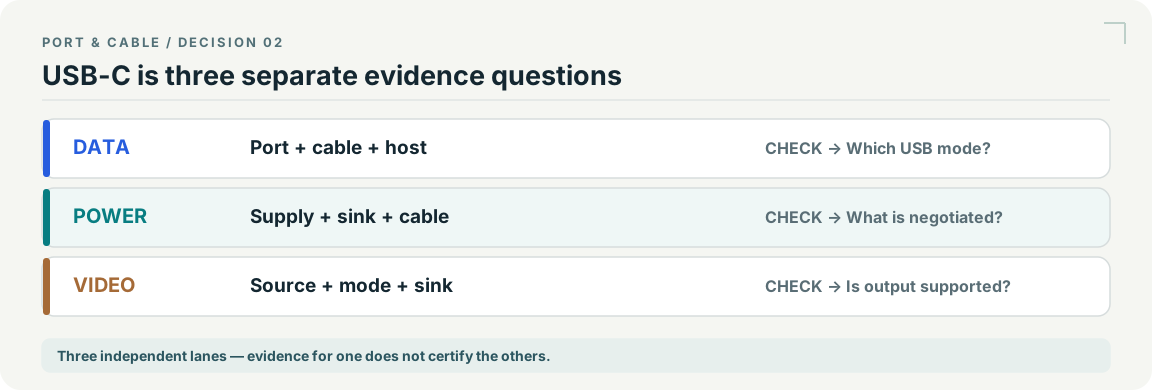
USB Type-C names the reversible connector, not a guaranteed data rate, charging wattage or video capability.
USB-IF · USB Type-C language guidelines, March 2023 ↗Locator: USB Type-C is not USB performance; USB 2.0 Type-C cables section
Access: public pdf text. Not a mechanical specification or permission to use USB logos.
S003: full source recordInspect review dependencies → (private workspace)Claim scope: Consumer identification / documented standard or product class only. Next review due 2026-12-30.
Back to first citation ↑C004BSource checked · pending review
Nikon lists one Type-C data connector and one Type-C Power Delivery connector on the Z 8.
Nikon · Nikon Z 8 Reference Guide — Specifications ↗Locator: Interface → USB
Access: public page. Exact Z 8 body only. No sibling model, accessories, location, firmware coverage or complete inventory inferred.
S446: full source recordInspect review dependencies → (private workspace)Claim scope: Nikon Z 8 body; count and named connector roles, not a general USB-C rule.. Next review due 2027-01-06.
Back to first citation ↑C004DSource checked · pending review
Nikon directs computer picture transfer through the Z 8 USB data connector and states that the computer will not detect the camera through its USB Power Delivery connector.
Nikon · Nikon Z 8 Reference Guide — Computers: Connecting via USB ↗Locator: Copying Pictures to a Computer Using NX Studio, step 1; connecting cautions
Access: public page. Exact documented USB transfer workflow, not a statement of every protocol or current software requirement.
S448: full source recordInspect review dependencies → (private workspace)Claim scope: Exact Z 8 computer-transfer instructions; no generic USB-C capability inference.. Next review due 2027-01-06.
Back to first citation ↑C004ESource checked · pending review
The Z 8 does not take operating power through its USB data connector. Power through its separate Power Delivery connector requires an inserted battery; menu setting and operating state distinguish operating power from battery charging, with EN-EL15c/b charging conditions documented separately.
Nikon · Nikon Z 8 Reference Guide — USB Power Delivery ↗Locator: USB Power Delivery; Power Delivery Versus Charging table and footnotes
Access: public page. Does not qualify an arbitrary charger or cable. Battery type, menu setting and operating state matter; no simultaneous charging guarantee.
S447: full source recordInspect review dependencies → (private workspace)Claim scope: Z 8 setup-menu table and battery footnotes; not a universal charger, battery or simultaneous-operation qualification.. Next review due 2027-01-06.
Back to first citation ↑C004FSource checked · pending review
The TS4 manual separates three ordinary 10 Gb/s USB-C data ports: the front-left port is specified for up to 20 W, while the other two are specified for up to 7.5 W each.
CalDigit · CalDigit TS4 User Manual ↗Locator: Printed page 10: USB 3.2 Type-C and Thunderbolt 4; diagrams inspected
Access: public pdf text. TS4 only; product interface ratings are not measured file speeds or negotiated charging. Manual artwork not redistributed; front/left is kept only in bounded narrative, not invented per-port IDs.
S449: full source recordInspect review dependencies → (private workspace)Claim scope: CalDigit TS4 only; front-left is the manual’s wording and orientation. Interface ratings do not establish actual charging or transfer speed.. Next review due 2027-01-06.
Back to first citation ↑C004GSource checked · pending review
CalDigit distinguishes the TS4 Thunderbolt host connection from two downstream Thunderbolt connections; the support page rates host charging up to 98 W and each downstream Thunderbolt port up to 15 W.
CalDigit · TS4 Support — product overview ↗Locator: Product Overview / Interface
Access: public page. TS4 port-group inventory. No current OS compatibility matrix or all-ports simultaneous throughput guarantee.
S062: full source recordCalDigit · Thunderbolt Station 4 — host and downstream roles ↗Locator: Thunderbolt 4/USB4 Ports; rear host port; display and host capability caveats
Access: public page. One upstream host and two downstream Thunderbolt connections in TS4. No blanket display or Ethernet promise.
S064: full source recordCalDigit · CalDigit TS4 User Manual ↗Locator: Printed page 10: USB 3.2 Type-C and Thunderbolt 4; diagrams inspected
Access: public pdf text. TS4 only; product interface ratings are not measured file speeds or negotiated charging. Manual artwork not redistributed; front/left is kept only in bounded narrative, not invented per-port IDs.
S449: full source recordInspect review dependencies → (private workspace)Claim scope: TS4 manufacturer host/downstream roles and output ratings; not TS3/TS5 or an arbitrary host negotiation.. Next review due 2027-01-06.
Back to first citation ↑C004HSource checked · pending review
CalDigit describes the ordinary TS4 USB-C ports as data-only while separately specifying their power outputs; its monitor guidance uses the DisplayPort or suitable downstream Thunderbolt connections instead.
CalDigit · Thunderbolt Station 4 — host and downstream roles ↗Locator: Thunderbolt 4/USB4 Ports; rear host port; display and host capability caveats
Access: public page. One upstream host and two downstream Thunderbolt connections in TS4. No blanket display or Ethernet promise.
S064: full source recordCalDigit · CalDigit TS4 User Manual ↗Locator: Printed page 10: USB 3.2 Type-C and Thunderbolt 4; diagrams inspected
Access: public pdf text. TS4 only; product interface ratings are not measured file speeds or negotiated charging. Manual artwork not redistributed; front/left is kept only in bounded narrative, not invented per-port IDs.
S449: full source recordInspect review dependencies → (private workspace)Claim scope: Here data-only separates display paths; it must not be paraphrased as no power. Exact host/display limits still require evidence.. Next review due 2027-01-06.
Back to first citation ↑C004ISource checked · pending review
Elgato 4K X uses one USB-C USB 3.2 Gen 2 host link for captured video. USB Gen 1 is documented with reduced available capture modes; codec, resolution, frame rate and software remain separate conditions.
Elgato · Elgato Game Capture 4K X — Technical Specifications ↗Locator: Technical Specifications → Interface
Access: public page. Page displays September 3, 2024 update. Do not flatten abbreviated maximum capture/HDR bullets into an all-mode promise; use the detailed mode article. Not 4K Pro, 4K S or HD60 X.
S450: full source recordElgato · Elgato Game Capture 4K X — Xbox Series X|S Setup ↗Locator: Inputs and Outputs; Required Items
Access: public page. Page displays June 1, 2026 update. Setup example is not certification of an arbitrary console, cable, host or mode. Selected inventory excludes analog line input.
S451: full source recordElgato · Elgato Game Capture 4K X — Supported Resolutions and Frame Rates ↗Locator: Input/Passthrough versus Capture definitions; Detailed Capture Codec Specifications; DSC
Access: public page. Page displays May 21, 2026 update. No complete matrix copied, no fixed universal capture ceiling, no device firmware or software installation inspected.
S452: full source recordInspect review dependencies → (private workspace)Claim scope: Named 4K X model only; a USB link rate or passthrough rating is not an achieved capture-format guarantee.. Next review due 2027-01-06.
Back to first citation ↑C004JSource checked · pending review
The ATEM Mini Pro ISO specification lists one USB Type-C 3.1 Gen 1 interface for external drive recording, webcam output, software control, updates and panel connection.
Blackmagic Design · Blackmagic ATEM Mini Pro ISO — Product Technical Specifications ↗Locator: Model-specific PDF pages 1–2: Connections, labeled panel diagram, Standards
Access: public pdf text. Exact ATEM Mini Pro ISO, not Pro, Extreme, G2 or sibling products on the combined website. Total outputs is not HDMI-output count. USB mode list alone does not establish simultaneous webcam and external recording.
S453: full source recordInspect review dependencies → (private workspace)Claim scope: Exact Pro ISO model; listed uses do not establish simultaneous webcam output and external-drive recording or USB-C camera power input.. Next review due 2027-01-06.
Back to first citation ↑C004KSource checked · pending review
USB-IF’s January 2026 cable guidance separates data performance from 60W/240W power markings. USB 2.0 Type-C cables can use power-only logos without a displayed data rate.
USB-IF · USB-IF — January 2026 USB Type-C cable logo guidance ↗Locator: PDF pages 2, 4 and 5 (1-based); compliance markings, power/data separation and logo restrictions
Access: public pdf text. Compliance-program scope only; a marking alone does not authenticate a cable. PDF pages visually inspected. No logos copied. Retrieval locators and observations retained; raw acquisition is recorded separately.
S511: full source recordInspect review dependencies → (private workspace)Claim scope: USB-IF compliance-program markings; not independent authentication or video qualification.. Next review due 2027-01-09.
Back to first citation ↑C004LSource checked · pending review
USB-IF lists USB Type-C Cable and Connector Specification Release 2.5 with the date 8 April 2026. The listing alone establishes neither a product’s implementation nor its supported functions.
USB Implementers Forum · USB-IF — USB Type-C Cable and Connector Specification Release 2.5 listing ↗Locator: Document-library heading and displayed date 04/08/2026.
Access: public page. No technical revision comparison, certified product lookup, electrical assessment or installed-hardware inference.
S605: full source recordInspect review dependencies → (private workspace)Claim scope: V145: Release landing-page metadata only; the specification body and revision-by-revision technical changes were not inspected in V145.. Next review due 2027-01-11.
Back to first citation ↑C004MSource checked · pending review
USB-IF states that a certified cable does not improve or add the capabilities of connected USB products. Its USB-C to USB-C cable program requires power-capability marking, with separate data-rate marking requirements for all but USB 2.0 High-Speed cable categories. Cable markings cannot establish a port's video output.
USB Implementers Forum · USB-IF cable certification scope and USB-C cable marking ↗Locator: Cables and Connectors; introductory certification paragraphs and USB-C to USB-C Cable Logo Requirements
Access: public page. All USB-C cables do not have identical functional capability; the web page may change. Compliance language is distinct from a certification for an arbitrary cable.
S643: full source recordInspect review dependencies → (private workspace)Claim scope: USB-IF cable certification and logo-program requirement; not all sold cables are certified; exact product capabilities unknown. Next review due 2027-01-13.
Back to first citation ↑C004NSource checked · pending review
VESA says DisplayPort Alt Mode support on a USB-C port may be indicated by a nearby DisplayPort logo, but a connector logo is not guaranteed to appear. Verify the exact port's documented DP Alt Mode support rather than inferring video from USB-C shape or absence of a mark.
VESA · DisplayPort FAQ ↗Locator: DP 2.1b requirements; how to know device features; DisplayPort over USB-C
Access: public page.
S015: full source recordInspect review dependencies → (private workspace)Claim scope: VESA FAQ DisplayPort Over USB-C: port labels and manufacturer documentation; not an assertion about any model. Next review due 2027-01-13.
Back to first citation ↑C004WSource checked · pending review
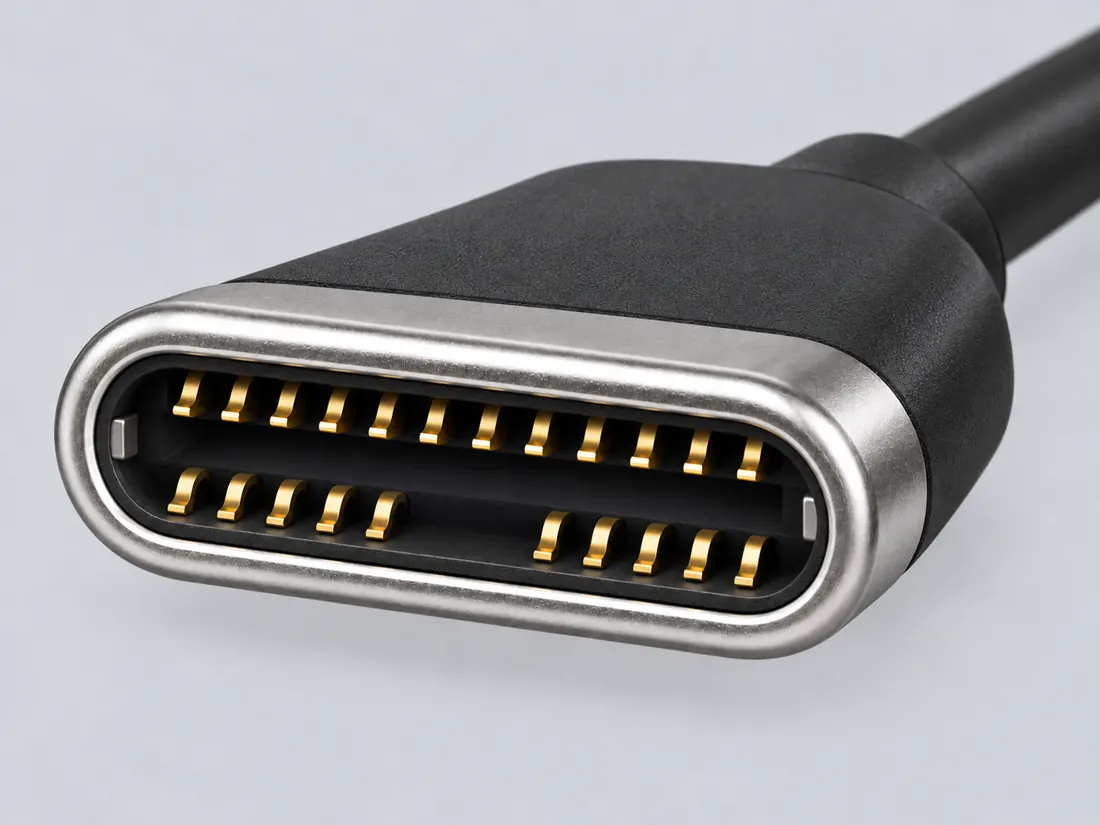
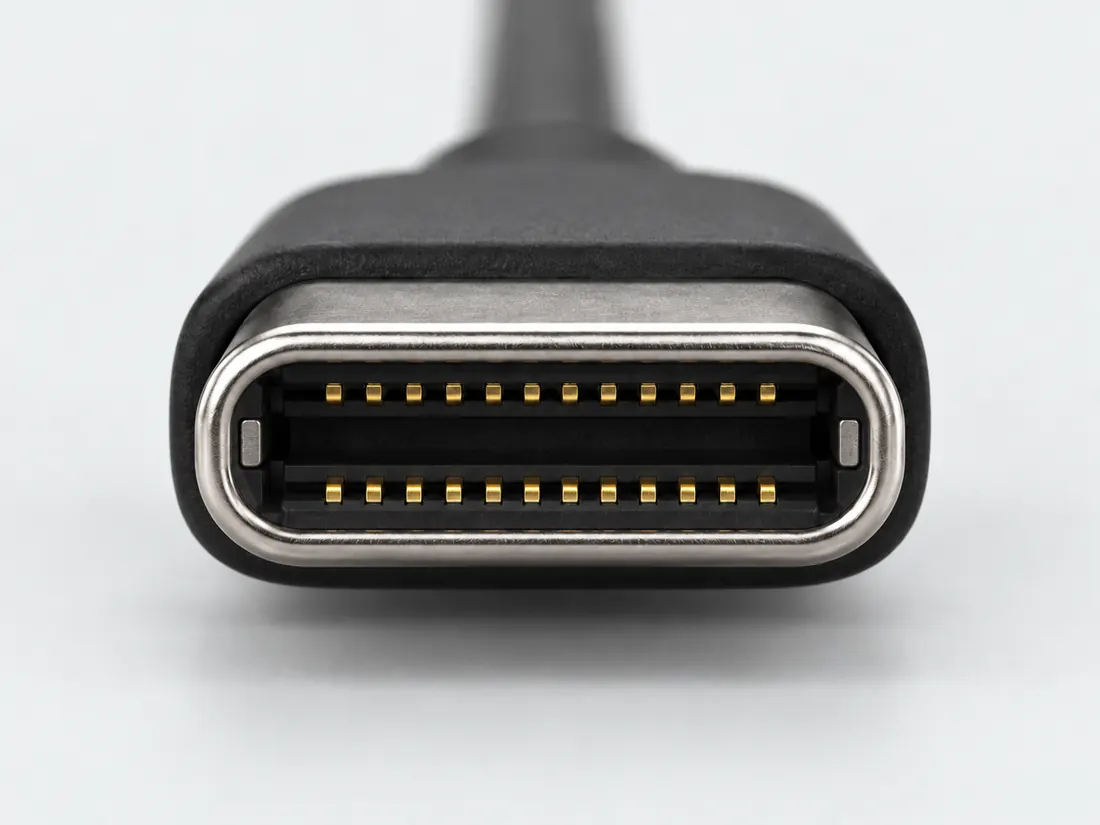
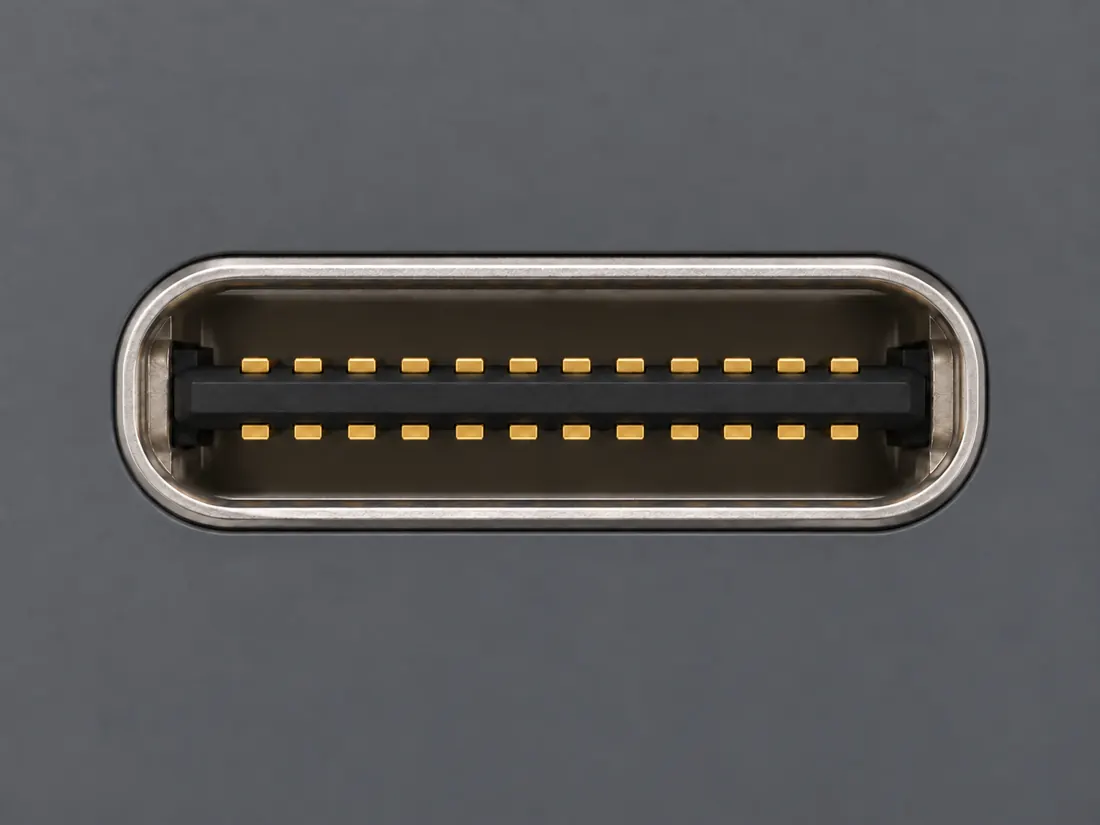
Molex specifies 1054500101 as a USB-C receptacle, 24 loaded circuits and 2 row(s), with mating-interface pitch 0.50mm.
Molex · Molex 105450 series chart, exact 1054500101 USB-C receptacle ↗Locator: Full Export Spreadsheet table, exact 1054500101 row: Web Description, Gender, Circuits Loaded, Number of Rows, Pitch - Mating Interface and separate Pitch - Termination Interface columns. Full official chart read; no PDF drawing pixels acquired.
Access: public page. Existing two-bank row field already known. Exact-component row context adds zero distinct row gain. Product detail page says Limited Information Available; chart fields retained without measured/toleranced drawing.
S972: full source recordInspect review dependencies → (private workspace)Claim scope: Exact Molex 1054500101, female right-angle USB-C receptacle; manufacturer mating-interface/row fields only, not a universal family value.. Next review due 2027-01-20.
Suggest a correction to this field note →
 (private workspace)