Do not reverse an ordinary USB-C-to-HDMI adapter. Investigate an exact converter documented from HDMI output to a USB-C display input; the destination’s USB-C shape alone does not establish display-input support.
No one-step class in the existing display engine represents every HDMI-to-USB-C product. Continue exact-product investigation without selecting a different direction.
USB Type-C is not USB performance; USB 2.0 Type-C cables section · Revision not recorded · Recorded source inspection 2026-10-01. Not a mechanical specification or permission to use USB logos.
FAQ about HDMI 2.1 supporting TMDS without FRL · Revision not recorded · Recorded source inspection 2026-10-01. No independent hardware or human approval implied.
Check the actual cable’s certification information
Search the exact product. The public list defaults to the last two years; use its date filter when appropriate. Absence is a manufacturer enquiry, not a declaration that a product is unsafe or unsupported.
Look up the exact cable/adapter manufacturer and model in the VESA certified product database. This link or a similar drawing does not certify your cable.
Use the official cable name and certification label for the exact model; the current HDMI guidance describes standard QR-app verification. A connector picture or generic HDMI version is not product authentication.
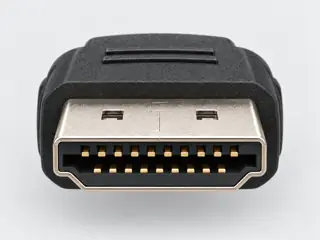
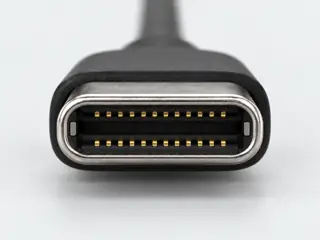
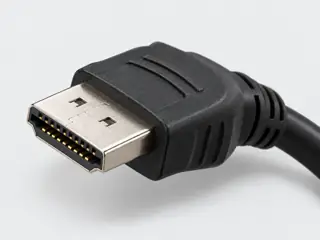
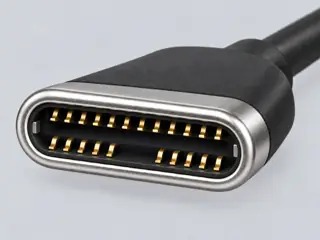
A generic illustration and these lookup links do not certify any particular cable.
Three exact-equipment examples
These are source-backed documentation cases. They do not select your equipment, fill the form above, or report a hardware test.
T02-S1 · Supported within the stated documentation scope
An HDMI-to-USB-C converter for a DP Alt Mode monitor
Document the HDMI-source to USB-C-display direction at 3840x2160 30Hz SDR.
Use the Latitude 7440 HDMI output under Windows 11, matching the converter page’s stated OS field. Power CAC-1336 through its specified Micro-USB connection.
Use the PA279CV DP Alt Mode input; this conservative mode respects the monitor’s USB3.2-sharing limitation. Console-specific features such as VRR are outside this scope.
Dell lists an HDMI 2.0 port on the Latitude 7440; CAC-1336 describes HDMI input and powered, unidirectional USB-C DP Alt Mode display output with Windows 11 support. M05-19 · M05-08
The PA279CV documents USB-C DP Alt Mode; its USB3.2 configuration note limits that shared path to 4K30. M05-32
Supported within the stated documentation scope: The documented conversion direction, stated Windows 11 support and conservative target mode align. This does not establish a manufacturer-tested exact pairing or optional display features.
Next check: Check the actual monitor USB-bandwidth setting, converter power and source output mode before treating the setup as complete.
Documentation scope only. This is not a hardware test, detected device state, pinout, electrical replacement approval or guarantee for another product/revision.
External ports table: Universal audio jack; Thunderbolt 4/DP Alt Mode ports · No document revision shown on inspected page · Inspected 2026-10-22. Selected exact-model documentation only; no hardware test or broader family approval.
I/O Ports; Signal Frequency; Note: USB-C DP Alt Mode with USB3.2 setting limits maximum video to4K30 · No document revision shown on inspected page · Inspected 2026-10-22. Selected exact-model documentation only; no hardware test or broader family approval.
Product specifications and Overview/Technical Highlights: HDMI input, DP Alt Mode USB-C output, Micro-USB power, unidirectional; OS support Windows 11 · No document revision shown on inspected page · Inspected 2026-10-22. Selected exact-model documentation only; no hardware test or broader family approval.
Apple USB-C Digital AV Multiport Adapter A2119 M05-03
Keep these conditions
A2119 is the exact proposed product; a different powered reverse converter is not implied.
Apple describes A2119 with a Mac/iPad USB-C connection and an HDMI display output; it supplies no HDMI-input-to-USB-C-display function. M05-03
The proposed path disagrees with the documentation: The proposed direction contradicts the named product’s documented purpose. Matching plugs do not reverse the conversion.
Next check: Read a converter’s explicit input/output diagram for the required HDMI-to-display direction.
Documentation scope only. This is not a hardware test, detected device state, pinout, electrical replacement approval or guarantee for another product/revision.
Video Capabilities; Ports & Connectivity: HDMI 2.1; selected output features are distinct · No document revision shown on inspected page · Inspected 2026-10-22. Selected exact-model documentation only; no hardware test or broader family approval.
Tech Specs: native resolution; Connectivity / Interfaces (DP Alt Mode upstream versus data-only upstream/downstream) · No document revision shown on inspected page · Inspected 2026-10-22. Selected exact-model documentation only; no hardware test or broader family approval.
M05-03 · About the USB-C Digital AV Multiport Adapter
Connect to a display with HDMI: model A2119 supported models, OS minimums and modes; adapter identification · Published 2024-07-03 · Inspected 2026-10-22. Selected exact-model documentation only; no hardware test or broader family approval.
The exact monitor is known, but there is no manufacturer statement for this adapter/Thunderbolt-display combination.
CAC-1336 describes DP Alt Mode display output; Apple identifies Studio Display’s upstream port as Thunderbolt3 and separates its peripheral USB-C ports. M05-08 · M05-09
Specific information is still missing: These documents do not establish the required upstream protocol match or an exact supported pairing. Do not turn a USB-C outline into a positive compatibility result.
Still needed:
Thunderbolt-versus-DP-Alt-Mode acceptance for the exact adapter/display pair
Supported complete display mode and power arrangement
Next check: Obtain explicit adapter and display protocol/support documentation for this exact pairing; do not use a downstream peripheral port as the display input.
Documentation scope only. This is not a hardware test, detected device state, pinout, electrical replacement approval or guarantee for another product/revision.
Video Capabilities; Ports & Connectivity: HDMI 2.1; selected output features are distinct · No document revision shown on inspected page · Inspected 2026-10-22. Selected exact-model documentation only; no hardware test or broader family approval.
Year introduced 2022; Connections: upstream Thunderbolt 3 host port versus downstream USB-C peripherals · No document revision shown on inspected page · Inspected 2026-10-22. Selected exact-model documentation only; no hardware test or broader family approval.
Product specifications and Overview/Technical Highlights: HDMI input, DP Alt Mode USB-C output, Micro-USB power, unidirectional; OS support Windows 11 · No document revision shown on inspected page · Inspected 2026-10-22. Selected exact-model documentation only; no hardware test or broader family approval.
No class hereNo cable or adapter class in this guide
ToUSB-C
Computer-generated illustrations, not photographs · a picture does not show capability
The answer
Short answer Not with any cable or adapter class in this guide. This guide documents USB-C → HDMI, not HDMI → USB-C; a product would need documentation for this exact direction.
Watch out
Direction and exact products matter
Connectors that fit do not prove a connection works. Check that the exact cable or adapter is documented for HDMI → USB-C, and that both devices support what you need. Going the other way? See USB-C to HDMI.