
HOST LIMITS
The chip matters. So can the lid.
The selected M3 Air profile separates its open-lid limit from the second-display conditions.
Docks / hosts / monitors
A source-aware planning desk for independent extended displays. Keep physical resources, operating conditions and unverified details visible.
Decision field guide 03 End-to-end
A display chain is a sequence of roles and requirements. Adding a dock or converter introduces another evidence boundary.
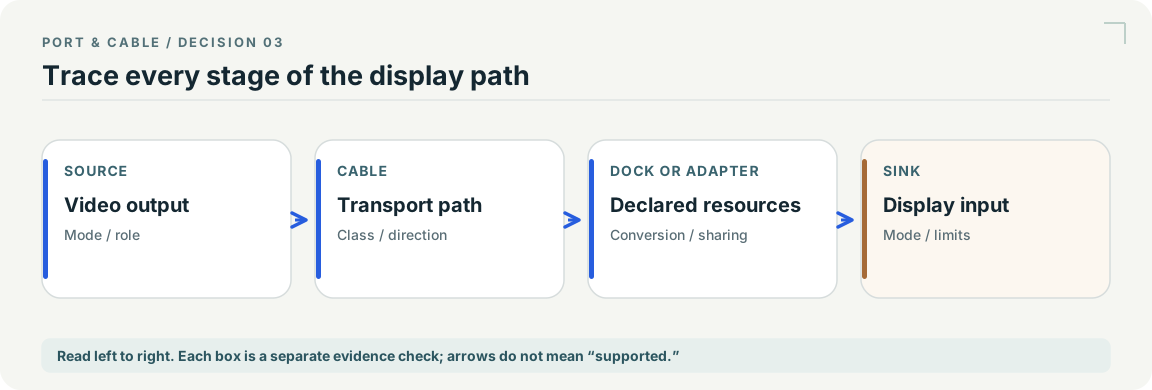
Still unknown: A chain drawn with arrows is a checklist, not a measured throughput, resolution or multi-display guarantee.
Open the multi-display worksheetExisting evidence: C053A · C084A source records S015 · S061. See each source record for its inspection date and scope; graphic interpretation remains pending independent technical and publication review.
ONE DESK, SEVERAL DISPLAYS
Trace the host, the dock and every screen. Separate shared sockets, native displays and software-rendered paths before calling it a setup.
Three ways to work
Inspect output roles, alternative sockets and source dates. Open one side of an unsaved worksheet without guessing the other devices.
Choose two or three docks. Compare native and software-rendered paths, shared resources and documented limitations—not a compatibility score.
See why host count, lid state, mirrored output and missing software change the investigation. Synthetic examples, not hardware test results.
HOST LIMITS
The selected M3 Air profile separates its open-lid limit from the second-display conditions.
SHARED OUTPUTS
WD22TB4 HDMI/MFDP alternatives and hybrid dock output pairs stay linked in the allocation check.
SOFTWARE PATHS
DisplayLink runtime and macOS screen-access permissions remain explicit observations.
Practical guide / P155
Separate the host display budget from its connector count.
Practical guide / P156
Follow the output group as well as the physical port.
Practical guide / P157
One dock can contain more than one rendering path.
Practical guide / P158
A second input is not a second physical display.
Practical guide / P159
Transport, output combination and graphics evidence choose the row.
Practical guide / P160
Capture the remaining questions without exporting private workspace data.