A USB-C-to-HDMI display path needs documented video output on the exact USB-C port and a converter for that direction. USB-C shape or successful charging does not establish video.
Find the device model and port in its manual; look for its DisplayPort Alt Mode/Thunderbolt display statement. An absent logo is inconclusive.
Read the converter model’s input/output diagram rather than reversing a cable with matching ends.
Write resolution, refresh rate and required color/HDR features; compare the exact mode statements for every stage.
Read the exact converter and source instructions; record auxiliary power/driver requirements or the manufacturer’s explicit statement that they are not required.
Documentation declarations only; no physical test, negotiated mode, delivered power, safe mating, pinout or compatibility approval. 4 missing prerequisites; 0 recorded conflicts.
USB Type-C is not USB performance; USB 2.0 Type-C cables section · Revision not recorded · Recorded source inspection 2026-10-01. Not a mechanical specification or permission to use USB logos.
FAQ about HDMI 2.1 supporting TMDS without FRL · Revision not recorded · Recorded source inspection 2026-10-01. No independent hardware or human approval implied.
DP 2.1b requirements; how to know device features; DisplayPort over USB-C · Revision not recorded · Recorded source inspection 2026-10-01. No independent hardware or human approval implied.
Check the actual cable’s certification information
Search the exact product. The public list defaults to the last two years; use its date filter when appropriate. Absence is a manufacturer enquiry, not a declaration that a product is unsafe or unsupported.
Look up the exact cable/adapter manufacturer and model in the VESA certified product database. This link or a similar drawing does not certify your cable.
Use the official cable name and certification label for the exact model; the current HDMI guidance describes standard QR-app verification. A connector picture or generic HDMI version is not product authentication.
A generic illustration and these lookup links do not certify any particular cable.
Three exact-equipment examples
These are source-backed documentation cases. They do not select your equipment, fill the form above, or report a hardware test.
T01-S1 · Supported within the stated documentation scope
Apple USB-C Digital AV Multiport Adapter A2119 M05-03
Keep these conditions
Use the M4 Air video-capable Thunderbolt port and an adapter actually identified as A2119, not A1621.
Use an HDMI cable documented for the requested mode; select the monitor HDMI input and a macOS release supported on this Mac.
The M4 Air documents native DisplayPort over USB-C; Apple lists A2119 at 4K60 with 2020-or-later MacBook Air models. M05-01 · M05-03
The U2723QE lists an HDMI input and a native 3840x2160 60Hz mode. M05-02
Supported within the stated documentation scope: The named documentation supports this direction and requested mode under the stated conditions. It does not report a negotiated or tested connection.
Next check: Retain the actual adapter model, HDMI cable identity, monitor input and selected SDR mode with the setup.
Documentation scope only. This is not a hardware test, detected device state, pinout, electrical replacement approval or guarantee for another product/revision.
Exact source scopes and inspection dates
M05-01 · MacBook Air (13-inch, M4, 2025) technical specifications
Charging and Expansion; Display Support: native DisplayPort 1.4 over USB-C · No document revision shown on inspected page · Inspected 2026-10-22. Selected exact-model documentation only; no hardware test or broader family approval.
Tech Specs: native resolution; Connectivity / Interfaces (DP Alt Mode upstream versus data-only upstream/downstream) · No document revision shown on inspected page · Inspected 2026-10-22. Selected exact-model documentation only; no hardware test or broader family approval.
M05-03 · About the USB-C Digital AV Multiport Adapter
Connect to a display with HDMI: model A2119 supported models, OS minimums and modes; adapter identification · Published 2024-07-03 · Inspected 2026-10-22. Selected exact-model documentation only; no hardware test or broader family approval.
This example concerns the Pi 5 USB-C power connector, not its HDMI outputs.
Pi 5 lists USB-C for DC power and separate HDMI display outputs; CDP2HD4K60H requires a source port carrying DisplayPort Alt Mode. M05-05 · M05-04
The proposed path disagrees with the documentation: The documented USB-C role does not meet the converter input requirement. A charging/power connection does not supply the missing display transport.
Next check: Use the board documentation to identify its actual video output and a path designed for that output; do not reverse a power-input role.
Documentation scope only. This is not a hardware test, detected device state, pinout, electrical replacement approval or guarantee for another product/revision.
Specification: dual HDMI display outputs; USB-C 5V/5A DC power input · No document revision shown on inspected page · Inspected 2026-10-22. Selected exact-model documentation only; no hardware test or broader family approval.
Tech Specs: native resolution; Connectivity / Interfaces (DP Alt Mode upstream versus data-only upstream/downstream) · No document revision shown on inspected page · Inspected 2026-10-22. Selected exact-model documentation only; no hardware test or broader family approval.
PDF pp.1-3: direction, host DP Alt Mode requirement, OS independence; HDR/source/display conditions · No document revision shown on inspected page · Inspected 2026-10-22. Selected exact-model documentation only; no hardware test or broader family approval.
The owner has named the M4 Mac mini, but has not identified front versus rear port.
Apple lists front USB-C as USB3 data ports, while rear Thunderbolt4 ports include DisplayPort; this converter needs DP Alt Mode. M05-33 · M05-04
Specific information is still missing: The computer model alone does not identify the connected port. The path remains unresolved until the actual port and its documented role are recorded.
Still needed:
Front versus rear source port
Actual HDMI cable and selected display mode
Next check: Match the physical port location to Apple’s front/back connection diagram, then record the selected display input and complete mode.
Documentation scope only. This is not a hardware test, detected device state, pinout, electrical replacement approval or guarantee for another product/revision.
Connections and Expansion: front USB-C USB3 ports versus rear M4 Thunderbolt4 DisplayPort ports · 2024 model specification; no document revision shown · Inspected 2026-10-22. M4 model and exact port locations only; no universal USB-C capability inference.
Tech Specs: native resolution; Connectivity / Interfaces (DP Alt Mode upstream versus data-only upstream/downstream) · No document revision shown on inspected page · Inspected 2026-10-22. Selected exact-model documentation only; no hardware test or broader family approval.
PDF pp.1-3: direction, host DP Alt Mode requirement, OS independence; HDR/source/display conditions · No document revision shown on inspected page · Inspected 2026-10-22. Selected exact-model documentation only; no hardware test or broader family approval.
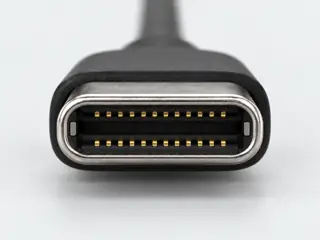
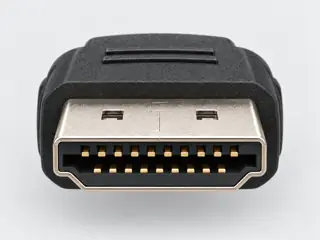
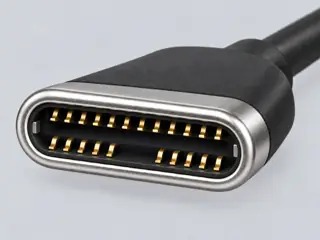
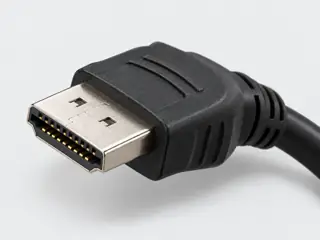
Computer-generated illustrations, not photographs · a picture does not show capability
The answer
Short answer Only if your USB-C port outputs video (DisplayPort Alt Mode). Then a USB-C to HDMI cable or adapter, used USB-C → HDMI, can work.
What you need
The cable or adapter class
USB-C → HDMI converter
Before you buy
What must be true
One direct display path, without a dock or extra conversion stage
USB-C source supports DisplayPort Alternate Mode for this task
All converter power requirements are satisfied, or documented as not needed
Exact cable / converter supports the selected signal direction
Source supports the complete requested video mode
Every cable and converter supports that complete mode
Selected display input supports that complete mode
Watch out
Direction and exact products matter
Connectors that fit do not prove a connection works. Check that the exact cable or adapter is documented for USB-C → HDMI, and that both devices support what you need. Going the other way? See HDMI to USB-C.