Source scope and unresolved checks stay next to each answer.
01 / UNDERSTAND THE LAYERS
Key, physical length, installed lanes and protocol
Label / form
What can be read physically
Separate host check
PCIe x1
Short card-edge form / keyed slot
Live lanes, supported card and negotiated generation
PCIe x16
Long card-edge / x16-compatible mechanical role
Whether slot is wired x16, x8 or x4 in current population
M.2 B / M / B+M
SSD module key and nominal size, when marked
SATA vs PCIe transport, NVMe controller and BIOS support
Mini PCIe / mSATA
Same-size legacy mini-card socket family
Actual wiring: mini PCIe, mSATA or selected vendor-only support
The table distinguishes visible hardware forms from host wiring and real-world validation. The named standards/vendors are not endorsing a product connection.
02 / CONCEPTUAL CONTRASTS
The physical outline does not tell the whole story
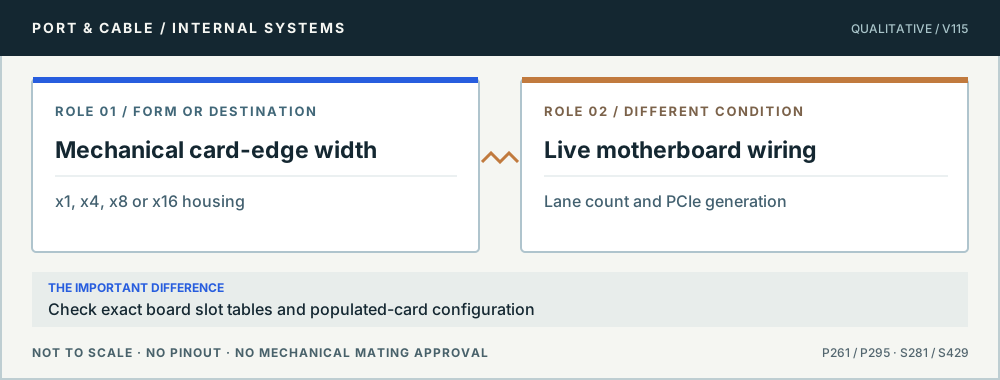
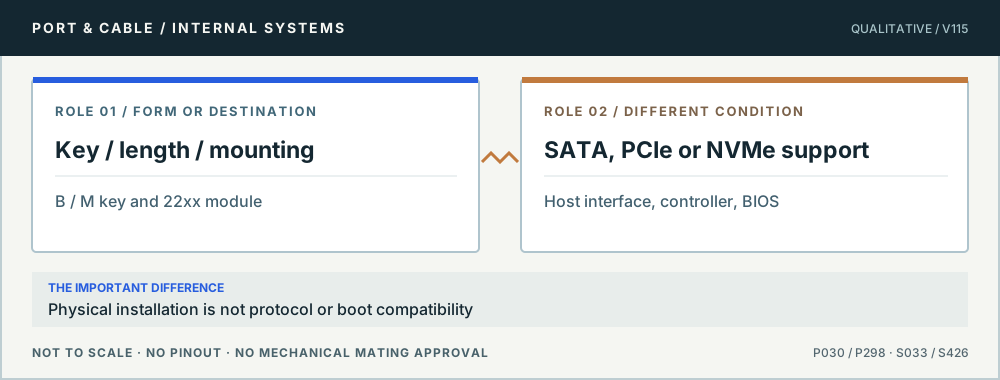
Slot length vs enabled link. Original qualitative role diagram; not mechanical artwork, not to scale or a wiring map. Source context S281 · S429.An M.2 connection has three layers. Original qualitative role diagram; not mechanical artwork, not to scale or a wiring map. Source context S033 · S426.
03 / APPLY THE REFERENCE
4 questions, each with a safe next check
P261 · Key, physical length, installed lanes and protocol
A full-length PCIe x16 slot may not be electrically x16
Will every card in an x16-size slot run with sixteen lanes?
06
THE ANSWER No. PCI-SIG’s CEM family distinguishes connector/card mechanical widths from the separately implemented host link, and an existing ASUS motherboard manual documents real model-specific slot and population conditions. The slot shell alone does not establish usable PCIe lanes, generation, shared chipset resources or firmware support.
01 · Mechanical
The referenced x16 card-edge form has 164 mating positions.
02 · Electrical
A motherboard may implement fewer live lanes or a shared resource.
03 · Negotiation
Link width and generation depend on the installed host/card configuration.
Before you connect, check all three
Read the exact motherboard model’s slot lane tables, CPU dependence and sharing notes.
Confirm the add-in card’s connector, required link width and firmware restrictions.
Check the actual negotiated link in reliable system diagnostics after installation.
Stop this assumption: Selling a full-length slot as “x16 bandwidth” without reading the board manual and populated-slot constraints.
Evidence, edition and unresolved verification (4 readings)
Existing evidence identifiers link into the preserved source register. Additional first-party URLs were checked 10 October 2026 and are expressly editorial, not silently inserted into canonical claims. No actual device, cable or power circuit was tested.
Distinguishes CEM implementation and specific revisions from PCIe base protocol; full engineering detail may require membership.
P295 · Key, physical length, installed lanes and protocol
PCIe x1 refers to a keyed physical card edge and lane class
Does a short x1-size socket support every PCIe x1 device?
07
THE ANSWER No. The existing canonical record identifies a 36-position PCI Express x1 card-edge component. Fit may be a first screening step, but generation, lane availability, slot power, firmware options, chassis clearance and expansion-card support must be checked independently on the target motherboard.
01 · Form
Documented PCIe x1 36-position edge interface.
02 · Link
Lane usage is defined by the installed slot/card path.
03 · System
Power, option ROM/firmware and clearances are board-specific.
Before you connect, check all three
Check the board’s expansion-slot matrix and BIOS restrictions.
Confirm the exact card’s lane, power and cooling needs.
Verify physical obstruction and available chassis slots before purchasing.
Stop this assumption: Interpreting identical-looking x1 socket plastic as evidence of support for a special-purpose adapter or riser.
Evidence, edition and unresolved verification (3 readings)
Existing evidence identifiers link into the preserved source register. Additional first-party URLs were checked 10 October 2026 and are expressly editorial, not silently inserted into canonical claims. No actual device, cable or power circuit was tested.
Distinguishes CEM implementation and specific revisions from PCIe base protocol; full engineering detail may require membership.
P030 · Key, physical length, installed lanes and protocol
M.2 is a form factor; SATA, PCIe and NVMe are different layers
If an M-key SSD fits the laptop, must it work?
08
THE ANSWER No. M.2 keys and module dimensions address physical fit; host wiring determines SATA versus PCIe availability, and NVMe is the storage command/transport stack. Kingston and the preserved Dell and ASUS references explicitly warn that M.2 key or shape alone cannot prove a shared protocol or host support.
01 · Physical
B, M or B+M key arrangement plus module length and clearance.
02 · Transport
SATA versus PCIe needs actual host wiring and drive specification.
03 · Software
NVMe boot, firmware and BIOS support require exact model verification.
Before you connect, check all three
Identify the exact slot key, allowed 22xx lengths and available mechanical space.
Compare motherboard/BIOS manual against the actual drive model and SATA/PCIe protocol.
Check slot-sharing, bifurcation or disabled SATA ports on the specific installed platform.
Stop this assumption: Assuming all M.2 slots accept any NVMe or SATA SSD just because the edge notch lines up.
Evidence, edition and unresolved verification (6 readings)
Existing evidence identifiers link into the preserved source register. Additional first-party URLs were checked 10 October 2026 and are expressly editorial, not silently inserted into canonical claims. No actual device, cable or power circuit was tested.
NVMe-over-PCIe is an implementation layer distinct from M.2 size/key; does not establish host boot support.
P298 · Key, physical length, installed lanes and protocol
Mini PCIe-size and mSATA are not synonyms
Can I replace a mini PCIe wireless card with an mSATA SSD?
09
THE ANSWER Not from the socket outline alone. Manufacturer component data records a 52-position mini-card interface, while Kingston’s M.2/SSD guidance warns that physically related small-card connector systems can differ in host wiring and supported protocols. A labeled mini PCIe slot does not independently establish mSATA signaling or storage boot support.
01 · Physical
A 52-position small card socket is a mechanical description.
02 · Wiring
mSATA versus mini PCIe depends on motherboard implementation.
03 · Support
BIOS and board model determine allowed cards and shared resources.
Before you connect, check all three
Find the original laptop/board manual for the exact slot designation.
Confirm whether mSATA is expressly supported in that slot, not just a similar edge.
Check physical length, standoff and storage boot support.
Stop this assumption: Using a passive adapter or buying an mSATA SSD on the premise that matching pins imply matching signals.
Evidence, edition and unresolved verification (4 readings)
Existing evidence identifiers link into the preserved source register. Additional first-party URLs were checked 10 October 2026 and are expressly editorial, not silently inserted into canonical claims. No actual device, cable or power circuit was tested.
Distinguishes CEM implementation and specific revisions from PCIe base protocol; full engineering detail may require membership.
Unknown means stop and verify.
All studies retain their existing canonical source record IDs. Some diagrams are conceptual rather than true mating-face outlines. Device-specific pinouts, modifications, PSU cable interchangeability and live electrical tests are outside scope; consult the exact manufacturer's original manuals.