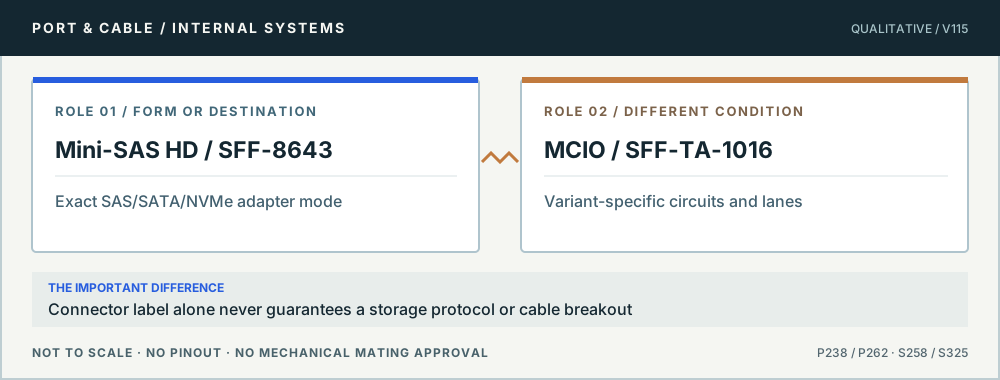
Internal/external shells, high-density revisions, lane groups, direction, protocol and controller implementation must all be checked at the exact adapter and backplane.
01 / UNDERSTAND THE LAYERS
Connector family does not name the signal
Form
Primary reference scope
What still needs a product manual
SFF-8087
Older internal Mini-SAS cable family
SAS controller role and complete breakout assembly
SFF-8643
Internal Mini-SAS HD
SAS/SATA/NVMe mode for a particular controller
SFF-8644
External Mini-SAS HD
External-port/cable family, destination and generation
OCuLink SFF-8611 / 8612
Compact cabled PCIe/OCuLink-family hardware
Lane allocation, storage/accelerator support and firmware
MCIO SFF-TA-1016
High-density internal I/O family with multiple variants
x4/x8, SAS/SATA/PCIe wiring and exact cable variant
The table distinguishes visible hardware forms from host wiring and real-world validation. The named standards/vendors are not endorsing a product connection.
02 / CONCEPTUAL CONTRASTS
The physical outline does not tell the whole story
Internal high-density cabling. Original qualitative role diagram; not mechanical artwork, not to scale or a wiring map. Source context S258 · S325.
03 / APPLY THE REFERENCE
5 questions, each with a safe next check
P236 · Connector family does not name the signal
Mini-SAS SFF-8087 is an internal cable interface, not an SSD protocol
Does an SFF-8087 socket guarantee four SATA drives will work?
14
THE ANSWER No. TE and Amphenol reference a documented internal Mini-SAS connector family, but breakout direction, HBA/controller role, lane allocation and supported SAS versus SATA paths must come from the exact card and cable-assembly documentation. The keyed shell alone cannot establish active controller functions.
01 · Physical
SFF-8087-family internal Mini-SAS connection.
02 · Cable
Forward/reverse breakout and sideband wiring depend on assembly.
03 · Controller
SAS, SATA, drive count and backplane support are device-specific.
Before you connect, check all three
Record the HBA/controller model and whether its socket is internal SFF-8087.
Find the precise cable assembly’s direction, drive-side ends and sidebands.
Confirm supported drive protocols and backplane wiring in the product manual.
Stop this assumption: Buying any “4 SATA” breakout cable based only on the Mini-SAS end, without checking the required wiring direction.
Evidence, edition and unresolved verification (3 readings)
Existing evidence identifiers link into the preserved source register. Additional first-party URLs were checked 10 October 2026 and are expressly editorial, not silently inserted into canonical claims. No actual device, cable or power circuit was tested.
Examples of specific Mini-SAS HD, SlimSAS, OCuLink and tri-mode cables; no automatic support on other host models.
P238 · Connector family does not name the signal
SFF-8643 is internal Mini-SAS HD; it does not promise NVMe
Can I use any Mini-SAS HD-to-NVMe breakout on this HBA?
15
THE ANSWER No. Amphenol identifies the internal SFF-8643 connector family. Microchip’s real cable catalogue distinguishes particular SAS/SATA and NVMe backplane assemblies for specific Adaptec adapters, demonstrating why exact controller and cable support control the signal route, regardless of the Mini-SAS HD silhouette.
01 · Form
Named internal SFF-8643 Mini-SAS HD family.
02 · Cable
Tri-mode breakout names can have differing supported endpoints.
03 · Host
HBA/controller model and firmware determine SAS/SATA/NVMe paths.
Before you connect, check all three
Check the adapter’s exact port and tri-mode product matrix.
Match assembly part number and any backplane-specific routing or sidebands.
Verify power and cooling provisions for drives independently.
Stop this assumption: Assuming “SFF-8643 ×4” itself certifies PCIe/NVMe or a particular drive backplane.
Evidence, edition and unresolved verification (3 readings)
Existing evidence identifiers link into the preserved source register. Additional first-party URLs were checked 10 October 2026 and are expressly editorial, not silently inserted into canonical claims. No actual device, cable or power circuit was tested.
Examples of specific Mini-SAS HD, SlimSAS, OCuLink and tri-mode cables; no automatic support on other host models.
P239 · Connector family does not name the signal
External SFF-8644 is not the internal SFF-8643 end
Can I use an internal Mini-SAS HD lead for an external enclosure?
16
THE ANSWER No. The Amphenol source distinguishes external SFF-8644 from internal SFF-8643 Mini-SAS HD assemblies; Microchip lists qualified external enclosure-to-adapter cables separately. Treat them as different connector roles, and check HBA/enclosure generations and the exact cable assembly.
01 · Port role
SFF-8644 is the documented external Mini-SAS HD form.
02 · Look-alike
SFF-8643 is the internal connector family.
03 · Link
Controller, enclosure and cable model determine usable SAS/SATA modes.
Before you connect, check all three
Confirm external vs internal socket designations on HBA and enclosure.
Match both physical ends and a manufacturer-supported cable SKU.
Check controller link mode, expander/backplane compatibility and cable length.
Stop this assumption: Deciding that every connector sold as “Mini-SAS HD” is the same physical shell or cable direction.
Evidence, edition and unresolved verification (3 readings)
Existing evidence identifiers link into the preserved source register. Additional first-party URLs were checked 10 October 2026 and are expressly editorial, not silently inserted into canonical claims. No actual device, cable or power circuit was tested.
Examples of specific Mini-SAS HD, SlimSAS, OCuLink and tri-mode cables; no automatic support on other host models.
P240 · Connector family does not name the signal
OCuLink refers to cabled PCIe-family hardware, not an external GPU guarantee
Can I treat every OCuLink cable like generic PCIe x4?
17
THE ANSWER No. The preserved Molex Nano-Pitch I/O reference identifies OCuLink as a cabled PCIe-related connector family. A supported storage or accelerator path still depends on which PCIe lanes the particular motherboard exposes, cable assembly pin mapping, slot bifurcation, device power and firmware.
PCIe signals need a real host root-port/lane allocation.
03 · System
Hot-plug, boot, power and eGPU support vary by platform.
Before you connect, check all three
Check exact host-board header function, allocated lanes and BIOS options.
Use a qualified assembly with confirmed plug and receptacle ends.
Verify power supply, add-in card support and device-side use case separately.
Stop this assumption: Treating an OCuLink-shaped jack as a universal dock, GPU or NVMe-compatible output.
Evidence, edition and unresolved verification (3 readings)
Existing evidence identifiers link into the preserved source register. Additional first-party URLs were checked 10 October 2026 and are expressly editorial, not silently inserted into canonical claims. No actual device, cable or power circuit was tested.
Engineering boundary: the NPIO/OCuLink family spans multiple lane sizes and circuit counts; V40 preserves that variant dependence instead of publishing one universal OCuLink contact count.
Examples of specific Mini-SAS HD, SlimSAS, OCuLink and tri-mode cables; no automatic support on other host models.
P262 · Connector family does not name the signal
MCIO is a multi-variant high-density connector family
Does every MCIO/SFF-TA-1016 cable carry the same lanes?
18
THE ANSWER No. Molex explicitly markets MCIO / Mini Cool Edge as a family with multiple circuit counts and implementations. Product examples show that the connector name alone cannot decide lane count, keying, SAS/SATA/PCIe signal use or breakout direction. An exact controller, board and cable part number is required.
01 · Family
SFF-TA-1016 / MCIO high-density internal form family.
02 · Variant
Circuit and lane arrangements depend on the individual product.
03 · Signals
Protocol and firmware are an endpoint promise, not a generic connector feature.
Before you connect, check all three
Read the motherboard/HBA connector reference and its stated signal map.
Check specific MCIO cable part, polarity/orientation and destination connectors.
Verify firmware, boot, backplane and drive requirements for the real system.
Stop this assumption: Buying a generic MCIO cable based only on one pictured connector and assuming SAS/SATA/NVMe operation.
Evidence, edition and unresolved verification (3 readings)
Existing evidence identifiers link into the preserved source register. Additional first-party URLs were checked 10 October 2026 and are expressly editorial, not silently inserted into canonical claims. No actual device, cable or power circuit was tested.
Identifies Mini Cool Edge I/O / MCIO as a multi-variant high-speed internal connector system associated with SFF-TA-1016; V43 preserves variant dependence.
Engineering-scoped inspection of Molex MCIO: 38–148 circuits, 0.60 mm pitch, multiple lane counts, vertical/right-angle variants and anti-reverse mechanical design.
Examples of specific Mini-SAS HD, SlimSAS, OCuLink and tri-mode cables; no automatic support on other host models.
Unknown means stop and verify.
All studies retain their existing canonical source record IDs. Some diagrams are conceptual rather than true mating-face outlines. Device-specific pinouts, modifications, PSU cable interchangeability and live electrical tests are outside scope; consult the exact manufacturer's original manuals.