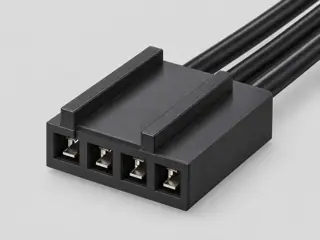
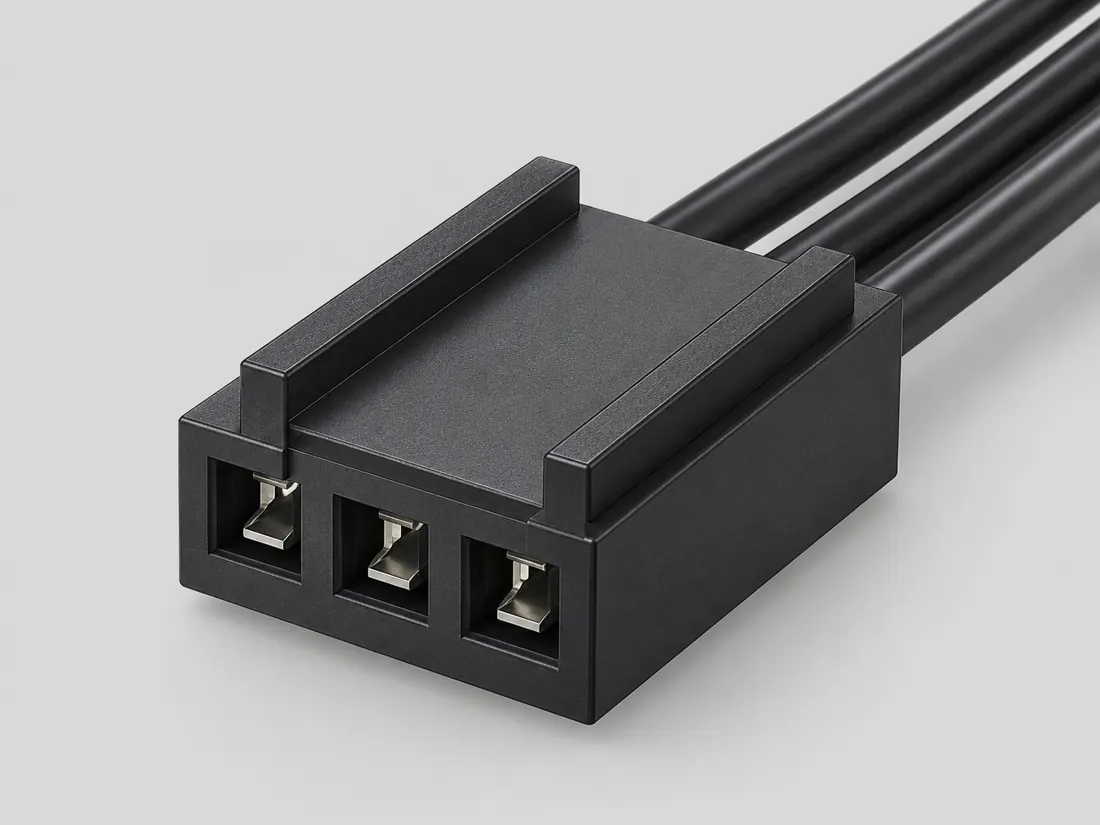
Three-quarter view Computer-generated illustration with prior AI visual review. Not a photograph, measurement or compatibility check. Independent technical and rights review pending.
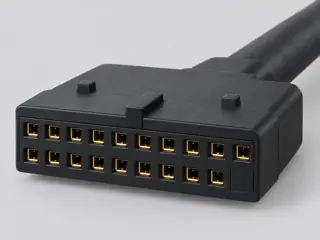
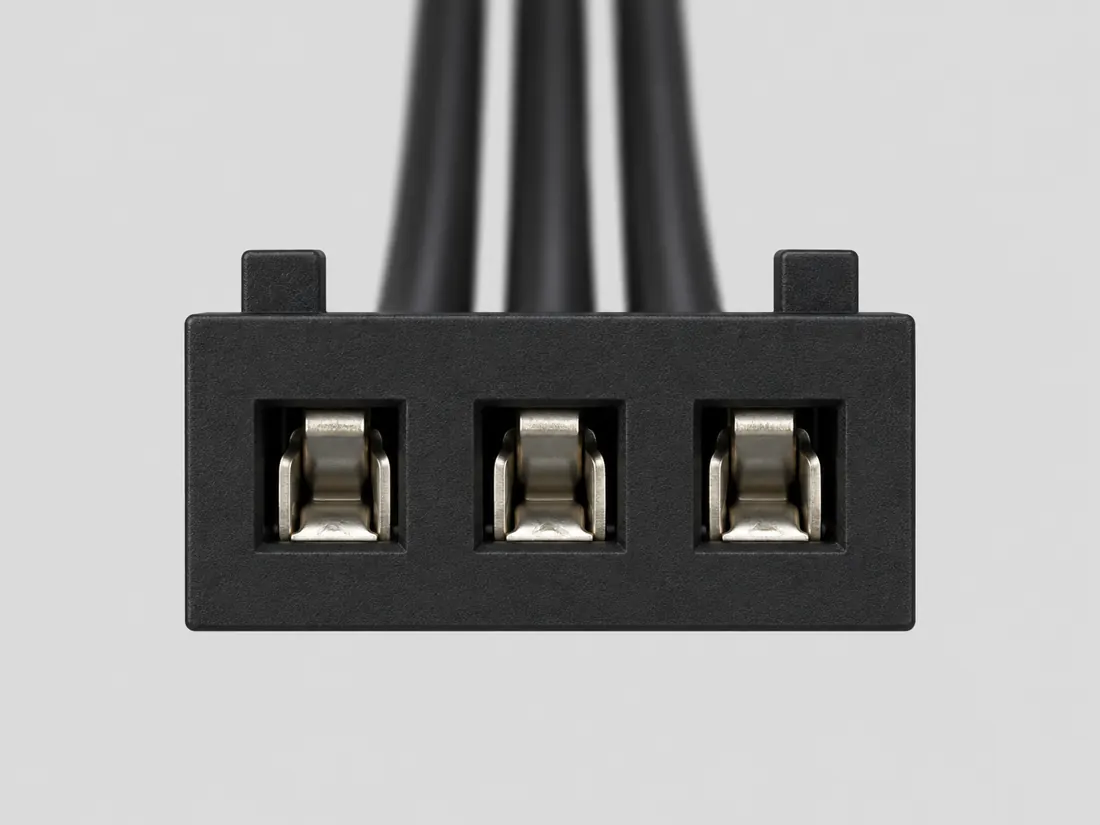
Mating face Computer-generated illustration with prior AI visual review. Not a photograph, measurement or compatibility check. Independent technical and rights review pending.
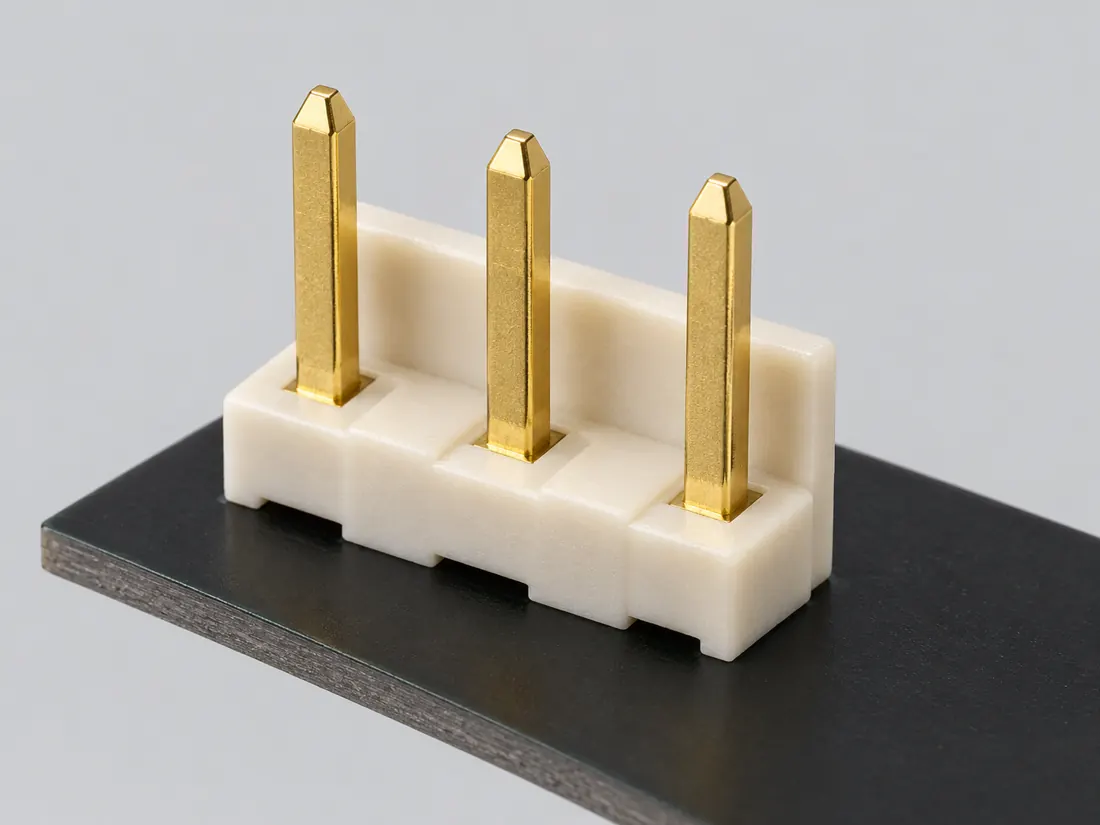
Fitted in place Computer-generated illustration with prior AI visual review. Not a photograph, measurement or compatibility check. Independent technical and rights review pending.
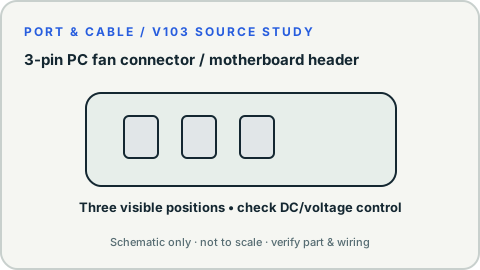
Recognition drawing Original schematic, not to scale. Drawing review pending.
Image inspection / P343
See the view. Check its scope.
2 registered views for this reference. Different part examples are not automatically mates; all remain not to scale and independently unapproved.
(private workspace)
P343 / Concept — not physical geometry
3-pin fan — physical image unresolved
Noctua 3-pin fan family (bounded FAQ scope)
Editorial evidence checklist; no component geometry · Concept only
Not to scale. Technical and rights review pending.
Inspect view & provenance ↗ (private workspace)
(private workspace)
P343 / Concept — not physical geometry
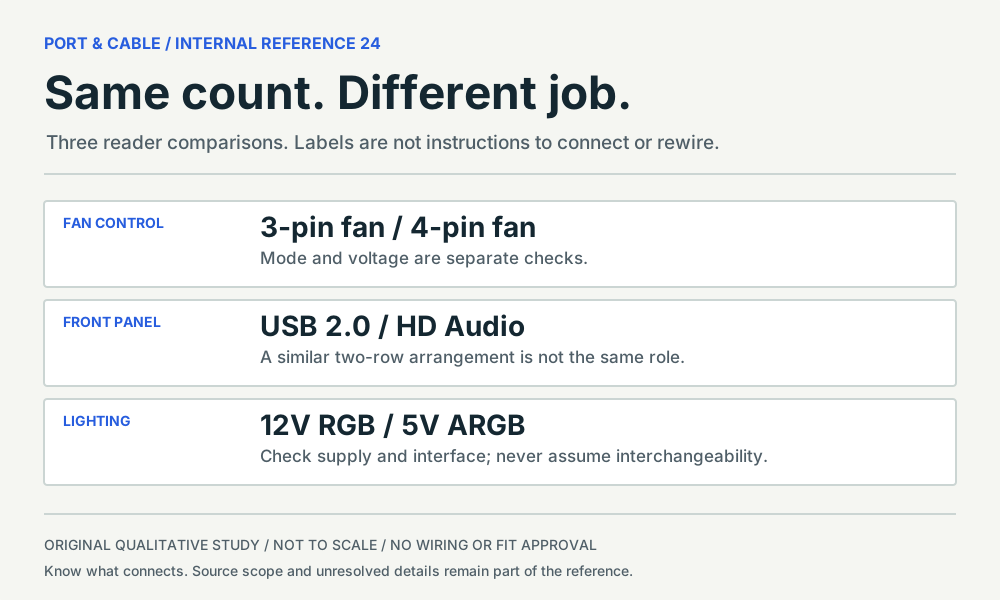
Same count. Different job.
Editorial comparison of the six existing internal PC forms
Editorial evidence checklist; no component geometry · Concept only
Not to scale. Technical and rights review pending.
Inspect view & provenance ↗ (private workspace)
Matching notes / PC control / P343
Will a four-pin header control a three-pin fan?
FIELD NOTES 03
Not necessarily. Noctua describes many compatible connections, but speed regulation depends on the motherboard supporting DC or voltage control.
SOURCE-SUPPORTED LEAD
What the evidence supports
A documented three-pin fan connection may leave the fourth PWM position unused.
INSUFFICIENT MATCHING EVIDENCE
What not to conclude
A four-position header by itself is insufficient proof of adjustable speed for a three-pin fan.
NOT ESTABLISHED
Keep this check open
The actual header’s control mode and device requirements remain unknown without its manual.
Before you choose a part
Read the exact fan and motherboard documentation.
Check whether that header supports DC or voltage control.
Keep fan-control connectors separate from RGB lighting headers.
Evidence for this decision · 3 source-scoped observations
C343A (private workspace) — Noctua explains that its 3-pin fan connector can be used on many 4-pin motherboard fan headers with the fourth PWM position unused.
Manufacturer-specific family/physical identification only. No inferred device wiring, mating verification or installation approval. S454
C343B (private workspace) — Speed regulation for a three-pin fan depends on a motherboard supporting DC or voltage control; a four-pin header alone is not a speed-control guarantee.
Manufacturer-specific family/physical identification only. No inferred device wiring, mating verification or installation approval. S454
C344B (private workspace) — Motherboard documentation—not the number of header pins—determines whether its fourth position is implemented as PWM.
Manufacturer-specific family/physical identification only. No inferred device wiring, mating verification or installation approval. S454 · S455
Manufacturer evidence is not an independent review, wiring assignment or hardware test.
REPAIR FIELD NOTES / Fans and compact power
First verify the exact manufacturer series
Three fan contacts do not create PWM control
It may physically connect to compatible PC motherboard fan headers, with the fourth control position unused, as Noctua documents. Whether the board can vary a three-pin fan’s speed depends on supported DC/voltage control mode in that header; the four-pin outline is not proof.
Avoid: Assuming a four-pin motherboard header always provides PWM speed control to a three-wire fan.
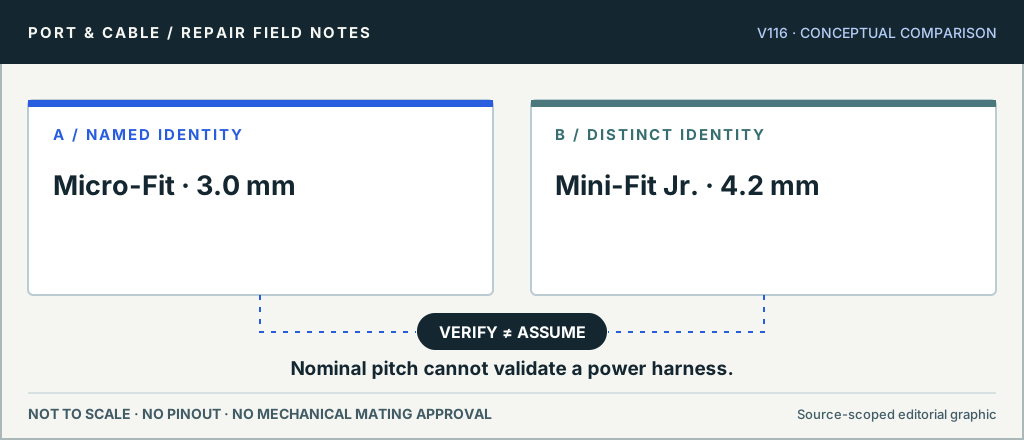
Micro-Fit / Mini-Fit — different Molex familiesNominal pitch cannot validate a power harness. Original conceptual evidence diagram only, not part-number geometry, a live-circuit test, or manufacturer-approved fit.
These notes add editorial context to the original canonical reference; they do not change its claim IDs or prove mating, wiring or polarity.
The useful distinction
Recognize it. Then verify it.
A three-contact PC cooling-fan connection lacks the separate fourth PWM control contact present on a common four-pin PC fan connection. [C343A]
Speed regulation for a three-pin fan depends on a motherboard supporting DC or voltage control; a four-pin header alone is not a speed-control guarantee. [C343B]
For Noctua’s described 3-pin fan connection to a 4-pin header, the separate PWM position remains unused. [C343C]
Noctua says automatic control can depend on motherboard voltage regulation; pulsing power is not equivalent to lowering the supply voltage. [C343D]
Noctua documents fans across 5V, 12V and 24V families; a contact-count label is not a voltage identification. [C343E]
The named ASRock H81M CHA_FAN2 and PWR_FAN1 diagrams show three positions in one inline row. The manual gives no pitch or exact header component part. [C343W]
PC internals · a documented check
My fan fits the header. Why is speed control still uncertain?
The control mode matters. In Noctua’s described three-pin-to-four-pin connection, the fourth PWM position is unused; regulation depends on the motherboard’s voltage-control support. Contact count is also not a fan-voltage label. C343A · C343B · C343C · C343E
What the documentation establishes—and what still needs checking
Check
Documented distinction
Boundary
Three-pin example
Documented distinctionThe separate PWM position is unused in Noctua’s described connection. C343C · C343B
BoundaryPulsing the supply is not the same as reducing its voltage.
Named board defaults
Documented distinctionB550-A PRO lists Auto for CPU_FAN1, PWM for PUMP_FAN1 and DC for SYS_FAN1–6. C344E
BoundaryThose are this manual’s defaults, not the present BIOS state of an unknown board.
Voltage and role
Documented distinctionNoctua documents 5V, 12V and 24V families; fan-cable and PCB-header roles differ. C343E · C344C
BoundaryDo not identify voltage or component sex from “three-pin” or “four-pin” alone.
Check these next
Read the fan model’s voltage and the exact header’s electrical limits before considering physical fit.
Find that header’s supported control mode in the board manual and its actual BIOS setting.
Keep a separate lighting lead out of the fan-motor comparison.
Keep this limit: The three-pin fan’s exact physical-study gap remains open. This reference does not certify proprietary headers, splitters or the number of fans that one output can power. C343B · C343E
Source-scoped identification facts
Each value retains its exact example, role and measurement axis. Facts from different parts must not be combined into an invented component.
Documented examples; not a mating drawing or compatibility approval
Positions / cavity span
3 (Noctua NF-A8 FLX fan assembly)S835Source-scoped examples are separate; select the exact variant and measured axis. Noctua NF-A8 FLX fan assembly. Named primary-source example only. Identification facts do not certify mating, electrical compatibility, fabrication or powered use.
Contact rows
1 (ASRock H81M CHA_FAN2/PWR_FAN1)S834Current primary-source scoped values; named examples remain separate and unknowns are not inferred from illustrations. Exact equipment variant ASRock H81M CHA_FAN2/PWR_FAN1, manual contact arrangement only; no generic component family geometry. Quantity context: Source manual contact row.
Connector role
3-pin fan cable connector (Noctua NF-A8 FLX fan assembly)S835Source-scoped examples are separate; select the exact variant and measured axis. Noctua NF-A8 FLX fan assembly. Named primary-source example only. Identification facts do not certify mating, electrical compatibility, fabrication or powered use.
Shell / form
Connector type listed as 2510-3PIN (or equal) (Noctua NF-A8 FLX fan assembly)S835Source-scoped examples are separate; select the exact variant and measured axis. Noctua NF-A8 FLX fan assembly. Named primary-source example only. Identification facts do not certify mating, electrical compatibility, fabrication or powered use.
Exact part / implementation
NF-A8 FLX (fan assembly connector implementation) (Noctua NF-A8 FLX fan assembly)S835Source-scoped examples are separate; select the exact variant and measured axis. Noctua NF-A8 FLX fan assembly. Named primary-source example only. Identification facts do not certify mating, electrical compatibility, fabrication or powered use.
Not recorded: Nominal contacts, Populated contacts, Contact pitch, Dimensions / axis, Contact gender / arrangement, Mounting, Coupling / latch, Keying / polarization, Manufacturer, Series, Recorded markings, View convention. Unknown fields stay unknown; illustrations supply no measurements or pin assignments.
Recorded variant and source limits
Check the exact device manual before wiring or applying power.
ASRock H81M 3-pin CPU_FAN2 / CHA_FAN2 / PWR_FAN1 board headers: Diagram labels GND, +12V and FAN_SPEED in order from the end next to the locking ramp; contact numbers are not printed.
Noctua NF-A8 FLX: Numbered fan-cable contacts in the Noctua NF-A8 FLX specification; left/right face and wire-entry orientation remain UNVERIFIED.
Noctua NF-A8 5V: Numbered fan-cable contacts in the Noctua NF-A8 5V specification; left/right face and wire-entry orientation remain UNVERIFIED.
3-pin PC fan connector / motherboard header facts and limitations
Common PC form
Three contact positions; voltage and control must be checked on exact equipment [C343A]
Role and recognition scope
Fan cable end / counterpart header — Noctua 3-pin fan family (bounded FAQ scope). Original qualitative study only; no wiring or fit approval. [C343C][C343D][C343E]
Mechanical dimensions
Only manufacturer-described nominal family/footprint pitch is quoted in sourced text; no measured fabrication/tolerance drawing independently approved.
Not included. Check exact device and accessory documentation.
A boundary, not an omission to guess around.
Power down and disconnect the system before inspecting headers; consult the board manual for CPU_FAN/SYS_FAN location. Confirm fan model, voltage and the motherboard header’s permitted current; do not infer a rating from the contact count. Check whether the motherboard controls speed by DC/voltage adjustment; never force a different keyed plug.
Before you connect
What to check
Power down and disconnect the system before inspecting headers; consult the board manual for CPU_FAN/SYS_FAN location.
Confirm fan model, voltage and the motherboard header’s permitted current; do not infer a rating from the contact count.
Check whether the motherboard controls speed by DC/voltage adjustment; never force a different keyed plug.
Choose the exact wiring. Pin numbers follow its stated view; a schematic does not establish physical positions. Check your exact device before wiring.
What the status labels mean
Confirmed
Recorded research passes agree within this variant; this is not independent human review or hardware validation.
Single source
Only one underlying document, or one pass, supports this assignment.
Device-specific
Supported for the named equipment or wiring only. Check your device’s manual.
Unverified
Missing or conflicting evidence. Do not wire from this row.
Not connected
The source explicitly says NC, no contact or no pin for this wiring.
Important boundary
This reference establishes only the specific manufacturer-documented family and example noted in the sources. It does not verify an arbitrary mating pair, cable orientation, electrical rating or device combination. Stop and consult original documents for the exact products.
Source-scoped V142 recognition check
Noctua 3-pin fan family (bounded FAQ scope). Three positions; the exact housing has not been visually qualified here. Fan control and voltage still need separate evidence. Read the fan voltage label and the exact board fan-control mode; retain the physical-image request. Still unresolved: Exact 3-pin housing, key profile, installed header and permitted load. See the internal-header field reference for source revision, observation limits and the comparison.
AI-assisted inspection is not independent engineering review. Source scope and access limitations are disclosed below. Procedural checklists are editorial requirements, not hardware measurements.
Locator: 3-pin fan on 4-pin PWM header; 4-pin fan on 3-pin header; PWM versus DC control Access: public page. Fan color, connector shape and header modes vary; not a universal polarity or current-rating certificate.
Claim scope: Manufacturer-specific family/physical identification only. No inferred device wiring, mating verification or installation approval.. Next review due 2027-01-07.
Speed regulation for a three-pin fan depends on a motherboard supporting DC or voltage control; a four-pin header alone is not a speed-control guarantee.
Locator: 3-pin fan on 4-pin PWM header; 4-pin fan on 3-pin header; PWM versus DC control Access: public page. Fan color, connector shape and header modes vary; not a universal polarity or current-rating certificate.
Claim scope: Manufacturer-specific family/physical identification only. No inferred device wiring, mating verification or installation approval.. Next review due 2027-01-07.
Locator: 3-pin fan on 4-pin PWM header; 4-pin fan on 3-pin header; PWM versus DC control Access: public page. Fan color, connector shape and header modes vary; not a universal polarity or current-rating certificate.
Claim scope: V142: named MSI B550-A PRO manual version 6.0 (2024/02) or explicitly identified Noctua family only. Role/recognition evidence, not generic wiring, safe mating, pinout approval, dimensions or installed-device certification.. Next review due 2027-01-11.
Locator: 3-pin fan on 4-pin PWM header; 4-pin fan on 3-pin header; PWM versus DC control Access: public page. Fan color, connector shape and header modes vary; not a universal polarity or current-rating certificate.
Claim scope: V142: named MSI B550-A PRO manual version 6.0 (2024/02) or explicitly identified Noctua family only. Role/recognition evidence, not generic wiring, safe mating, pinout approval, dimensions or installed-device certification.. Next review due 2027-01-11.
Locator: Main FAQ prose reviewed 2026-10-13. Inline fan drawings could not be visually acquired in this run; text-only observation, no image qualification. Access: public page. Observed document is not a real-hardware inspection, installed-device approval, wiring guide, current revision guarantee or manufacturing specification.
Claim scope: V142: named MSI B550-A PRO manual version 6.0 (2024/02) or explicitly identified Noctua family only. Role/recognition evidence, not generic wiring, safe mating, pinout approval, dimensions or installed-device certification.. Next review due 2027-01-11.
Locator: Section 'Onboard Headers and Connectors', Chassis and Power Fan Connectors (3-pin CHA_FAN2, 3-pin PWR_FAN1) printed p. 25, and CPU Fan Connectors (3-pin CPU_FAN2) printed p. 26 Access: public pdf text. Source scope and unresolved evidence are preserved in the engineering variant.
Assessment 2026-10-22 · earliest scheduled source review 2027-01-07. This is a recorded-date assessment, not a live source check. Page-level independent review is not established by this panel.
Scoped support: Noctua fan family voltage range; no wire-colour table or source image promoted.
Not established / limitations: Observed document is not a real-hardware inspection, installed-device approval, wiring guide, current revision guarantee or manufacturing specification.
Locator: Main FAQ prose reviewed 2026-10-13. Inline fan drawings could not be visually acquired in this run; text-only observation, no image qualification.
Scoped support: Exact named pinout variant only; not capability or compatibility approval.
Not established / limitations: Source scope and unresolved evidence are preserved in the engineering variant.
Locator: Section 'Onboard Headers and Connectors', Chassis and Power Fan Connectors (3-pin CHA_FAN2, 3-pin PWR_FAN1) printed p. 25, and CPU Fan Connectors (3-pin CPU_FAN2) printed p. 26
Trace 6 claims to their source records
C343A · P343
Noctua explains that its 3-pin fan connector can be used on many 4-pin motherboard fan headers with the fourth PWM position unused.
Claim scope: Manufacturer-specific family/physical identification only. No inferred device wiring, mating verification or installation approval.
Speed regulation for a three-pin fan depends on a motherboard supporting DC or voltage control; a four-pin header alone is not a speed-control guarantee.
Claim scope: Manufacturer-specific family/physical identification only. No inferred device wiring, mating verification or installation approval.
For Noctua’s described 3-pin fan connection to a 4-pin header, the separate PWM position remains unused.
Claim scope: V142: named MSI B550-A PRO manual version 6.0 (2024/02) or explicitly identified Noctua family only. Role/recognition evidence, not generic wiring, safe mating, pinout approval, dimensions or installed-device certification.
Noctua says automatic control can depend on motherboard voltage regulation; pulsing power is not equivalent to lowering the supply voltage.
Claim scope: V142: named MSI B550-A PRO manual version 6.0 (2024/02) or explicitly identified Noctua family only. Role/recognition evidence, not generic wiring, safe mating, pinout approval, dimensions or installed-device certification.
Noctua documents fans across 5V, 12V and 24V families; a contact-count label is not a voltage identification.
Claim scope: V142: named MSI B550-A PRO manual version 6.0 (2024/02) or explicitly identified Noctua family only. Role/recognition evidence, not generic wiring, safe mating, pinout approval, dimensions or installed-device certification.
Recorded evidence only. An inspection date, publisher label, source link or generated packet is not independent technical review, hardware testing, fabrication approval or a compatibility verdict.

 (private workspace)