FIELD GUIDESource-led reference

Internal Systems / 05 / LP04

Motherboard headers that look alike

Look at the actual board manual and the connector label. Motherboard headers are not universal plugs: incorrect power, keyed position or wiring can damage equipment.

01 / UNDERSTAND THE LAYERS

Pin key, silk-screen and voltage are separate clues

Header formSource-specific cueDo not assume
Internal USB 2.0Intel example dual 2×5, position 9 absentAny similar 9-position group is USB
Front HD AudioIntel example dual 2×5, position 8 absentUSB 2.0 header pin arrangement
12 V RGB / MSI JRGBFour-pin 12 V analog RGB exampleElectrical match with 5 V addressable LEDs
5 V ARGB / MSI JRAINBOWThree-pin 5 V addressable exampleEvery three-pin motherboard header has the same pinout

The table distinguishes visible hardware forms from host wiring and real-world validation. The named standards/vendors are not endorsing a product connection.

02 / CONCEPTUAL CONTRASTS

The physical outline does not tell the whole story

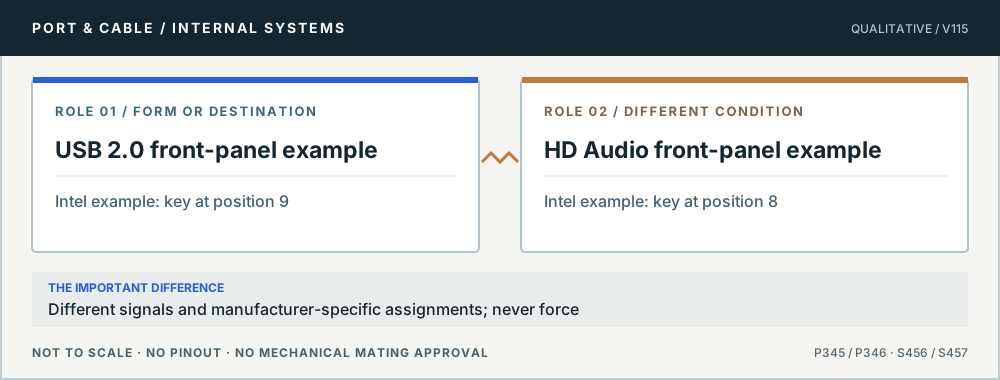
Conceptual role comparison: USB 2.0 front-panel example versus HD Audio front-panel example. Different signals and manufacturer-specific assignments; never force. Not to scale, no pinout or mechanical mating dimensions.
Look-alike motherboard keys. Original qualitative role diagram; not mechanical artwork, not to scale or a wiring map. Source context S456 · S457.
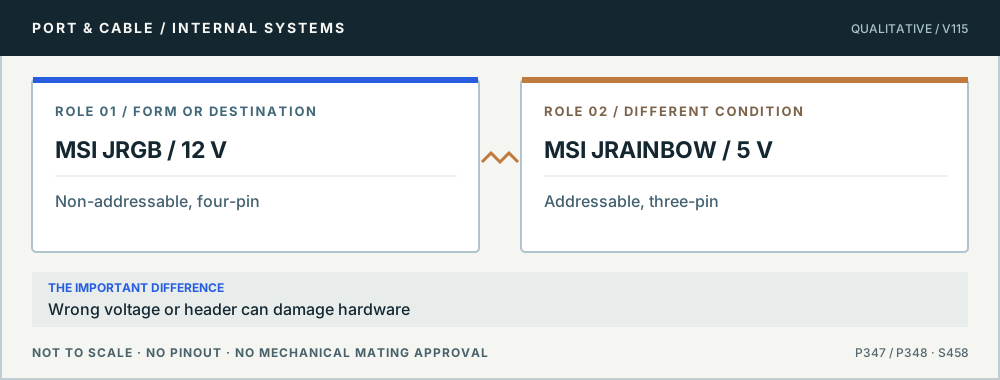
Conceptual role comparison: MSI JRGB / 12 V versus MSI JRAINBOW / 5 V. Wrong voltage or header can damage hardware. Not to scale, no pinout or mechanical mating dimensions.
Lighting: check the voltage first. Original qualitative role diagram; not mechanical artwork, not to scale or a wiring map. Source context S458.
P345 · Pin key, silk-screen and voltage are separate clues

The missing ninth pin identifies one Intel USB 2.0 header example

Is every keyed 2×5 motherboard header internal USB?

19

THE ANSWER No. Intel’s Thin Mini-ITX design guide documents an example dual-port USB 2.0 header with position 9 absent. Another Intel front-panel audio example uses a different absent position. Neither example universalizes all motherboard layouts or allows an unknown keyed header to be wired by eye.

01 · Example

2×5 nominal arrangement; USB example omits position 9.

02 · Competing header

Front HD Audio is a separate signaling and key example.

03 · System

Silkscreen and board model manual outrank generic online diagrams.

Before you connect, check all three

  1. Read the motherboard’s USB2/JUSB or front-panel label and pin-key diagram.
  2. Confirm connector orientation and chassis-cable part compatibility.
  3. If labels or cable keys disagree, stop and obtain exact service instructions.

Stop this assumption: Plugging a similar 9-position front-panel cable into an unverified motherboard header.

Evidence, edition and unresolved verification (2 readings)

Existing evidence identifiers link into the preserved source register. Additional first-party URLs were checked 10 October 2026 and are expressly editorial, not silently inserted into canonical claims. No actual device, cable or power circuit was tested.

P346 · Pin key, silk-screen and voltage are separate clues

Front HD Audio’s example key is different from the USB2 key

Can my case audio plug go on a spare 9-pin USB2 header?

20

THE ANSWER No. Intel’s documented front-panel HD Audio 2×5 header example has position 8 absent, whereas its Thin Mini-ITX USB2 example has position 9 absent. The electrical signals also serve entirely different purposes; the geometry alone does not grant safe cross-use.

01 · Audio role

Microphone/headphone audio front-panel signals.

02 · Key

Intel example omits position 8 (not USB2 position 9).

03 · Variations

Board-specific header names, pinout and case cable matter.

Before you connect, check all three

  1. Verify the motherboard’s AAFP/F_AUDIO/HD_AUDIO header diagram.
  2. Identify the actual front-panel chassis connector and orientation.
  3. Use the board maker’s guidance for any AC’97 legacy variant.

Stop this assumption: Forcing a chassis HD AUDIO cable onto a USB header or using old AC’97 pin expectations automatically.

Evidence, edition and unresolved verification (2 readings)

Existing evidence identifiers link into the preserved source register. Additional first-party URLs were checked 10 October 2026 and are expressly editorial, not silently inserted into canonical claims. No actual device, cable or power circuit was tested.

P347 · Pin key, silk-screen and voltage are separate clues

12 V four-pin RGB and 5 V addressable RGB are not interchangeable

Can I connect a three-pin addressable LED strip to MSI JRGB?

21

THE ANSWER No. MSI explicitly distinguishes its 12 V four-pin JRGB and 5 V three-pin JRAINBOW headers and warns incorrect connection may damage components. A shared “RGB” label does not resolve supply voltage or addressing method, and the warning must remain visible before any hookup.

01 · MSI JRGB

Four-pin 12 V non-addressable header in the cited MSI instructions.

02 · MSI JRAINBOW

Three-pin 5 V addressable header in the cited MSI instructions.

03 · Wiring

Polarity, voltage and strip/controller compatibility are model-specific.

Before you connect, check all three

  1. Disconnect power and read the exact motherboard/strip manuals.
  2. Confirm voltage, addressable mode, pin/arrow orientation and any controller.
  3. Never force or electrically bridge a 12 V header to a 5 V addressable load.

Stop this assumption: Using an improvised adapter to power a 5 V strip from an unverified 12 V header.

Evidence, edition and unresolved verification (1 readings)

Existing evidence identifiers link into the preserved source register. Additional first-party URLs were checked 10 October 2026 and are expressly editorial, not silently inserted into canonical claims. No actual device, cable or power circuit was tested.

P348 · Pin key, silk-screen and voltage are separate clues

5 V addressable RGB is not the 12 V RGB standard

Does “three-pin RGB” mean I can use any 3-pin motherboard header?

22

THE ANSWER No. In MSI’s cited documentation, JRAINBOW is a specified 5 V addressable lighting output, distinct from 12 V JRGB. Do not infer that all three-pin motherboard headers—including fan, ARGB and other proprietary lighting variants—share voltage, pin assignment or signal type.

01 · Purpose

MSI-specific 5 V addressable LED connection.

02 · Comparison

MSI JRGB is a different four-pin 12 V analog LED interface.

03 · Ambiguity

Other three-pin headers can serve entirely unrelated functions.

Before you connect, check all three

  1. Read both hardware manuals and verify the exact 5 V addressable wiring scheme.
  2. Match the connector arrow, spacing and manufacturer-provided control cable.
  3. Do not attach to a 12 V header or unidentified fan/accessory socket.

Stop this assumption: Matching only the number of contacts and not the marked power/signal function.

Evidence, edition and unresolved verification (2 readings)

Existing evidence identifiers link into the preserved source register. Additional first-party URLs were checked 10 October 2026 and are expressly editorial, not silently inserted into canonical claims. No actual device, cable or power circuit was tested.

Unknown means stop and verify.

All studies retain their existing canonical source record IDs. Some diagrams are conceptual rather than true mating-face outlines. Device-specific pinouts, modifications, PSU cable interchangeability and live electrical tests are outside scope; consult the exact manufacturer's original manuals.