
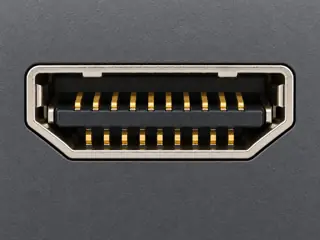
 × 1
× 1HDMI input
Dell documents one HDMI input.
Sources S383 · Connector field note
Use in a display brief →Start a display plan → (private workspace)
Seeds identity, connector and source link only. Task support is not inferred.
Dell / D070
A dense hub-monitor profile where USB-C-shaped ports have distinct upstream, downstream and Thunderbolt roles.
Explore this device’s exact port groups →
DP: DisplayPort input — Display input · DisplayPort output — Display daisy-chain output
USB-C: Thunderbolt 4 upstream USB-C port — Thunderbolt upstream / display input · Thunderbolt 4 downstream USB-C port — Thunderbolt downstream / daisy chain · USB-C upstream port — USB data upstream · USB-C downstream ports — USB downstream / charging
Do not transfer a capability from one location to another merely because the connector outline matches.
Location and role matter
Computer-generated illustration with prior AI visual review. Not a photograph, measurement or compatibility check. Independent technical and rights review pending.
× 1Dell documents one HDMI input.
Sources S383 · Connector field note
Use in a display brief →Seeds identity, connector and source link only. Task support is not inferred.
 × 1
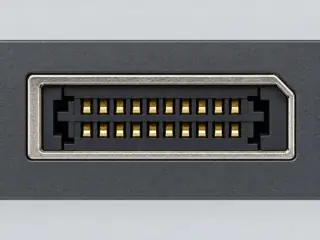
× 1Dell documents one DisplayPort 1.4 input.
Sources S383 · Connector field note
Use in a display brief →Seeds identity, connector and source link only. Task support is not inferred.
× 1Dell separately documents one DisplayPort 1.4 output. Input and output are not interchangeable roles.
Sources S383 · Connector field note
Seeds identity, connector and source link only. Task support is not inferred.
 × 1
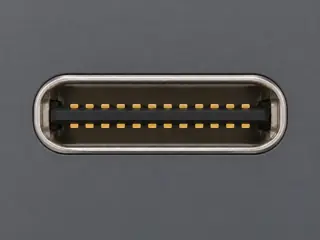
× 1The upstream Thunderbolt 4 port is documented with DisplayPort input context and power delivery.
Sources S383 · Connector field note
Seeds identity, connector and source link only. Task support is not inferred.
× 1A separate Thunderbolt 4 downstream port is documented for daisy-chain use.
Sources S383 · Connector field note
Seeds identity, connector and source link only. Task support is not inferred.
× 1A USB 10Gbps Type-C upstream port is listed separately from the Thunderbolt upstream port.
Sources S383 · Connector field note
Seeds identity, connector and source link only. Task support is not inferred.
× 2Two USB 10Gbps Type-C downstream ports are documented with source-stated charging support.
Sources S383 · Connector field note
Identification only. This port group cannot launch the scoped planner.
 × 5
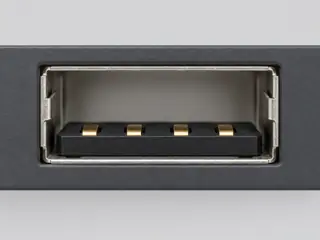
× 5Dell lists five USB-A downstream ports across the rear/quick-access groups, including one BC1.2 charging port.
Sources S383 · Connector field note
Identification only. This port group cannot launch the scoped planner.
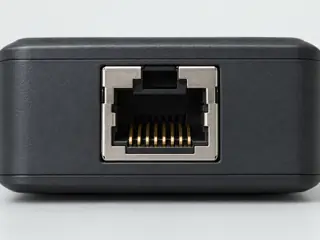 × 1
× 1One RJ-45 Ethernet port is documented as 2.5GbE.
Sources S383 · Connector field note
Identification only. This port group cannot launch the scoped planner.
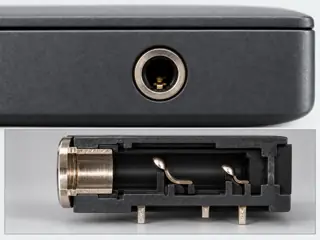 × 1
× 1One audio line-out connection is documented.
Sources S383 · Connector field note
Identification only. This port group cannot launch the scoped planner.
Exact-model source trail
These are the profile’s existing source records, with their original scope and access limitations. No new inspection or approval is implied.
U2725QE external display, Thunderbolt, USB, Ethernet and audio connector groups.
Open source ↗Exact-model evidence map
5 of 6 task domains contain some exact-model evidence. The others stay explicitly undocumented.
The base device profile contains 6 selected port groups relevant to this domain, but no dedicated domain profile.
Plan next step →Topology →The base device profile contains 5 selected port groups relevant to this domain, but no dedicated domain profile.
Plan next step →Topology →No memory cards & readers-specific evidence for this exact model is represented in this release.
Plan next step →Topology →The base device profile contains 1 selected port group relevant to this domain, but no dedicated domain profile.
Plan next step →Topology →Derived from the existing device profile and domain catalogs. This layer adds no new hardware fact and does not infer compatibility from a missing or present cell.