Guide note · not an individual product specification
The useful distinction
Understand the requirement.
Transport, output combination and graphics evidence choose the row. [C159A]
The Latitude 7440 external-port page does not establish a complete SKU-specific GPU display budget. [C159B]
Bounded facts, visible unknowns
Specifications and limits
Read a dock resolution table without guessing facts and limitations
Workflow boundary
One host, one dock, direct independent display paths only. [C159A][C159B]
Verified device list
Not included. Check exact device and accessory documentation.
A boundary, not an omission to guess around.
Matching a recorded mode combination means the requested scenario appears in the inspected table under the stated conditions. It does not measure signal integrity, monitor timing, graphics allocation or bandwidth.
Before you connect
What to check
Identify host, dock and monitor models.
Keep native, software and shared-resource findings separate.
A combination absent from the curated table is unassessed, not necessarily unsupported. The tool does not extrapolate higher refresh rates or assume that every lower timing is valid.
Separate software and native video
Native link-table arithmetic is not used as a proxy for DisplayLink performance. Mixed docks need evidence for both engines, with no sum of marketing maxima.
AI-assisted inspection is not independent engineering review. Source scope and access limitations are disclosed below. Procedural checklists are editorial requirements, not hardware measurements.
C159ASource checked · pending review
WD22TB4 publishes different display combinations for Thunderbolt and non-Thunderbolt HBR/DSC conditions.
Locator: Non-Thunderbolt / Thunderbolt tables; Port disablement; Important Access: public page. Selected table rows only, not an exhaustive solver. English text was returned through a localized Dell route. Host HBR/DSC is not inferred from a Thunderbolt logo.
Locator: External ports table Access: public page. GPU SKU, operating system, HBR rate, DSC and simultaneous external-display limit are not established by this page. These stay unknown.
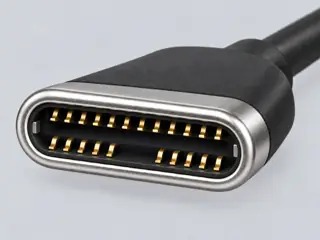
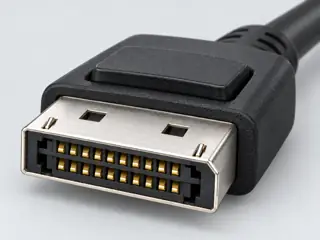
Computer-generated illustration with prior AI visual review. Not a photograph, measurement or compatibility check. Independent technical and rights review pending.
Assessment 2026-10-22 · earliest scheduled source review 2027-01-01. This is a recorded-date assessment, not a live source check. Page-level independent review is not established by this panel.
Scoped support: WD22TB4 transport-dependent examples and mutually exclusive outputs.
Not established / limitations: Selected table rows only, not an exhaustive solver. English text was returned through a localized Dell route. Host HBR/DSC is not inferred from a Thunderbolt logo.
Locator: Non-Thunderbolt / Thunderbolt tables; Port disablement; Important
Scoped support: Latitude 7440 Thunderbolt / DisplayPort Alt Mode group.
Not established / limitations: GPU SKU, operating system, HBR rate, DSC and simultaneous external-display limit are not established by this page. These stay unknown.
Locator: External ports table
Trace 2 claims to their source records
C159A · P159
WD22TB4 publishes different display combinations for Thunderbolt and non-Thunderbolt HBR/DSC conditions.
Claim scope: Exact-scoped documentary display evidence; no hardware certification or universal compatibility inference.
Recorded evidence only. An inspection date, publisher label, source link or generated packet is not independent technical review, hardware testing, fabrication approval or a compatibility verdict.