Guide note · not an individual product specification
The useful distinction
Understand the requirement.
Separate the host display budget from its connector count. [C155A]
M3 Air dual externals require closed-lid conditions; the 13-inch M4 Air documents two alongside its built-in display. [C155B]
Bounded facts, visible unknowns
Specifications and limits
MacBook display limits: count the chip, not the sockets facts and limitations
Workflow boundary
One host, one dock, direct independent display paths only. [C155A][C155B]
Verified device list
Not included. Check exact device and accessory documentation.
A boundary, not an omission to guess around.
The M3 Air worksheet records lid state, OS version, external controls and power separately. Unknown observations remain unanswered; the source-specific exception is not silently assumed.
Before you connect
What to check
Identify host, dock and monitor models.
Keep native, software and shared-resource findings separate.
A DisplayLink path is evaluated as software-rendered USB graphics. Native output-count rules are not applied to those paths, but software, permission, workload and source requirements still matter.
Count the rest of the desk
The bounded worksheet assumes the selected dock is the only external native display path. A separate HDMI monitor, second dock or daisy chain would change that scope and needs another assessment.
AI-assisted inspection is not independent engineering review. Source scope and access limitations are disclosed below. Procedural checklists are editorial requirements, not hardware measurements.
C155ASource checked · pending review
The 2020 M1 MacBook Air documents one native external display.
Locator: Charging and Expansion; Display Support Access: public page. Not M1 Pro, M1 Max, Mac mini or a software-rendered display limit. No cable or dock is certified here.
Locator: Charging and Expansion; Display Support Access: public page. Second-display prerequisites are separately recorded from S155. No inference for another model, chip or screen size.
Locator: Check requirements; Connect displays; Arrange displays Access: public page. MacBook Pro has a different minimum OS; only the Air rule is normalized. Required setup sequence and monitor limits remain in the linked source.
Locator: Charging and Expansion; Display Support Access: public page. Broader-scope reinspection of the S065 URL; not independent corroboration. Per-dock allocations and negotiated mode remain separate.
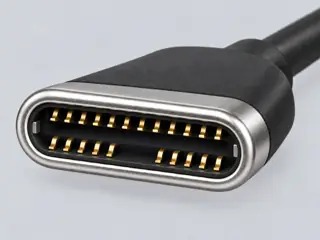
Computer-generated illustration with prior AI visual review. Not a photograph, measurement or compatibility check. Independent technical and rights review pending.
Assessment 2026-10-22 · earliest scheduled source review 2027-01-01. This is a recorded-date assessment, not a live source check. Page-level independent review is not established by this panel.
Apple · Manufacturer / product-owner domain · inspected 2026-10-03 · due 2027-01-01
Within inspection window
Scoped support: M3 MacBook Air dual-external requirements only.
Not established / limitations: MacBook Pro has a different minimum OS; only the Air rule is normalized. Required setup sequence and monitor limits remain in the linked source.
Apple · Manufacturer / product-owner domain · inspected 2026-10-03 · due 2027-01-01
Within inspection window
Scoped support: 13-inch M4 Air native display count and Thunderbolt group.
Not established / limitations: Broader-scope reinspection of the S065 URL; not independent corroboration. Per-dock allocations and negotiated mode remain separate.
Locator: Charging and Expansion; Display Support
Trace 2 claims to their source records
C155A · P155
The 2020 M1 MacBook Air documents one native external display.
Claim scope: Exact-scoped documentary display evidence; no hardware certification or universal compatibility inference.
Recorded evidence only. An inspection date, publisher label, source link or generated packet is not independent technical review, hardware testing, fabrication approval or a compatibility verdict.