Keep the original media until your own backup verification is complete.
The useful distinction
Record the original card, exact reader, computer and intended copy destination. Check manufacturer handling instructions. Copy and verify using your own trusted workflow; the site does not perform the transfer, checksum, backup or recovery.
Guide note · not an individual product specification
The useful distinction
Understand the requirement.
Prepare an evidence checklist without formatting, repairing or modifying the card. [C142A]
ProGrade PG05.5 documentation calls for operating-system ejection before media removal. [C142B]
Bounded facts, visible unknowns
Specifications and limits
A non-destructive card-offload planning checklist facts and limitations
Scoped documentation
Nikon Z 8 card-handling instructions include access-indicator and hot-card precautions. [C142A]
Scoped documentation
ProGrade PG05.5 documentation calls for operating-system ejection before media removal. [C142B]
Verified device list
Not included. Check exact device and accessory documentation.
A boundary, not an omission to guess around.
A missing volume, read error or unexpected prompt is not permission to format, repair or overwrite the card. Preserve original media and obtain appropriate recovery advice when data is at risk.
Before you connect
What to check
Follow the camera’s power and access-indicator instructions before removing media.
Use the reader’s operating-system eject procedure before disconnection.
Do not format or repair media because a worksheet cannot establish a connection.
AI-assisted inspection is not independent engineering review. Source scope and access limitations are disclosed below. Procedural checklists are editorial requirements, not hardware measurements.
C142ASource checked · pending review
Nikon Z 8 card-handling instructions include access-indicator and hot-card precautions.
Locator: Inserting Memory Cards; removal warnings Access: public page. Documentation-only family and port scope; no physical test, current stock or price check, measured performance, complete card list, or independent approval.
Claim scope: Exact documented product and family scope; no physical test, exact-card certification or end-to-end approval.. Next review due 2027-01-01.
C142BSource checked · pending review
ProGrade PG05.5 documentation calls for operating-system ejection before media removal.
Locator: Product description; compatibility and eject notes Access: public page. Documentation-only family and port scope; no physical test, current stock or price check, measured performance, complete card list, or independent approval.
Claim scope: Exact documented product and family scope; no physical test, exact-card certification or end-to-end approval.. Next review due 2027-01-01.
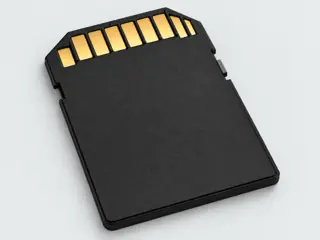
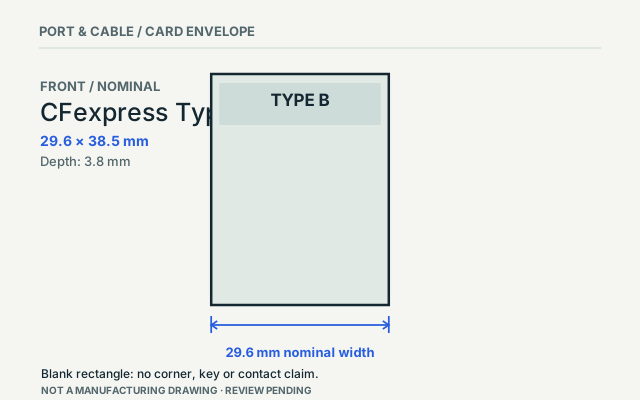
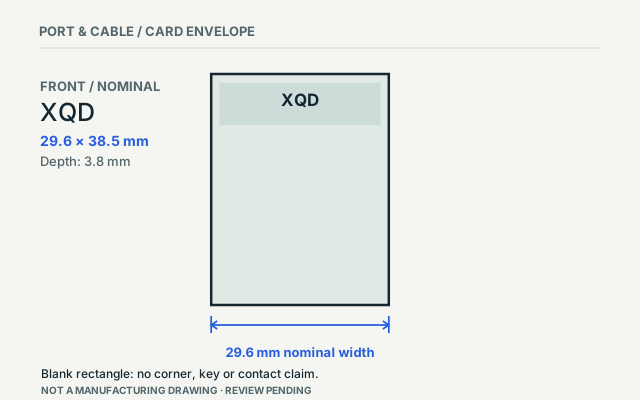
Computer-generated illustration with prior AI visual review. Not a photograph, measurement or compatibility check. Independent technical and rights review pending.
Assessment 2026-10-22 · earliest scheduled source review 2027-01-01. This is a recorded-date assessment, not a live source check. Page-level independent review is not established by this panel.
ProGrade Digital · Manufacturer / product-owner domain · inspected 2026-10-03 · due 2027-01-01
Within inspection window
Scoped support: PG05.5 dual-slot USB 3.2 Gen 2 reader: CFexpress Type B and SDXC UHS-II; XQD explicitly excluded. The publisher instructs users to eject through the operating system before removal.
Not established / limitations: Documentation-only family and port scope; no physical test, current stock or price check, measured performance, complete card list, or independent approval.
Locator: Product description; compatibility and eject notes
Scoped support: Z 8 has one CFexpress/XQD slot and one SD slot. Manufacturer instructions require attention to power, the access indicator and card temperature when handling media.
Not established / limitations: Documentation-only family and port scope; no physical test, current stock or price check, measured performance, complete card list, or independent approval.
Locator: Inserting Memory Cards; removal warnings
Trace 2 claims to their source records
C142A · P142
Nikon Z 8 card-handling instructions include access-indicator and hot-card precautions.
Claim scope: Exact documented product and family scope; no physical test, exact-card certification or end-to-end approval.
Recorded evidence only. An inspection date, publisher label, source link or generated packet is not independent technical review, hardware testing, fabrication approval or a compatibility verdict.