FIELD GUIDESource-led reference

P098 / General / Guide

A Mac display offers the wrong mode

Observe one change at a time. Keep the scope and stop conditions visible.

The useful distinction

One detected Mac external display with unexpected resolution or refresh options. No bandwidth, compression, gaming-mode or multi-display guarantee.

Claim inspection dates: 2026-10-02 · Independent review pending

Guide note · not an individual product specification

The useful distinction

Understand the requirement.

Apple notes that the display connection and Mac model can constrain available external-display modes. [C098A]

Bounded facts, visible unknowns

Specifications and limits

A Mac display offers the wrong mode facts and limitations
Scoped source anchorApple notes that the display connection and Mac model can constrain available external-display modes. [C098A]
Verified device listNot included. Check exact device and accessory documentation.
A boundary, not an omission to guess around.

Attaching a saved brief retains a snapshot. It does not edit the brief, approve a connection, refresh a source or establish that equipment is safe.

Before you connect

What to check

  1. Record the desired resolution and refresh rate, and what settings actually offers. Keep those as separate observations.
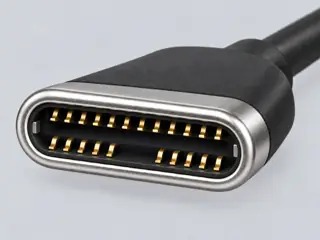
  2. Consult that model’s display specification. A shared connector shape is insufficient.
  3. Record every cable and adapter, including any dock. Check their exact published display limits.
  4. Record the listed modes without assuming the highest advertised mode applies to this setup.
  5. State the wanted mode, offered modes and exact path for manufacturer support. Do not convert the log into a diagnosis.
Trace a supported connection class →

Keep the next person informed

Save locally or export an editable case. A separate redacted support report omits private text by default; inspect every report before sharing it.

Your next step

Move from the form to the requirement.

The source trail

Evidence for this page

AI-assisted inspection is not independent engineering review. Source scope and access limitations are disclosed below. Procedural checklists are editorial requirements, not hardware measurements.

C098ASource checked · pending review

Apple notes that the display connection and Mac model can constrain available external-display modes.

Apple · Mac external display: connection and detection checks ↗

Locator: Connection checks; supported displays; detection; accessory permission; brightness
Access: public page. Mac external-display troubleshooting only. No exact resolution, cable bandwidth or hardware fault is established. No physical hardware testing or independent approval.

S081: full source recordInspect review dependencies → (private workspace)

Claim scope: One detected Mac external display with unexpected resolution or refresh options. No bandwidth, compression, gaming-mode or multi-display guarantee.. Next review due 2026-12-31.

Suggest a correction to this field note →

Working checklist / macOS

Keep your observations with the checks.

One detected Mac external display with unexpected resolution or refresh options. No bandwidth, compression, gaming-mode or multi-display guarantee.

Open this troubleshooting checklist → (private workspace)Choose another symptom

The checklist records your observations. It cannot test hardware or approve compatibility.

Evidence behind this page

Scope first. Source second. Approval separate.

1 linked sources · 1 scoped claims · 0 sources with inspection/access flags.

Page scope: consumer_pilot

Assessment 2026-10-22 · earliest scheduled source review 2026-12-31. This is a recorded-date assessment, not a live source check. Page-level independent review is not established by this panel.

Inspect 1 source scopes, access limits and dates

S081 · Mac external display: connection and detection checks

Apple · Manufacturer / product-owner domain · inspected 2026-10-02 · due 2026-12-31

Within inspection window

Scoped support: Mac external-display troubleshooting only. No exact resolution, cable bandwidth or hardware fault is established.

Not established / limitations: Mac external-display troubleshooting only. No exact resolution, cable bandwidth or hardware fault is established. No physical hardware testing or independent approval.

Locator: Connection checks; supported displays; detection; accessory permission; brightness

Trace 1 claims to their source records

C098A · P098

Apple notes that the display connection and Mac model can constrain available external-display modes.

Claim scope: One detected Mac external display with unexpected resolution or refresh options. No bandwidth, compression, gaming-mode or multi-display guarantee.

Source links: S081 · Evidence trail → (private workspace)

Prepare this page for review → (private workspace)Read the evidence method →

Recorded evidence only. An inspection date, publisher label, source link or generated packet is not independent technical review, hardware testing, fabrication approval or a compatibility verdict.