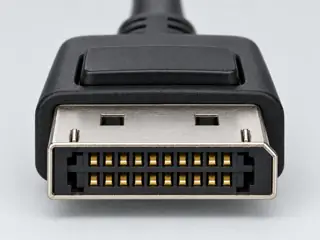
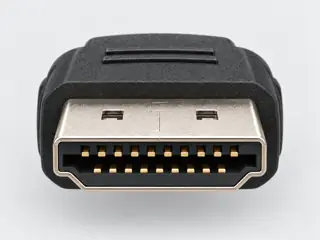
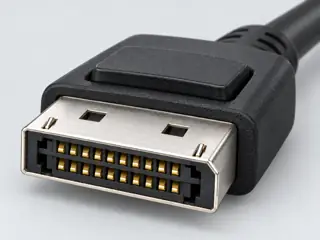
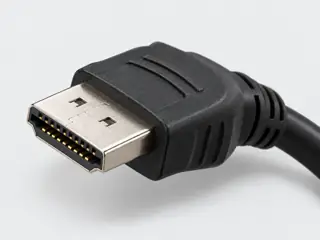
For the named passive class, the DisplayPort source must document DP++ support. An active converter is a different product class; active does not itself promise a higher display mode.
PDF pp. 1–2: DP-source to HDMI-display description; p. 3: Hardware table, visually inspected. · Revision not recorded · Recorded source inspection 2026-10-07. Exact DP2HD4KS active converter example. Performance, cable length and broad marketing compatibility statements are not generalized. Inspection repairs access for the existing direction/conversion scope, not a hardware or independent review.
Product ID / Features / Hardware / Performance / System and Cable Requirements; all four rendered pages observed. Parsed text and page images have different table ordering. · Revision not recorded · Recorded source inspection 2026-10-13. No printed issue/revision date observed. Latest revision unconfirmed. Broad marketing language and conflicting cable-distance statements not promoted. Raw bytes not retained or hash-certified.
Get Connected, footnote below How It Works illustration · Revision not recorded · Recorded source inspection 2026-10-15. Source states a conditional adapter capability; not a blanket promise of resolution or interoperability.
Check the actual cable’s certification information
Search the exact product. The public list defaults to the last two years; use its date filter when appropriate. Absence is a manufacturer enquiry, not a declaration that a product is unsafe or unsupported.
Look up the exact cable/adapter manufacturer and model in the VESA certified product database. This link or a similar drawing does not certify your cable.
Use the official cable name and certification label for the exact model; the current HDMI guidance describes standard QR-app verification. A connector picture or generic HDMI version is not product authentication.
A generic illustration and these lookup links do not certify any particular cable.
Three exact-equipment examples
These are source-backed documentation cases. They do not select your equipment, fill the form above, or report a hardware test.
T03-S1 · Supported within the stated documentation scope
An active adapter on the Steam Deck dock output
Document 3840x2160 60Hz SDR from the dock DisplayPort output to monitor HDMI.
Use the Docking Station with its captive Deck lead and a documented HDMI cable.
Use the active DP2HD4K60S; this case makes no passive-DP++ inference and no HDR/VRR claim.
Valve lists a DP1.4 output and up-to-4K60 dock display support; the adapter describes active DP-to-HDMI conversion without extra drivers. M05-10 · M05-11
Dell specifies the monitor’s HDMI input and 4K60 native mode. M05-02
Supported within the stated documentation scope: The documented port roles and bounded mode align. Active conversion addresses the stated adapter class; the actual link still needs normal model/firmware checks.
Next check: Keep the current Deck/dock firmware, selected output, cable and display mode with the record.
Documentation scope only. This is not a hardware test, detected device state, pinout, electrical replacement approval or guarantee for another product/revision.
Exact source scopes and inspection dates
M05-10 · Steam Deck Docking Station specifications
Expansion and Power: DP 1.4/HDMI 2.0 outputs, documented modes, MST footnote, captive Deck connection · No document revision shown on inspected page · Inspected 2026-10-22. Selected exact-model documentation only; no hardware test or broader family approval.
OLED model; Audio; Expansion: DisplayPort over Type-C; Software: SteamOS 3 · No document revision shown on inspected page · Inspected 2026-10-22. Selected exact-model documentation only; no hardware test or broader family approval.
Tech Specs: native resolution; Connectivity / Interfaces (DP Alt Mode upstream versus data-only upstream/downstream) · No document revision shown on inspected page · Inspected 2026-10-22. Selected exact-model documentation only; no hardware test or broader family approval.
M05-11 · DP2HD4K60S active DisplayPort to HDMI adapter datasheet
PDF pp.1-2: DP-source to HDMI-display direction; active conversion, no additional drivers; 4K60 requirements differ between narrative and feature bullet · No document revision shown on inspected page · Inspected 2026-10-22. Manufacturer narrative requires DP 1.4 for 4K60 while feature bullet says DP 1.2 minimum. Preserve this internal inconsistency; do not resolve it by guessing.
The proposed adapter is DP2HD4K60S, not an HDMI-to-DisplayPort model.
StarTech identifies the converter input as DisplayPort and its output as HDMI; Xbox Series X supplies HDMI. M05-11 · M05-07
The proposed path disagrees with the documentation: The documented source and converter input do not match. The active electronics are not evidence of reverse conversion.
Next check: Select documentation for an HDMI-input-to-DisplayPort-output product before evaluating the monitor mode.
Documentation scope only. This is not a hardware test, detected device state, pinout, electrical replacement approval or guarantee for another product/revision.
Video Capabilities; Ports & Connectivity: HDMI 2.1; selected output features are distinct · No document revision shown on inspected page · Inspected 2026-10-22. Selected exact-model documentation only; no hardware test or broader family approval.
Tech Specs: native resolution; Connectivity / Interfaces (DP Alt Mode upstream versus data-only upstream/downstream) · No document revision shown on inspected page · Inspected 2026-10-22. Selected exact-model documentation only; no hardware test or broader family approval.
M05-11 · DP2HD4K60S active DisplayPort to HDMI adapter datasheet
PDF pp.1-2: DP-source to HDMI-display direction; active conversion, no additional drivers; 4K60 requirements differ between narrative and feature bullet · No document revision shown on inspected page · Inspected 2026-10-22. Manufacturer narrative requires DP 1.4 for 4K60 while feature bullet says DP 1.2 minimum. Preserve this internal inconsistency; do not resolve it by guessing.
The motherboard is identified, but the installed CPU display capability has not been supplied.
DP2HD4K60S narrative calls for DP1.4 at 4K60 while a feature bullet says DP1.2 minimum. The source document does not resolve this difference. M05-11
The board manual’s display/storage capabilities have processor-dependent limits; a board socket is not the installed CPU’s display declaration. M05-29
Specific information is still missing: A complete mode cannot be established from these records. Keep the conflicting adapter requirement visible and identify the actual CPU/output support.
Still needed:
Installed CPU model and display output capability
Manufacturer clarification of the adapter DP1.2/DP1.4 requirement
Next check: Obtain the adapter maker’s clarification and the installed CPU’s exact display specification; retain the requested color/refresh mode.
Documentation scope only. This is not a hardware test, detected device state, pinout, electrical replacement approval or guarantee for another product/revision.
PDF p.8 internal power connectors; pp.12-13 section 1.2.1 item5 Power connectors, ATX_12V board label · E18712 first edition July 2021 · Inspected 2026-10-22. Selected exact-model documentation only; no hardware test or broader family approval.
Tech Specs: native resolution; Connectivity / Interfaces (DP Alt Mode upstream versus data-only upstream/downstream) · No document revision shown on inspected page · Inspected 2026-10-22. Selected exact-model documentation only; no hardware test or broader family approval.
M05-11 · DP2HD4K60S active DisplayPort to HDMI adapter datasheet
PDF pp.1-2: DP-source to HDMI-display direction; active conversion, no additional drivers; 4K60 requirements differ between narrative and feature bullet · No document revision shown on inspected page · Inspected 2026-10-22. Manufacturer narrative requires DP 1.4 for 4K60 while feature bullet says DP 1.2 minimum. Preserve this internal inconsistency; do not resolve it by guessing.
Computer-generated illustrations, not photographs · a picture does not show capability
The answer
Short answer Yes, with an adapter used DisplayPort → HDMI. A passive adapter class applies only if the DisplayPort output supports DP++ (dual-mode); otherwise use an active converter.
What you need
The cable or adapter class
DisplayPort → HDMI active converter
DisplayPort → HDMI passive adapter
Before you buy
What must be true
One direct display path, without a dock or extra conversion stage
All converter power requirements are satisfied, or documented as not needed
Exact cable / converter supports the selected signal direction
Source supports the complete requested video mode
Every cable and converter supports that complete mode
Selected display input supports that complete mode
Watch out
Direction and exact products matter
Connectors that fit do not prove a connection works. Check that the exact cable or adapter is documented for DisplayPort → HDMI, and that both devices support what you need. Going the other way? See HDMI to DisplayPort.