FIELD GUIDESource-led reference

Family reference

Mac power connectors

Browse the documented Mac power connector forms while keeping identification separate from implementation-specific capability.

3 forms 3 engineering profiles 1 related comparisons

Recognition & reference

Browse the forms

Read as a table ↓

Recognition illustrations are not to scale or fabrication drawings. The label-led symbols below, where present, are not interface geometry. Read the illustration limits in each exact reference; equal image boxes do not establish equal physical sizes.

Reference table3 connector forms · names, shape labels & reference depth

An alternate overview of the same facts shown in the cards. On narrow screens, scroll the table horizontally or read the cards above. Alias lists retain the existing first four entries; the full record has further detail. This is not a dimension, pinout or compatibility table.

Connector forms in the Mac power family
Connector formShapeCommon aliasesEngineering
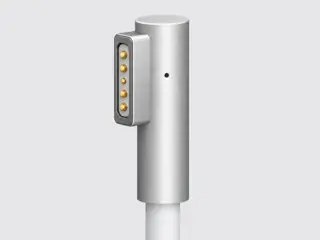
Apple original wired MagSafe — L-style and T-stylemagnetic-contact-stripMagSafe 1, Original MagSafe, MagSafe L-style, MagSafe T-styleEngineering profile →
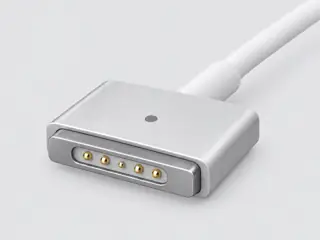
Apple wired MagSafe 2 laptop power connectormagnetic-contact-stripMagSafe 2, MagSafe2, MacBook Air MagSafe 2, MagSafe 2 T connectorEngineering profile →
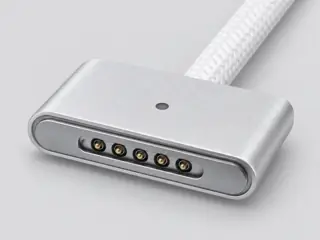
Apple wired MagSafe 3 laptop power connectormagnetic-contact-stripMagSafe 3, USB-C to MagSafe 3, MacBook MagSafe 3 cable, wired MagSafe 3Engineering profile →

Tell them apart

Useful Mac power comparisons

Related pages may include forms from another family. They explain distinctions, not permission to connect.

Before choosing a reference

Mac power names and terminology

Resolve abbreviations, informal names and legacy labels without treating an alias as an additional connector identity.

Open Mac power terminology and aliases →

Continue with the evidence

From the form to the task.

A family name is a starting point. Use the exact record and device documentation before choosing cables or planning a connection.