The useful distinction
Understand the requirement.
Move USB data over optical fiber when the remote device has its own power or an appropriate powered hub. [C981A]
Bounded facts, visible unknowns
Specifications and limits
| Documented task / mode | The series is documented for 5Gb/s and most USB3.0/2.0 devices; universal device support is not claimed. [C981A] |
|---|---|
| Construction / length | Optical fibers carry data; two copper conductors supply the internal optical/electrical electronics. This is not an electrically conductor-free isolation claim. The page lists 10, 15, 30 and 50m products but its Distance field says host-to-device up to 30m. The current 50m operating scope remains unresolved; use a documented configuration rather than selecting the larger figure. [C981A] |
| Verified device list | Not included. Check exact device and accessory documentation. |
Optical fibers carry data; two copper conductors supply the internal optical/electrical electronics. This is not an electrically conductor-free isolation claim. Follow the exact product's handling instructions; no splicing or solder repair. No installed-building approval is inferred from a listed jacket or safety marking.
Before you connect
What to check
- Obtain the selected length's current specification, device-power plan and USB2/USB3 support statement. Keep 50m use pending manufacturer clarification of the conflicting reach fields.
- Check condition with power disconnected where the equipment guidance permits; stop for damage, heat or unknown powered connections.
- Keep published source support separate from physical test results.
Direction and fallback
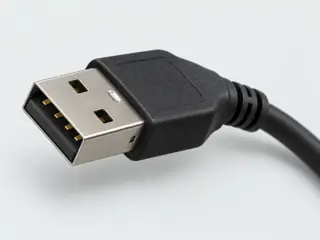
The USB-A plug goes to the computer; the receptacle serves the device or a documented self-powered hub. USB2.0 is documented. USB1.1/1.0 low-speed peripherals require the documented wall-powered intermediate hub; do not adopt the page's unsupported workaround.
Worked selection example
A self-powered USB3 instrument can use the documented host-to-device optical path; a bus-powered drive needs an appropriately powered device-side hub rather than an assumption that the optical cable supplies it.
What to observe next
Obtain the selected length's current specification, device-power plan and USB2/USB3 support statement. Keep 50m use pending manufacturer clarification of the conflicting reach fields.
Your next step
Move from the form to the requirement.
The source trail
Evidence for this page
AI-assisted inspection is not independent engineering review. Source scope and access limitations are disclosed below. Procedural checklists are editorial requirements, not hardware measurements.
The series is documented for 5Gb/s and most USB3.0/2.0 devices; universal device support is not claimed. The cable's optics use host power. Corning says no significant peripheral power remains; use self-powered peripherals or a self-powered USB hub at the device side. Optical fibers carry data; two copper conductors supply the internal optical/electrical electronics. This is not an electrically conductor-free isolation claim. The page lists 10, 15, 30 and 50m products but its Distance field says host-to-device up to 30m. The current 50m operating scope remains unresolved; use a documented configuration rather than selecting the larger figure.
Corning · USB 3.Optical Cables product page and FAQ ↗S1101: full source recordInspect review dependencies →